- LARAVEL APACHE SETUP
CREATE A CONF
1sudo cp /etc/apache2/sites-available/000-default.conf /etc/apache2/sites-available/abilik-laravel.test.conf
EDIT
1sudo gedit /etc/apache2/sites-available/abilik-laravel.test.conf
CONTENT
123456789101112<VirtualHost abilik-laravel.test:80>ServerName www.abilik-laravel.testDocumentRoot "/home/teddy/Documents/works/abilik-laravel"DirectoryIndex index.php<Directory "/home/teddy/Documents/works/abilik-laravel">AllowOverride AllAllow from AllRequire all granted</Directory>ErrorLog /var/log/apache2/abilik-laravel.error.logCustomLog /var/log/apache2/abilik-laravel.access.log combined</VirtualHost>
ENABLE THE VIRTUALHOST
123sudo a2ensite abilik-laravel.test.confsudo a2enmod rewrite
RELOAD APACHE2
1sudo systemctl reload apache2CREATE THE HOST
1sudo gedit /etc/hosts1127.0.0.1 abilik-laravel.testSET THE FILE PERMISSIONS & RELOAD APACHE2
12teddy@teddy:~/Documents/works$ sudo chmod -R 777 abilik-laravel/teddy@teddy:~/Documents/works$ sudo systemctl reload apache2MODIFY .env FILE
123DB_DATABASE=abilik_laravelDB_USERNAME=rootDB_PASSWORD=teddyCHECK /home/teddy/Documents/works/abilik-laravel/app/Providers/AppServiceProvider.php
TO DISABLE HTTPS ON MY LOCAL1234public function boot(){//\URL::forceScheme('https');}MODIFY .htaccess (DEFAULT FROM /public/ DIR)
1234567891011121314151617181920212223242526272829303132333435363738394041424344454647AddType application/x-httpd-php .phpAddType application/x-httpd-php-source .phps<IfModule mod_rewrite.c><IfModule mod_negotiation.c>Options -MultiViews -Indexes</IfModule>RewriteEngine On# Handle Authorization HeaderRewriteCond %{HTTP:Authorization} .RewriteRule .* - [E=HTTP_AUTHORIZATION:%{HTTP:Authorization}]# Redirect Trailing Slashes If Not A Folder...RewriteCond %{REQUEST_FILENAME} !-dRewriteCond %{REQUEST_URI} (.+)/$RewriteRule ^ %1 [L,R=301]# Handle Front Controller...RewriteCond %{REQUEST_FILENAME} !-dRewriteCond %{REQUEST_FILENAME} !-fRewriteRule ^ index.php [L]</IfModule><IfModule mod_headers.c>Header append Cache-Control "public"</IfModule>## EXPIRES CACHING ##<IfModule mod_expires.c>ExpiresActive OnExpiresByType image/jpg "access plus 1 year"ExpiresByType image/jpeg "access plus 1 year"ExpiresByType image/gif "access plus 1 year"ExpiresByType image/png "access plus 1 year"ExpiresByType text/css "access plus 1 month"ExpiresByType application/pdf "access plus 1 month"ExpiresByType text/x-javascript "access plus 20 minutes"ExpiresByType application/x-shockwave-flash "access plus 1 month"ExpiresByType application/x-javascript "access plus 20 minutes"ExpiresByType text/javascript "access plus 15 minutes"ExpiresByType application/javascript "access plus 1 month"ExpiresByType application/json "access plus 20 minutes"ExpiresByType image/x-icon "access plus 1 year"ExpiresDefault "access plus 2 days"</IfModule>## EXPIRES CACHING ##CLEAR THE PREVIOUS CACHE & ROUTE ON THE WEB ROOT (FOR EXAMPLE teddy@teddy:~/Documents/works/abilik-laravel$ php artisan route:clear)
12345php artisan route:clearphp artisan config:clearphp artisan cache:clear123teddy@teddy:~/Documents/works/abilik-laravel$ php artisan help -VPHP Warning: Module 'curl' already loaded in Unknown on line 0Laravel Framework 6.5.1OPEN: http://abilik-laravel.test/
http://abilik-laravel.test/oc-admin
Install Printer HP Deskjet 2135 on Ubuntu 16.04
REF: https://martianuswb.com/?p=5378
AT FIRST I TRIED TO USE AUTOMATIC INSTALLATION INSTEAD OF THE CUSTOM ONE AND IT FAILED:
Running ‘sudo apt-get install –assume-yes libcupsimage2-dev’
Please wait, this may take several minutes…
error: Package install command failed with error code 100
error: A required dependency ‘cups (CUPS – Common Unix Printing System)’ is still missing.
error: A required dependency ‘cups-image (CUPS image – CUPS image development files)’ is still missing.
error: Installation cannot continue without these dependencies.
error: Please manually install this dependency and re-run this installer.
sudo apt-get install –reinstall libpng12-0=1.2.54-1ubuntu1.1 libpng-dev libcupsimage2-dev
Running ‘sudo apt-get install –assume-yes libcups2’
Please wait, this may take several minutes…
|Gtk-Message: Failed to load module “topmenu-gtk-module”
error: A required dependency ‘cups (CUPS – Common Unix Printing System)’ is still missing.
error: A required dependency ‘pyqt5 (PyQt 5- Qt interface for Python (for Qt version 4.x))’ is still missing.
error: Installation cannot continue without this dependency.
error: Please manually install this dependency and re-run this installer.
SOLUTION: USE CUSTOM INSTALLATION:
ALSO TRIED TO ENABLE CUPS SERVICE ???
teddy@teddy:~/Documents/HP_deskjet_2135$ sh hplip-3.20.3.run
Creating directory hplip-3.20.3
Verifying archive integrity… All good.
Uncompressing HPLIP 3.20.3 Self Extracting Archive……………………………………………………………………………………………………………………………………………………………………………………………………………………………………………………………………………………………………………………………………………………………………………………………………………………………………………………………………………………………………………………………………………………………………………………………………………………………………………………………………………………………………………………………………………………………………………………………………………………………………………………………………………………………………………………………………………………………………………………………………………………………………………………………………………………………………………………………………………………………………………………………………………………………………………………………………………………………………………………………………………………………………………………………………………………………………………………………………………………………………………………………………………………………………………………………………………………………………………………………………………………………………………………………………………………………………………………………………………………………………………………………………………………………………………………………………………………………………………………………………………………………………………………………………………………………………………………………………………………………………………………………………………………………………………………………………………………………………………………………………………………………………………………………………………………
HP Linux Imaging and Printing System (ver. 3.20.3)
HPLIP Installer ver. 5.1
Copyright (c) 2001-18 HP Development Company, LP
This software comes with ABSOLUTELY NO WARRANTY.
This is free software, and you are welcome to distribute it
under certain conditions. See COPYING file for more details.
Installer log saved in: hplip-install_Sun-10-May-2020_14:43:23.log
\
note: Defaults for each question are maked with a ‘*’. Press <enter> to accept the default.
/Gtk-Message: Failed to load module “topmenu-gtk-module”
-Gtk-Message: Failed to load module “topmenu-gtk-module”
INSTALLATION MODE
—————–
Automatic mode will install the full HPLIP solution with the most common options.
Custom mode allows you to choose installation options to fit specific requirements.
Please choose the installation mode (a=automatic*, c=custom, q=quit) : c
INTRODUCTION
————
This installer will install HPLIP version 3.20.3 on your computer.
Please close any running package management systems now (YaST, Adept, Synaptic, Up2date, etc).
DISTRO/OS CONFIRMATION
———————-
Distro appears to be Ubuntu 16.04.
Is “Ubuntu 16.04” your correct distro/OS and version (y=yes*, n=no, q=quit) ? y
DRIVER OPTIONS
————–
Would you like to install Custom Discrete Drivers or Class Drivers ( ‘d’= Discrete Drivers*,’c’= Class Drivers,’q’= Quit)? : d
Initializing. Please wait…
SELECT HPLIP OPTIONS
——————–
You can select which HPLIP options to enable. Some options require extra dependencies.
Do you wish to enable ‘Network/JetDirect I/O’ (y=yes*, n=no, q=quit) ? y
Do you wish to enable ‘Graphical User Interfaces (Qt4)’ (y=yes*, n=no, q=quit) ? y
Do you wish to enable ‘Graphical User Interfaces (Qt5)’ (y=yes, n=no*, q=quit) ? n
Do you wish to enable ‘PC Send Fax support’ (y=yes*, n=no, q=quit) ? n
Do you wish to enable ‘Scanning support’ (y=yes*, n=no, q=quit) ? y
Do you wish to enable ‘HPLIP documentation (HTML)’ (y=yes*, n=no, q=quit) ? y
ENTER USER PASSWORD
——————-
Please enter the sudoer (teddy)’s password:
INSTALLATION NOTES
——————
Enable the universe/multiverse repositories. Also be sure you are using the Ubuntu “Main” Repositories. See: https://help.ubuntu.com/community/Repositories/Ubuntu for more information. Disable the CD-ROM/DVD source if you do not have the Ubuntu installation media inserted in the drive.
Please read the installation notes. Press <enter> to continue or ‘q’ to quit:
SECURITY PACKAGES
—————–
AppArmor is installed.
AppArmor protects the application from external intrusion attempts making the application secure
Would you like to have this installer install the hplip specific policy/profile (y=yes*, n=no, q=quit) ? y
RUNNING PRE-INSTALL COMMANDS
—————————-
OK
CHECKING FOR NETWORK CONNECTION
——————————-
Network connection present.
RUNNING PRE-PACKAGE COMMANDS
—————————-
sudo dpkg –configure -a (Pre-depend step 1)
sudo apt-get install –yes –force-yes -f (Pre-depend step 2)
warning: An error occurred running ‘sudo apt-get update’
sudo apt-get update (Pre-depend step 3)
OK
DEPENDENCY AND CONFLICT RESOLUTION
———————————-
\Gtk-Message: Failed to load module “topmenu-gtk-module”
HPLIP-3.16.3 exists, this may conflict with the new one being installed.
Do you want to (‘i’= Remove and Install*, ‘q’= Quit)? :i
Starting uninstallation…
HPLIP uninstallation is completed
RUNNING POST-PACKAGE COMMANDS
—————————–
OK
RE-CHECKING DEPENDENCIES
————————
/Gtk-Message: Failed to load module “topmenu-gtk-module”
OK
RUNNING SCANJET DEPENDENCY COMMANDS
———————————–
sudo apt-get install –assume-yes python-pip (Scanjet-depend step 1)
sudo pip install –upgrade pip (Scanjet-depend step 2)
sudo apt-get install –assume-yes libleptonica-dev (Scanjet-depend step 3)
sudo apt-get install –assume-yes tesseract-ocr (Scanjet-depend step 4)
sudo apt-get install –assume-yes libtesseract-dev (Scanjet-depend step 5)
sudo -H pip install tesserocr (Scanjet-depend step 6)
sudo apt-get install –assume-yes libzbar-dev (Scanjet-depend step 7)
warning: Failed to install this Scanjet dependency package. Some Scanjet features will not work.
sudo apt-get install –assume-yes python-zbar (Scanjet-depend step 8)
sudo apt-get install –assume-yes python-opencv (Scanjet-depend step 9)
sudo apt-get install –assume-yes python-pypdf2 (Scanjet-depend step 10)
sudo -H pip install imutils (Scanjet-depend step 11)
sudo -H pip install pypdfocr (Scanjet-depend step 12)
warning: Failed to install this Scanjet dependency package. Some Scanjet features will not work.
sudo -H pip install scikit-image (Scanjet-depend step 13)
/
sudo -H pip install scipy (Scanjet-depend step 14)
OK
READY TO BUILD AND INSTALL
————————–
Ready to perform build and install. Press <enter> to continue or ‘q’ to quit:
PRE-BUILD COMMANDS
——————
OK
BUILD AND INSTALL
—————–
Running ‘./configure –with-hpppddir=/usr/share/ppd/HP –libdir=/usr/lib –prefix=/usr –enable-qt4 –disable-qt5 –enable-doc-build –disable-cups-ppd-install –disable-foomatic-drv-install –disable-libusb01_build –disable-foomatic-ppd-install –disable-hpijs-install –disable-class-driver –disable-udev_sysfs_rules –disable-policykit –enable-cups-drv-install –enable-hpcups-install –enable-network-build –enable-dbus-build –enable-scan-build –disable-fax-build –enable-apparmor_build’
Please wait, this may take several minutes…
Command completed successfully.
Running ‘make clean’
Please wait, this may take several minutes…
Command completed successfully.
Running ‘make’
Please wait, this may take several minutes…
Command completed successfully.
Running ‘sudo make install’
Please wait, this may take several minutes…
Command completed successfully.
Build complete.
POST-BUILD COMMANDS
——————-
CLOSE HP_SYSTRAY
—————-
Sending close message to hp-systray (if it is currently running)…
OK
HPLIP UPDATE NOTIFICATION
————————-
Do you want to check for HPLIP updates?. (y=yes*, n=no) : y
RESTART OR RE-PLUG IS REQUIRED
——————————
If you are installing a USB connected printer, and the printer was plugged in
when you started this installer, you will need to either restart your PC or
unplug and re-plug in your printer (USB cable only). If you choose to restart,
run this command after restarting: hp-setup (Note: If you are using a parallel
connection, you will have to restart your PC. If you are using network/wireless,
you can ignore and continue).
Restart or re-plug in your printer (r=restart, p=re-plug in*, i=ignore/continue, q=quit) : i
PRINTER SETUP
————-
Would you like to setup a printer now (y=yes*, n=no, q=quit) ? y
Please make sure your printer is connected and powered on at this time.
Do you want to setup printer in GUI mode? (u=GUI mode*, i=Interactive mode) : u
HP Linux Imaging and Printing System (ver. 3.20.3)
Printer/Fax Setup Utility ver. 9.0
Copyright (c) 2001-18 HP Development Company, LP
This software comes with ABSOLUTELY NO WARRANTY.
This is free software, and you are welcome to distribute it
under certain conditions. See COPYING file for more details.
warning: Fax setup disabled – Python 2.3+ required.
Gtk-Message: Failed to load module “topmenu-gtk-module”
Searching… (bus=usb, search=(None), desc=0)
Done.
RE-STARTING HP_SYSTRAY
———————-
HP Linux Imaging and Printing System (ver. 3.20.3)
System Tray Status Service ver. 2.0
Copyright (c) 2001-18 HP Development Company, LP
This software comes with ABSOLUTELY NO WARRANTY.
This is free software, and you are welcome to distribute it
under certain conditions. See COPYING file for more details.
Gtk-Message: Failed to load module “topmenu-gtk-module”
/usr/lib/python2.7/dist-packages/gtk-2.0/gtk/__init__.py:127: RuntimeWarning: PyOS_InputHook is not available for interactive use of PyGTK
set_interactive(1)
“sni-qt/11952” WARN 15:11:38.490 void StatusNotifierItemFactory::connectToSnw() Invalid interface to SNW_SERVICE
teddy@teddy:~/Documents/HP_deskjet_2135$
HP Linux Imaging and Printing System (ver. 3.20.3)
HP Device Manager ver. 15.0
Copyright (c) 2001-18 HP Development Company, LP
This software comes with ABSOLUTELY NO WARRANTY.
This is free software, and you are welcome to distribute it
under certain conditions. See COPYING file for more details.
warning: Fax disabled.
warning: Fax disabled.
warning: Please install version 2.0+ of Reportlab for coverpage support.
error: Fax address book disabled – Python 2.3+ required.
Gtk-Message: Failed to load module “topmenu-gtk-module”
\warning: Supplies information not available for this device.
warning: Supplies information not available for this device.
Gtk-Message: Failed to load module “topmenu-gtk-module”
Gtk-Message: Failed to load module “topmenu-gtk-module”
WHEN COMPUTER IS RESTARTED, I NEED TO START CUPS SERVICE
|
1 2 |
teddy@teddy:~$ sudo /etc/init.d/cups start [ ok ] Starting cups (via systemctl): cups.service. |
SO COMPUTER CAN RECOGNIZE THE PRINTER!!!
SeedDMS
Ref: https://www.seeddms.org/
Download
NOTE: Don’t download version 5.1.13 because it has a problem with the login but download 5.1.10 (then upgrade to 5.1.13???)
Then modify /home/teddy/Documents/works/seeddms51x/conf/settings.xml
|
1 2 3 4 5 6 7 8 9 10 |
... <server rootDir="/home/teddy/Documents/works/seeddms51x/www/" httpRoot="/works/seeddms51x/www/" contentDir="/home/teddy/Documents/works/seeddms51x/data/" stagingDir="/home/teddy/Documents/works/seeddms51x/data/staging/" luceneDir="/home/teddy/Documents/works/seeddms51x/data/lucene/" logFileEnable="true" logFileRotation="d" enableLargeFileUpload="false" partitionSize="2000000" cacheDir="/home/teddy/Documents/works/seeddms51x/data/cache/" dropFolderDir="" backupDir="" repositoryUrl="" maxUploadSize=""> </server> ... <database dbDriver="sqlite" dbHostname="localhost" dbDatabase="/home/teddy/Documents/works/seeddms51x/data/content.db" dbUser="seeddms" dbPass="seeddms" doNotCheckVersion="false"> </database> ... <server coreDir="" luceneClassDir="" contentOffsetDir="1048576" maxDirID="0" updateNotifyTime="86400" extraPath="/home/teddy/Documents/works/seeddms51x/pear/" maxExecutionTime="30" cmdTimeout="1"> </server> ... |
Open via browser and apache2 : http://localhost/works/seeddms51x/seeddms-5.1.10/
user ID: admin
password: admin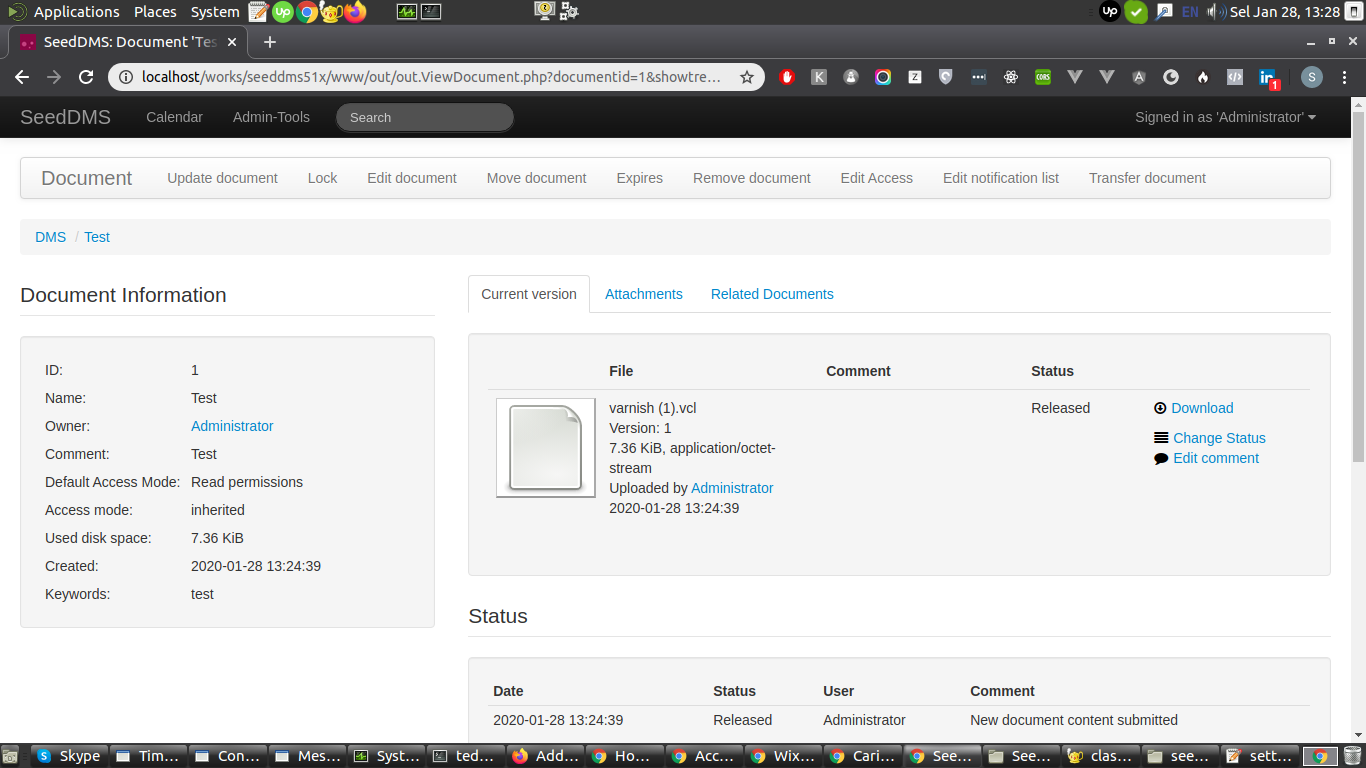
Install OpenLiteSpeed on Ubuntu 16.04
Ref: https://openlitespeed.org/kb/install-from-binary/
https://www.vultr.com/docs/how-to-install-openlitespeed-on-ubuntu-16-04
https://www.howtoforge.com/tutorial/how-to-install-and-configure-openlitespeed-server-on-ubuntu-1804-along-with-mariadb/
Step 1: Update your server
|
1 |
sudo apt-get update |
Step 2: Install OpenLiteSpeed
Install dependencies
|
1 |
sudo apt-get install build-essential libexpat1-dev libgeoip-dev libpcre3-dev zlib1g-dev libssl-dev libxml2-dev rcs libpng-dev |
Download the latest stable from https://openlitespeed.org/downloads/
|
1 |
wget https://openlitespeed.org/packages/openlitespeed-1.5.8.tgz |
Extract the downloaded file
|
1 |
tar -xvzf openlitespeed-1.5.8.tgz |
Go to ‘openlitespeed’ directory that newly created
|
1 |
cd openlitespeed/ |
XXXConfigure and compile OpenLiteSpeed with the following command. This will install OpenLiteSpeed inside of the ‘/usr/local/lsws/’ directory.XXX
I don’t find ‘configure’ but I found ‘install.sh’. SO use the file to install it.
|
1 |
teddy@teddy:~/openlitespeed$ sudo ./install.sh |
Here is the verbose
|
1 2 3 4 5 6 7 8 9 10 11 12 13 14 15 16 17 18 19 20 21 22 23 24 25 26 27 28 29 30 31 32 33 34 35 36 37 38 39 40 41 42 43 44 45 46 47 48 49 50 51 52 53 54 55 56 57 58 59 60 61 62 63 64 65 66 67 68 69 70 71 72 73 74 75 76 77 78 79 80 81 82 83 84 85 86 87 88 89 90 91 92 93 94 95 96 97 98 99 100 101 102 103 104 105 106 107 108 109 110 111 112 113 114 115 116 117 118 119 120 121 122 123 124 125 126 127 128 129 130 131 132 133 134 135 136 137 138 139 140 141 142 143 144 145 146 147 148 149 150 151 152 153 154 155 156 157 158 159 160 161 162 163 164 165 166 167 168 169 170 171 172 173 174 175 176 177 178 179 180 181 182 183 184 185 186 187 188 189 190 191 192 193 194 195 196 197 198 199 200 201 202 203 204 205 206 207 208 209 210 211 212 213 214 215 216 217 218 219 220 221 222 223 224 225 226 227 228 229 230 231 232 233 234 235 236 237 238 239 240 241 242 243 244 245 246 247 248 249 250 251 252 253 254 255 256 257 258 259 260 261 262 263 264 265 266 267 268 269 270 271 272 273 274 275 276 277 278 279 280 281 282 283 284 285 286 287 288 289 290 291 292 293 294 295 296 297 298 299 300 301 302 303 304 305 306 307 308 309 310 311 312 313 314 315 316 317 |
teddy@teddy:~/openlitespeed$ sudo ./install.sh INSTALL_TYPE is reinstall Cannot find RUBY installation, remember to fix up the ruby path configuration before you can use our easy RubyOnRails setup. Target_Dir:/usr/local/lsws User:nobody Group:nogroup Admin:admin Password:123456 AdminSSL:yes ADMIN_PORT:7080 LSINSTALL_DIR:/home/teddy/openlitespeed TEMP_DIR:/tmp/lshttpd PID_FILE:/tmp/lshttpd/lshttpd.pid -e Installing, please wait... Admin SSL enabled! ./_in.sh: 1129: ./_in.sh: source: not found Generating a 2048 bit RSA private key .....................................................................................+++++ ............+++++ writing new private key to 'privkey.pem' ----- You are about to be asked to enter information that will be incorporated into your certificate request. What you are about to enter is what is called a Distinguished Name or a DN. There are quite a few fields but you can leave some blank For some fields there will be a default value, If you enter '.', the field will be left blank. ----- Country Name (2 letter code) [AU]:State or Province Name (full name) [Some-State]:Locality Name (eg, city) []:Organization Name (eg, company) [Internet Widgits Pty Ltd]:Organizational Unit Name (eg, section) []:Common Name (e.g. server FQDN or YOUR name) []:Email Address []: Please enter the following 'extra' attributes to be sent with your certificate request A challenge password []:An optional company name []: Certificate Request: Data: Version: 1 (0x0) Subject: C = US, ST = New Jersey, L = Virtual, O = LiteSpeedCommunity, OU = Testing, CN = webadmin Subject Public Key Info: Public Key Algorithm: rsaEncryption RSA Public-Key: (2048 bit) Modulus: 00:cb:9f:20:e8:6a:ff:b4:df:20:81:5b:0c:74:e2: d1:7d:fc:ea:43:a3:19:4b:f4:43:07:4c:58:86:fa: c3:83:0f:5c:13:83:44:6f:9f:17:9c:dc:f0:b2:e5: ce:76:00:a4:4a:d9:e4:06:81:1e:2d:59:1c:61:70: 96:ae:1f:d7:14:47:60:f4:17:4e:9a:88:a3:3a:69: 02:09:10:44:ce:5f:73:b9:69:f4:d0:b0:c1:cd:bf: ce:8b:59:ab:15:8f:49:39:5d:00:d3:7e:36:95:73: c5:4d:69:1c:e3:a9:7a:e8:c7:5c:13:ba:c4:86:26: a3:07:74:8e:62:ab:f5:4c:4a:2d:83:a2:23:54:32: 48:48:ce:b9:d7:6c:f9:53:48:47:9b:bf:7f:ee:e7: 2f:04:09:a8:0e:8d:65:1b:a0:15:b5:80:20:40:9e: 13:77:40:4c:dc:0d:20:20:75:97:b1:8f:73:0b:90: 22:f3:ba:49:79:39:b8:85:32:3f:c1:c3:2c:4f:b6: 6d:39:be:28:62:5e:f0:71:5c:52:64:cc:e3:af:cd: 1d:09:96:85:24:7a:bf:b2:3f:a7:d4:3c:ac:47:d3: cb:88:bd:b7:8f:8b:bf:d0:12:2f:4f:16:65:f2:ad: 7b:9a:57:a5:eb:77:2b:4a:ca:4d:3a:2c:1b:83:64: 72:27 Exponent: 65537 (0x10001) Attributes: a0:00 Signature Algorithm: sha256WithRSAEncryption 87:70:e4:04:a7:e9:47:1b:b1:bc:24:be:07:2b:0e:53:fa:37: cb:b8:50:9b:0b:ea:87:bd:b3:e5:64:ed:a6:f3:f6:26:69:67: 03:42:4f:0d:b9:4d:1d:c4:5f:50:14:26:ae:21:f6:6f:99:26: 93:72:bf:d7:67:42:52:58:a5:dd:02:bd:be:31:15:9a:28:fd: c2:a5:05:97:3e:52:06:35:f3:7e:89:e5:cb:e7:a6:18:ab:e6: c9:3d:cb:14:6a:7a:2e:2b:c8:28:e6:05:ed:30:90:49:dd:21: a3:36:40:40:cb:19:33:2b:0b:b5:7a:31:fd:4c:9e:93:b7:1a: c1:a2:e1:49:67:ba:d8:75:c2:19:9a:28:8a:28:9c:09:63:d9: 17:fc:54:b7:17:2a:31:e6:e9:7e:56:97:19:11:39:ca:c0:4b: 8f:8c:a0:28:22:ed:58:e0:08:de:b8:d6:91:a6:0c:bd:59:f7: 6f:71:b2:93:f3:1d:c8:ff:b4:b5:b5:ed:9e:25:32:8d:3f:df: 5b:b6:5c:26:f1:7f:71:95:0e:ce:32:fb:82:86:35:31:65:83: b1:79:9f:d2:ca:93:50:73:7c:45:76:e0:8c:ff:c9:f7:4e:d7: de:3b:c9:fc:56:ee:1b:4c:70:a0:56:18:d7:78:5e:96:c8:bb: 64:08:93:5a writing RSA key Signature ok subject=C = US, ST = New Jersey, L = Virtual, O = LiteSpeedCommunity, OU = Testing, CN = webadmin Getting Private key SSL host is [webadmin], use adminSSL download comamnd is wget -nv -O 2019-11-17 21:26:44 URL:http://www.litespeedtech.com/packages/lsphp5_bin/x86_64/lsphp5 [4902224/4902224] -> "/usr/local/lsws/admin/fcgi-bin/admin_php" [1] admin_php downloaded. Current platform is UBUNTU16 ubuntu xenial. grep: /etc/apt/sources.list.d/lst_debian_repo.list: No such file or directory --2019-11-17 21:26:44-- http://rpms.litespeedtech.com/debian/lst_debian_repo.gpg Resolving rpms.litespeedtech.com (rpms.litespeedtech.com)... 34.210.113.18 Connecting to rpms.litespeedtech.com (rpms.litespeedtech.com)|34.210.113.18|:80... connected. HTTP request sent, awaiting response... 200 OK Length: 1198 (1,2K) [application/octet-stream] Saving to: ‘/etc/apt/trusted.gpg.d/lst_debian_repo.gpg’ /etc/apt/trusted.gp 100%[===================>] 1,17K --.-KB/s in 0,1s 2019-11-17 21:26:44 (11,7 KB/s) - ‘/etc/apt/trusted.gpg.d/lst_debian_repo.gpg’ saved [1198/1198] --2019-11-17 21:26:44-- http://rpms.litespeedtech.com/debian/lst_repo.gpg Resolving rpms.litespeedtech.com (rpms.litespeedtech.com)... 34.210.113.18 Connecting to rpms.litespeedtech.com (rpms.litespeedtech.com)|34.210.113.18|:80... connected. HTTP request sent, awaiting response... 200 OK Length: 2336 (2,3K) [application/octet-stream] Saving to: ‘/etc/apt/trusted.gpg.d/lst_repo.gpg’ /etc/apt/trusted.gp 100%[===================>] 2,28K --.-KB/s in 0,1s 2019-11-17 21:26:45 (22,9 KB/s) - ‘/etc/apt/trusted.gpg.d/lst_repo.gpg’ saved [2336/2336] Ign:1 http://dl.google.com/linux/chrome/deb stable InRelease Hit:2 http://kambing.ui.ac.id/ubuntu xenial InRelease Get:3 http://dl.google.com/linux/chrome/deb stable Release [943 B] Hit:4 http://kambing.ui.ac.id/ubuntu xenial-updates InRelease Hit:5 https://dl.yarnpkg.com/debian stable InRelease Hit:6 http://kambing.ui.ac.id/ubuntu xenial-backports InRelease Hit:7 http://packages.microsoft.com/repos/vscode stable InRelease Hit:9 http://kambing.ui.ac.id/ubuntu xenial-security InRelease Hit:10 https://packages.microsoft.com/ubuntu/18.04/prod bionic InRelease Hit:11 https://packages.microsoft.com/ubuntu/16.04/prod xenial InRelease Hit:12 https://packages.microsoft.com/ubuntu/16.04/mssql-server-2017 xenial InRelease Ign:13 http://rpms.litespeedtech.com/debian xenial InRelease Hit:14 https://download.docker.com/linux/ubuntu xenial InRelease Hit:15 https://repo.skype.com/deb stable InRelease Hit:16 http://ppa.launchpad.net/audio-recorder/ppa/ubuntu xenial InRelease Hit:18 http://linux.teamviewer.com/deb stable InRelease Get:20 http://rpms.litespeedtech.com/debian xenial Release [1.662 B] Hit:21 https://artifacts.elastic.co/packages/7.x/apt stable InRelease Hit:22 http://ppa.launchpad.net/chris-lea/redis-server/ubuntu xenial InRelease Hit:19 https://packages.cloud.google.com/apt kubernetes-xenial InRelease Get:23 http://rpms.litespeedtech.com/debian xenial Release.gpg [836 B] Hit:24 http://ppa.launchpad.net/geany-dev/ppa/ubuntu xenial InRelease Ign:25 https://repo.mongodb.org/apt/ubuntu xenial/mongodb-org/4.0 InRelease Hit:26 https://download.mono-project.com/repo/ubuntu vs-xenial InRelease Get:27 http://rpms.litespeedtech.com/debian xenial/main amd64 Packages [22,5 kB] Hit:28 https://repo.mongodb.org/apt/ubuntu xenial/mongodb-org/4.0 Release Hit:29 http://ppa.launchpad.net/george-edison55/nitroshare/ubuntu xenial InRelease Get:31 http://packages.blackfire.io/debian any InRelease [23,2 kB] Ign:17 http://www.getdeb.net/ubuntu xenial-getdeb InRelease Get:32 http://rpms.litespeedtech.com/debian xenial/main i386 Packages [16,6 kB] Hit:33 http://ppa.launchpad.net/inkscape.dev/stable/ubuntu xenial InRelease Hit:35 http://ppa.launchpad.net/obsproject/obs-studio/ubuntu xenial InRelease Ign:34 http://www.getdeb.net/ubuntu xenial-getdeb Release Hit:36 http://ppa.launchpad.net/ondrej/php/ubuntu xenial InRelease Hit:39 http://ppa.launchpad.net/ubuntu-mate-dev/xenial-mate/ubuntu xenial InRelease Ign:37 http://www.getdeb.net/ubuntu xenial-getdeb/apps amd64 Packages.diff/Index Hit:41 http://ppa.launchpad.net/ubuntu-toolchain-r/test/ubuntu xenial InRelease Ign:38 http://www.getdeb.net/ubuntu xenial-getdeb/apps i386 Packages.diff/Index Hit:43 http://ppa.launchpad.net/webupd8team/java/ubuntu xenial InRelease Ign:40 http://www.getdeb.net/ubuntu xenial-getdeb/apps all Packages.diff/Index Ign:42 http://www.getdeb.net/ubuntu xenial-getdeb/apps Translation-en_US.diff/Index Ign:44 http://www.getdeb.net/ubuntu xenial-getdeb/apps Translation-en.diff/Index Ign:45 http://www.getdeb.net/ubuntu xenial-getdeb/apps amd64 DEP-11 Metadata.diff/Index Ign:46 http://www.getdeb.net/ubuntu xenial-getdeb/apps DEP-11 64x64 Icons.diff/Index Ign:47 http://www.getdeb.net/ubuntu xenial-getdeb/apps amd64 Packages Ign:48 http://www.getdeb.net/ubuntu xenial-getdeb/apps i386 Packages Ign:49 http://www.getdeb.net/ubuntu xenial-getdeb/apps all Packages Ign:50 http://www.getdeb.net/ubuntu xenial-getdeb/apps Translation-en_US Ign:51 http://www.getdeb.net/ubuntu xenial-getdeb/apps Translation-en Ign:52 http://www.getdeb.net/ubuntu xenial-getdeb/apps amd64 DEP-11 Metadata Ign:53 http://www.getdeb.net/ubuntu xenial-getdeb/apps DEP-11 64x64 Icons Ign:47 http://www.getdeb.net/ubuntu xenial-getdeb/apps amd64 Packages Ign:48 http://www.getdeb.net/ubuntu xenial-getdeb/apps i386 Packages Ign:49 http://www.getdeb.net/ubuntu xenial-getdeb/apps all Packages Ign:50 http://www.getdeb.net/ubuntu xenial-getdeb/apps Translation-en_US Ign:51 http://www.getdeb.net/ubuntu xenial-getdeb/apps Translation-en Ign:52 http://www.getdeb.net/ubuntu xenial-getdeb/apps amd64 DEP-11 Metadata Ign:53 http://www.getdeb.net/ubuntu xenial-getdeb/apps DEP-11 64x64 Icons Ign:47 http://www.getdeb.net/ubuntu xenial-getdeb/apps amd64 Packages Ign:48 http://www.getdeb.net/ubuntu xenial-getdeb/apps i386 Packages Ign:49 http://www.getdeb.net/ubuntu xenial-getdeb/apps all Packages Ign:50 http://www.getdeb.net/ubuntu xenial-getdeb/apps Translation-en_US Ign:51 http://www.getdeb.net/ubuntu xenial-getdeb/apps Translation-en Ign:52 http://www.getdeb.net/ubuntu xenial-getdeb/apps amd64 DEP-11 Metadata Ign:53 http://www.getdeb.net/ubuntu xenial-getdeb/apps DEP-11 64x64 Icons Ign:47 http://www.getdeb.net/ubuntu xenial-getdeb/apps amd64 Packages Ign:48 http://www.getdeb.net/ubuntu xenial-getdeb/apps i386 Packages Ign:49 http://www.getdeb.net/ubuntu xenial-getdeb/apps all Packages Ign:50 http://www.getdeb.net/ubuntu xenial-getdeb/apps Translation-en_US Ign:51 http://www.getdeb.net/ubuntu xenial-getdeb/apps Translation-en Ign:52 http://www.getdeb.net/ubuntu xenial-getdeb/apps amd64 DEP-11 Metadata Ign:53 http://www.getdeb.net/ubuntu xenial-getdeb/apps DEP-11 64x64 Icons Ign:47 http://www.getdeb.net/ubuntu xenial-getdeb/apps amd64 Packages Ign:48 http://www.getdeb.net/ubuntu xenial-getdeb/apps i386 Packages Ign:49 http://www.getdeb.net/ubuntu xenial-getdeb/apps all Packages Ign:50 http://www.getdeb.net/ubuntu xenial-getdeb/apps Translation-en_US Ign:51 http://www.getdeb.net/ubuntu xenial-getdeb/apps Translation-en Ign:52 http://www.getdeb.net/ubuntu xenial-getdeb/apps amd64 DEP-11 Metadata Ign:53 http://www.getdeb.net/ubuntu xenial-getdeb/apps DEP-11 64x64 Icons Err:47 http://www.getdeb.net/ubuntu xenial-getdeb/apps amd64 Packages 403 Forbidden Ign:48 http://www.getdeb.net/ubuntu xenial-getdeb/apps i386 Packages Ign:49 http://www.getdeb.net/ubuntu xenial-getdeb/apps all Packages Ign:50 http://www.getdeb.net/ubuntu xenial-getdeb/apps Translation-en_US Ign:51 http://www.getdeb.net/ubuntu xenial-getdeb/apps Translation-en Ign:52 http://www.getdeb.net/ubuntu xenial-getdeb/apps amd64 DEP-11 Metadata Fetched 65,7 kB in 20s (3.166 B/s) Reading package lists... Error! W: The repository 'http://archive.getdeb.net/ubuntu xenial-getdeb Release' does not have a Release file. N: Data from such a repository can't be authenticated and is therefore potentially dangerous to use. N: See apt-secure(8) manpage for repository creation and user configuration details. E: Failed to fetch http://www.getdeb.net/ubuntu/dists/xenial-getdeb/apps/binary-amd64/Packages 403 Forbidden E: Failed to fetch http://www.getdeb.net/ubuntu/dists/xenial-getdeb/apps/dep11/icons-64x64.tar 403 Forbidden E: Some index files failed to download. They have been ignored, or old ones used instead. E: Unable to parse package file /var/lib/apt/lists/archive.getdeb.net_ubuntu_dists_xenial-getdeb_apps_binary-amd64_Packages (1) E: Unable to parse package file /var/lib/apt/lists/archive.getdeb.net_ubuntu_dists_xenial-getdeb_apps_binary-i386_Packages (1) E: Unable to parse package file /var/lib/apt/lists/archive.getdeb.net_ubuntu_dists_xenial-getdeb_apps_binary-all_Packages (1) E: Unable to parse package file /var/lib/apt/lists/archive.getdeb.net_ubuntu_dists_xenial-getdeb_apps_i18n_Translation-en%5fUS (1) E: Unable to parse package file /var/lib/apt/lists/archive.getdeb.net_ubuntu_dists_xenial-getdeb_apps_i18n_Translation-en (1) W: You may want to run apt-get update to correct these problems E: The package cache file is corrupted Reading package lists... Done Building dependency tree Reading state information... Done The following packages were automatically installed and are no longer required: geany-plugin-addons geany-plugin-autoclose geany-plugin-automark geany-plugin-codenav geany-plugin-commander geany-plugin-ctags geany-plugin-defineformat geany-plugin-doc geany-plugin-extrasel geany-plugin-gendoc geany-plugin-geniuspaste geany-plugin-insertnum geany-plugin-keyrecord geany-plugin-latex geany-plugin-lineoperations geany-plugin-lipsum geany-plugin-lua geany-plugin-macro geany-plugin-miniscript geany-plugin-numberedbookmarks geany-plugin-overview geany-plugin-pairtaghighlighter geany-plugin-pg geany-plugin-pohelper geany-plugin-prettyprinter geany-plugin-prj geany-plugin-projectorganizer geany-plugin-sendmail geany-plugin-shiftcolumn geany-plugin-spellcheck geany-plugin-tableconvert geany-plugin-treebrowser geany-plugin-updatechecker geany-plugin-vc geany-plugin-workbench geany-plugin-xmlsnippets geany-plugins-common libctpl2 libfsharp-core4.3-cil liblockfile-bin liblockfile1 libnunit-cil-dev libnunit-console-runner2.6.3-cil libnunit-core-interfaces2.6.3-cil libnunit-core2.6.3-cil libnunit-framework2.6.3-cil libnunit-mocks2.6.3-cil libnunit-util2.6.3-cil libssh2-1 libtidy5 libzip5 php7.2-sqlite3 python-cliapp python-markdown python-ttystatus python-yaml qtdeclarative5-controls-plugin qtdeclarative5-dialogs-plugin sendmail-base sendmail-cf sensible-mda snapd-login-service Use 'sudo apt autoremove' to remove them. The following additional packages will be installed: libc-client2007e lsphp71-json lsphp71-opcache mlock Suggested packages: uw-mailutils The following NEW packages will be installed: libc-client2007e lsphp71 lsphp71-common lsphp71-imap lsphp71-json lsphp71-mysql lsphp71-opcache mlock 0 upgraded, 8 newly installed, 0 to remove and 3 not upgraded. Need to get 8.973 kB of archives. After this operation, 37,3 MB of additional disk space will be used. Get:1 http://kambing.ui.ac.id/ubuntu xenial-updates/universe amd64 mlock amd64 8:2007f~dfsg-4+deb8u1build0.16.04.1 [11,3 kB] Get:2 http://kambing.ui.ac.id/ubuntu xenial-updates/universe amd64 libc-client2007e amd64 8:2007f~dfsg-4+deb8u1build0.16.04.1 [578 kB] Get:3 http://rpms.litespeedtech.com/debian xenial/main amd64 lsphp71-common all 7.1.33-1+xenial [31,2 kB] Get:4 http://rpms.litespeedtech.com/debian xenial/main amd64 lsphp71-json amd64 7.1.33-1+xenial [17,9 kB] Get:5 http://rpms.litespeedtech.com/debian xenial/main amd64 lsphp71-opcache amd64 7.1.33-1+xenial [145 kB] Get:6 http://rpms.litespeedtech.com/debian xenial/main amd64 lsphp71 amd64 7.1.33-1+xenial [8.114 kB] Get:7 http://rpms.litespeedtech.com/debian xenial/main amd64 lsphp71-imap amd64 7.1.33-1+xenial [30,4 kB] Get:8 http://rpms.litespeedtech.com/debian xenial/main amd64 lsphp71-mysql amd64 7.1.33-1+xenial [46,1 kB] Fetched 8.973 kB in 11s (812 kB/s) Selecting previously unselected package mlock. (Reading database ... 397753 files and directories currently installed.) Preparing to unpack .../mlock_8%3a2007f~dfsg-4+deb8u1build0.16.04.1_amd64.deb ... Unpacking mlock (8:2007f~dfsg-4+deb8u1build0.16.04.1) ... Selecting previously unselected package libc-client2007e. Preparing to unpack .../libc-client2007e_8%3a2007f~dfsg-4+deb8u1build0.16.04.1_amd64.deb ... Unpacking libc-client2007e (8:2007f~dfsg-4+deb8u1build0.16.04.1) ... Selecting previously unselected package lsphp71-common. Preparing to unpack .../lsphp71-common_7.1.33-1+xenial_all.deb ... Unpacking lsphp71-common (7.1.33-1+xenial) ... Selecting previously unselected package lsphp71-json. Preparing to unpack .../lsphp71-json_7.1.33-1+xenial_amd64.deb ... Unpacking lsphp71-json (7.1.33-1+xenial) ... Selecting previously unselected package lsphp71-opcache. Preparing to unpack .../lsphp71-opcache_7.1.33-1+xenial_amd64.deb ... Unpacking lsphp71-opcache (7.1.33-1+xenial) ... Selecting previously unselected package lsphp71. Preparing to unpack .../lsphp71_7.1.33-1+xenial_amd64.deb ... Unpacking lsphp71 (7.1.33-1+xenial) ... Selecting previously unselected package lsphp71-imap. Preparing to unpack .../lsphp71-imap_7.1.33-1+xenial_amd64.deb ... Unpacking lsphp71-imap (7.1.33-1+xenial) ... Selecting previously unselected package lsphp71-mysql. Preparing to unpack .../lsphp71-mysql_7.1.33-1+xenial_amd64.deb ... Unpacking lsphp71-mysql (7.1.33-1+xenial) ... Processing triggers for man-db (2.7.5-1) ... Processing triggers for libc-bin (2.23-0ubuntu11) ... Setting up mlock (8:2007f~dfsg-4+deb8u1build0.16.04.1) ... Setting up libc-client2007e (8:2007f~dfsg-4+deb8u1build0.16.04.1) ... Setting up lsphp71-common (7.1.33-1+xenial) ... Setting up lsphp71-opcache (7.1.33-1+xenial) ... Creating config file /usr/local/lsws/lsphp71/etc/php/7.1/mods-available/opcache.ini with new version Setting up lsphp71 (7.1.33-1+xenial) ... Creating config file /usr/local/lsws/lsphp71/etc/php/7.1/litespeed/php.ini with new version Setting up lsphp71-imap (7.1.33-1+xenial) ... Creating config file /usr/local/lsws/lsphp71/etc/php/7.1/mods-available/imap.ini with new version Setting up lsphp71-mysql (7.1.33-1+xenial) ... Creating config file /usr/local/lsws/lsphp71/etc/php/7.1/mods-available/mysqli.ini with new version Creating config file /usr/local/lsws/lsphp71/etc/php/7.1/mods-available/pdo_mysql.ini with new version Setting up lsphp71-json (7.1.33-1+xenial) ... Creating config file /usr/local/lsws/lsphp71/etc/php/7.1/mods-available/json.ini with new version Processing triggers for libc-bin (2.23-0ubuntu11) ... Generating key pair for web console login page, please wait ... Generating RSA private key, 512 bit long modulus ..........+++++++++++++++++++++++++++ .......................+++++++++++++++++++++++++++ e is 65537 (0x010001) [OK] The startup script has been successfully installed! -e Updating webcache manager, please waiting ... Downloading latest shared code tar file... Checking tar file md5... Removing existing shared code directory... Extracting downloaded shared code... Removing local shared code tar file... Updating lscmctl script... Done! -e Installation finished, Enjoy! |
NOTE: IT’S ALSO INSTALLED PHP FOR LITESPEED (lsphp) 7.1 IN /usr/local/lsws/lsphp71/
Now you can start the web server, like so: (USE ‘sudo’ BECAUSE I INSTALLED WITH ‘sudo’???)
|
1 2 |
teddy@teddy:~/openlitespeed$ sudo /usr/local/lsws/bin/lswsctrl start [OK] litespeed: pid=16727. |
Check status (USE ‘sudo’)
|
1 2 |
teddy@teddy:~/openlitespeed$ sudo /usr/local/lsws/bin/lswsctrl status litespeed is running with PID 16727 |
Open it on your browser: http://localhost:8088/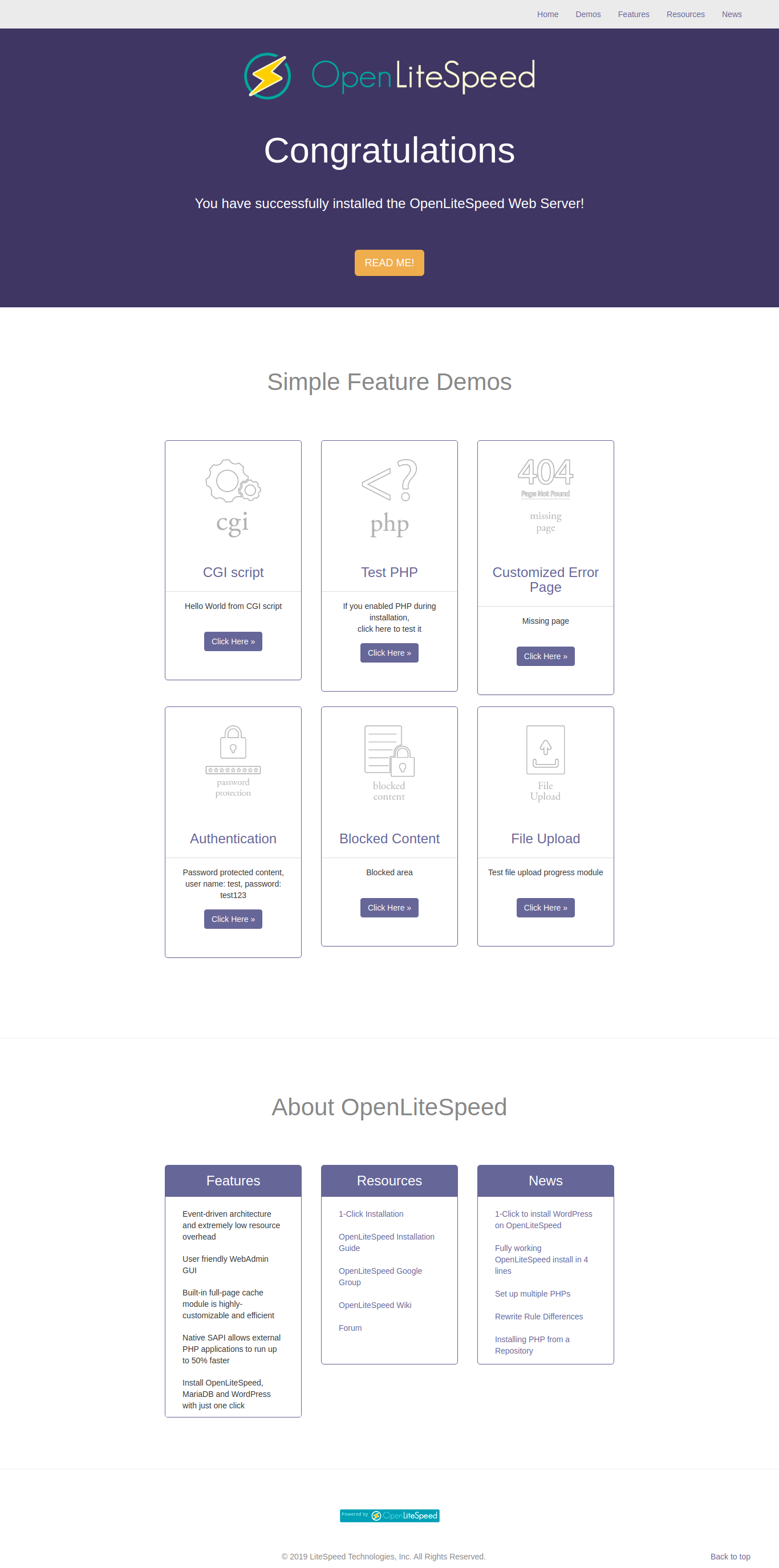 The admin page on https://localhost:7080/
Currently it’s using PHP 7.1 (SEE http://localhost:8088/phpinfo.php)
I want to install PHP 7.2.
Pls se the available PHP 7.2 packages for litespeed
|
1 2 3 4 5 6 7 8 9 10 11 12 13 14 15 16 17 18 19 20 21 22 23 24 25 26 27 28 |
teddy@teddy:~/openlitespeed$ sudo apt-cache search lsphp72 lsphp72 - server-side, HTML-embedded scripting language (LSAPI binary) lsphp72-apcu - APC User Cache for PHP lsphp72-common - Common files for packages built from the PHP source lsphp72-curl - CURL module for PHP lsphp72-dbg - Debug symbols for LSPHP70 lsphp72-dev - Files for PHP70 module development lsphp72-igbinary - igbinary PHP serializer lsphp72-imagick - Provides a wrapper to the ImageMagick library lsphp72-imap - IMAP module for PHP lsphp72-intl - Internationalisation module for PHP lsphp72-ioncube - PHP extension for interfacing with ioncube lsphp72-json - JSON module for PHP lsphp72-ldap - LDAP module for PHP lsphp72-memcached - memcached extension module for PHP, uses libmemcached lsphp72-modules-source - PHP 70 modules source package lsphp72-msgpack - PHP extension for interfacing with MessagePack lsphp72-mysql - MySQL module for PHP lsphp72-opcache - Zend OpCache module for PHP lsphp72-pear - Provides PHP PEAR package lsphp72-pgsql - PostgreSQL module for PHP lsphp72-pspell - pspell module for PHP lsphp72-recode - recode module for PHP lsphp72-redis - PHP extension for interfacing with Redis lsphp72-snmp - SNMP module for PHP lsphp72-sqlite3 - SQLite3 module for PHP lsphp72-sybase - Sybase module for PHP lsphp72-tidy - tidy module for PHP |
Then install some of them
|
1 |
sudo apt install lsphp72 lsphp72-curl lsphp72-imap lsphp72-mysql lsphp72-intl lsphp72-pgsql lsphp72-sqlite3 lsphp72-tidy lsphp72-snmp |
Configure VSCode with XDebug
Check if xdebug is already installed: http://localhost:8080/phpinfo.php
Find the config file (ini file) on the above page then open it
<XDEBUG 2.X>
|
1 |
sudo gedit /etc/php/7.3/fpm/conf.d/20-xdebug.ini |
Make sure it’s enabled
|
1 2 3 |
zend_extension=xdebug.so xdebug.remote_enable = 1 xdebug.remote_autostart = 1 |
Then restart php7.3-fpm service
|
1 |
sudo service php7.3-fpm restart |
Check the xdebug properties on the page above: http://localhost:8080/phpinfo.php
Open VSCode then find and install ‘PHP Debug’ extension
</XDEBUG 2.X>
<XDEBUG 3.X>
|
1 |
sudo gedit /etc/php/7.2/apache2/conf.d/20-xdebug.ini |
ALSO FOR THE OTHERS PHP (7.4, 8.0, 8.1, 8.2)
|
1 2 3 4 |
sudo gedit /etc/php/7.4/apache2/conf.d/20-xdebug.ini sudo gedit /etc/php/8.0/apache2/conf.d/20-xdebug.ini sudo gedit /etc/php/8.1/apache2/conf.d/20-xdebug.ini sudo gedit /etc/php/8.2/apache2/conf.d/20-xdebug.ini |
Make sure it’s enabled
|
1 2 3 4 5 6 |
zend_extension=xdebug.so xdebug.mode= debug xdebug.start_with_request = yes xdebug.discover_client_host = true xdebug.max_nesting_level=512 xdebug.idekey = VSCODE |
Then restart apache2 service
|
1 |
sudo service apache2 restart |
Check the xdebug properties on the page above: http://localhost:8080/phpinfo.php
</XDEBUG 3.X>
Install Shopware 5
Ref: https://github.com/shopware/shopware (Shopware 5)
https://github.com/shopware/platform (Shopware 6)
Install Shopware 5:
Clone the git to ‘shopware5’ dir:
|
1 |
teddy@teddy:~/Documents/works$ git clone https://github.com/shopware/shopware.git shopware5 |
Go to the dir
|
1 |
teddy@teddy:~/Documents/works$ cd shopware5/ |
Change the files permission
|
1 |
teddy@teddy:~/Documents/works/shopware5$ sudo chmod -R 755 custom/plugins engine/Shopware/Plugins/Community files media var web |
Go to ‘build’dir and use ‘ant’ to build the configuration and database.
|
1 |
teddy@teddy:~/Documents/works/shopware5$ cd build/ |
If not exist, install it first:
|
1 |
teddy@teddy:~/Documents/works/shopware5/build$ sudo apt install ant |
configure:
|
1 2 3 4 5 6 7 8 9 10 11 12 13 14 15 16 17 18 19 20 21 22 23 24 |
teddy@teddy:~/Documents/works/shopware5/build$ ant configure Buildfile: /home/teddy/Documents/works/shopware5/build/build.xml configure: [input] Please enter db-host: [localhost] [input] Please enter db-port: [3306] [input] Please enter db-name: [] shopware5 [input] Please enter db-username: [] root [input] Please enter db-password: teddy [input] Please enter app.host (Hostname e.g. example.com): [] shopware5.test [input] Please enter app.path (e.g. /shopware. Leave blank if installed in document root): [] write-properties: [propertyfile] Creating new property file: /home/teddy/Documents/works/shopware5/build/build.properties BUILD SUCCESSFUL Total time: 41 seconds |
Build:
|
1 2 3 4 5 6 7 8 9 10 11 12 13 14 15 16 17 18 19 20 21 22 23 24 25 26 27 28 29 30 31 32 33 34 35 36 37 38 39 40 41 42 43 44 45 46 47 48 49 50 51 52 53 54 55 56 57 58 59 60 61 62 63 64 65 66 67 68 69 70 71 72 73 74 75 76 77 78 |
teddy@teddy:~/Documents/works/shopware5/build$ ant build-unit Buildfile: /home/teddy/Documents/works/shopware5/build/build.xml check-composer-binary: install-composer-binary: [exec] All settings correct for using Composer [exec] Downloading... [exec] [exec] Composer (version 1.9.0) successfully installed to: /home/teddy/Documents/works/shopware5/composer.phar [exec] Use it: php composer.phar [exec] update-composer-binary: [exec] You are running composer as "teddy", while "/home/teddy/.composer" is owned by "root" [exec] You are already using composer version 1.9.0 (stable channel). build-composer-install: [exec] Loading composer repositories with package information [exec] Installing dependencies (including require-dev) from lock file [exec] Package operations: 145 installs, 0 updates, 0 removals [exec] - Installing ocramius/package-versions (1.4.0): Loading from cache ... [exec] Package phpunit/dbunit is abandoned, you should avoid using it. No replacement was suggested. [exec] Generating optimized autoload files [exec] Warning: Ambiguous class resolution, "Doctrine\ORM\Persisters\Entity\BasicEntityPersister" was found in both "$baseDir . '/engine/Library/Doctrine/ORM/Persisters/Entity/BasicEntityPersister.php" and "/home/teddy/Documents/works/shopware5/vendor/doctrine/orm/lib/Doctrine/ORM/Persisters/Entity/BasicEntityPersister.php", the first will be used. [exec] Warning: Ambiguous class resolution, "Doctrine\Common\Proxy\AbstractProxyFactory" was found in both "$baseDir . '/engine/Library/Doctrine/Common/Proxy/AbstractProxyFactory.php" and "/home/teddy/Documents/works/shopware5/vendor/doctrine/common/lib/Doctrine/Common/Proxy/AbstractProxyFactory.php", the first will be used. [exec] ocramius/package-versions: Generating version class... [exec] ocramius/package-versions: ...done generating version class [exec] > ./build/composer-post-install-cmd.sh [exec] + rm -rf -- /home/teddy/Documents/works/shopware5/build/../vendor/mpdf/mpdf/ttfonts ... build-cache-dir: [exec] WARNING! Could not connect to database. Message from SQL Server: SQLSTATE[HY000] [1045] Access denied for user '******'@'localhost' (using password: NO) in /home/teddy/Documents/works/shopware5/engine/Shopware/Components/DependencyInjection/Bridge/Db.php [exec] [exec] // Clearing the cache for the production environment [exec] [exec] [OK] Cache for the "production" environment was successfully cleared. [exec] build-config: [copy] Copying 1 file to /home/teddy/Documents/works/shopware5 build-database-foundation: [exec] WARNING! Could not connect to database. Message from SQL Server: SQLSTATE[HY000] [1049] Unknown database 'shopware5' in /home/teddy/Documents/works/shopware5/engine/Shopware/Components/DependencyInjection/Bridge/Db.php [exec] [exec] // Drop database [exec] [exec] // Create database [exec] [exec] // Import database [exec] [exec] Current MigrationNumber: 0 [exec] Found 618 migrations to apply [exec] Apply MigrationNumber: 101 - add-extended-editor-field ... [exec] Importing snippets for PluginManager plugin [exec] Plugin snippets processed correctly build-theme-initialize: [exec] Themes initialized build-create-admin-account: [exec] [exec] [OK] Adminuser "demo" was successfully created. [exec] build-install-lock-file: build-disable-firstrunwizard: [exec] First Run Wizard disabled install-git-hooks: build-unit: BUILD SUCCESSFUL Total time: 4 minutes 17 seconds |
Download the test images and extract them. Go to the root directory of your shopware system and download the test images:
|
1 2 3 |
teddy@teddy:~/Documents/works/shopware5/build$ cd .. teddy@teddy:~/Documents/works/shopware5$ wget -O test_images.zip http://releases.s3.shopware.com/test_images_since_5.1.zip |
BEWARE: the file size about 285MB !!!
Then unzip the file
|
1 |
teddy@teddy:~/Documents/works/shopware5$ unzip test_images.zip |
RUN PHP CLI — OR USE NGINX ??? BECAUSE IT’D REDIRECT TO http://shopware5.test/
|
1 2 3 4 |
teddy@teddy:~/Documents/works/shopware5$ php -S localhost:8090 PHP 7.1.32-1+ubuntu16.04.1+deb.sury.org+1 Development Server started at Fri Oct 11 11:25:44 2019 Listening on http://localhost:8090 Document root is /home/teddy/Documents/works/shopware5 |
THEN OPEN IT ON YOUR BROWSER: http://localhost:8090/shopware.php
NOTE: MUST USE PHP7.2. IF LOWER THAN THAT, IT’D DISPLAY THIS ERROR:
|
1 2 3 4 |
Error Your server is running PHP version 7.1.32-1+ubuntu16.04.1+deb.sury.org+1 but Shopware 5 requires at least PHP 7.2.0 Fehler Auf Ihrem Server läuft PHP version 7.1.32-1+ubuntu16.04.1+deb.sury.org+1, Shopware 5 benötigt mindestens PHP 7.2.0 |
If so, change the php version to 7.2 (min)
|
1 |
teddy@teddy:~/Documents/works/shopware5$ sudo ln -sfn /usr/bin/php7.2 /etc/alternatives/php |
Then run the php cli again
NGINX SETUP:
|
1 |
sudo gedit /etc/nginx/sites-available/shopware5.test |
CONTENT: (DONT USE THIS)
|
1 2 3 4 5 6 7 8 9 10 11 12 13 14 15 16 17 18 19 20 21 22 23 24 25 26 27 28 29 30 31 32 33 34 35 36 37 38 39 40 41 42 43 44 45 46 47 48 49 50 51 52 53 54 55 56 57 58 59 60 61 62 63 64 65 66 67 68 69 70 71 72 73 74 75 76 77 78 79 80 81 82 83 |
server { listen 80; listen [::]:80; root /home/teddy/Documents/works/shopware5; #your document root server_name www.shopware5.test shopware5.test ; # Your server name index index.php index.html index.htm ; # Webfonts,fonts location ~* \.(?:ttf|ttc|otf|eot|woff|woff2)$ { add_header "Access-Control-Allow-Origin" "*"; expires 1y; access_log off; add_header Cache-Control "public"; } # Media: images, icons, video, audio, HTC location ~* \.(?:jpg|jpeg|gif|png|ico|cur|gz|svg|svgz|mp4|ogg|ogv|webm|htc)$ { expires 1y; access_log off; add_header Cache-Control "public"; } # Js, Css location ~* \.(?:css|js)$ { expires 1y; access_log off; add_header Cache-Control "public"; } # Serve static files without touching php location / { try_files $uri $uri/ /index.php?$args; } # pass requests for dynamic content to site location ~ [^/]\.php(/|$) { try_files $uri /index.php; fastcgi_pass unix:/run/php/php7.3-fpm.sock; fastcgi_buffers 1024 4k; fastcgi_read_timeout 600s; fastcgi_connect_timeout 600s; fastcgi_index index.php; fastcgi_param SCRIPT_FILENAME $document_root$fastcgi_script_name; #include fastcgi_params; #FOR DEVELOPMENT MODE ONLY - BEGIN fastcgi_param MAGE_IS_DEVELOPER_MODE true; fastcgi_param PHP_VALUE display_startup_errors=on; fastcgi_param PHP_VALUE display_errors=on; fastcgi_param PHP_VALUE html_errors=on; fastcgi_param PHP_VALUE log_errors=on; fastcgi_param PHP_VALUE error_log=/home/teddy/Documents/works/shopware5/var/log/system.log; #FOR DEVELOPMENT MODE ONLY - END include fastcgi_params; } gzip on; gzip_disable "msie6"; gzip_comp_level 6; gzip_min_length 1100; gzip_buffers 16 8k; gzip_proxied any; gzip_types text/plain text/css text/js text/xml text/javascript application/javascript application/x-javascript application/json application/xml application/xml+rss image/svg+xml; gzip_vary on; # Banned locations (only reached if the earlier PHP entry point regexes don't match) location ~* (\.php$|\.htaccess$|\.git) { deny all; } } |
USE THIS: (READ: https://websiteforstudents.com/setup-shopware-on-ubuntu-16-04-18-04-lts-with-nginx-mariadb-and-php-7-1-fpm/)
|
1 2 3 4 5 6 7 8 9 10 11 12 13 14 15 16 17 18 19 20 21 22 23 24 25 26 27 28 29 30 31 32 33 |
server { listen 80; listen [::]:80; root /home/teddy/Documents/works/shopware5; index shopware.php index.php index.html index.htm; server_name shopware5.test www.shopware5.test; client_max_body_size 100M; location / { try_files $uri $uri/ /shopware.php$is_args$args; } location /recovery/install { index index.php; try_files $uri /recovery/install/index.php$is_args$args; } location /recovery/update/ { location /recovery/update/assets { } if (!-e $request_filename){ rewrite . /recovery/update/index.php last; } } location ~ \.php$ { include snippets/fastcgi-php.conf; fastcgi_pass unix:/run/php/php7.2-fpm.sock; fastcgi_param SCRIPT_FILENAME $document_root$fastcgi_script_name; } } |
Enable file config
|
1 |
sudo ln -s /etc/nginx/sites-available/shopware5.test /etc/nginx/sites-enabled/shopware5.test |
Register the host on my system
|
1 |
sudo gedit /etc/hosts |
Like this:
|
1 2 3 |
... 127.0.0.1 shopware5.test ... |
CHECK THE NGINX SETTING AND RESTART IT:
|
1 2 3 |
sudo nginx -t sudo service nginx restart |
CHANGE FILE PERMISSIONS
|
1 |
sudo chmod -R 777 var web/cache/ |
OPEN IT ON YOUR BROWSER: http://shopware5.test/
IT SHOULD WORK! IF NOT CHECK /var/log/nginx/error.log
AND THE ADMIN PAGE ON http://shopware5.test/backend/
username: demo
password: demo
Frontend users in demo data
Customer: test@example.com / shopware
B2B: mustermann@b2b.de / mustermann
Install Open Journal System (OJS) 3.1.1.4 On Ubuntu 16.04
Download from https://pkp.sfu.ca/ojs/ojs_download/
Extract then run PHP Server to Install.
Make sure all the requirements is fulfilled (PHP, MySQL, Apache, etc)
|
1 |
teddy@teddy:~/Documents/works/ojs-3.1.1-4$ php -S localhost:8089 |
Fill Administrator Account
username: admin
password: Admin@123
Directory for uploads:/home/teddy/Documents/works/ojs_files
Create the dir : /home/teddy/Documents/works/ojs_files
MySQL Settings
db driver: MySQLi (NOT MySQL)
username: root
password: teddy
dbname: ojs3114
NOTE: Must use db driver MySQLi NOT MySQL. if not I’d get this error:
|
1 |
[Thu Oct 10 08:54:59 2019] 127.0.0.1:37826 [500]: /index.php/index/install/install - Uncaught Error: Call to undefined function mysql_connect() in /home/teddy/Documents/works/ojs-3.1.1-4/lib/pkp/lib/adodb/drivers/adodb-mysql.inc.php:456 |
Install success!
Open http://localhost:8089/index.php/index
or login in http://localhost:8089/index.php/index/login
System info: http://localhost:8089/index.php/index/admin/systemInfo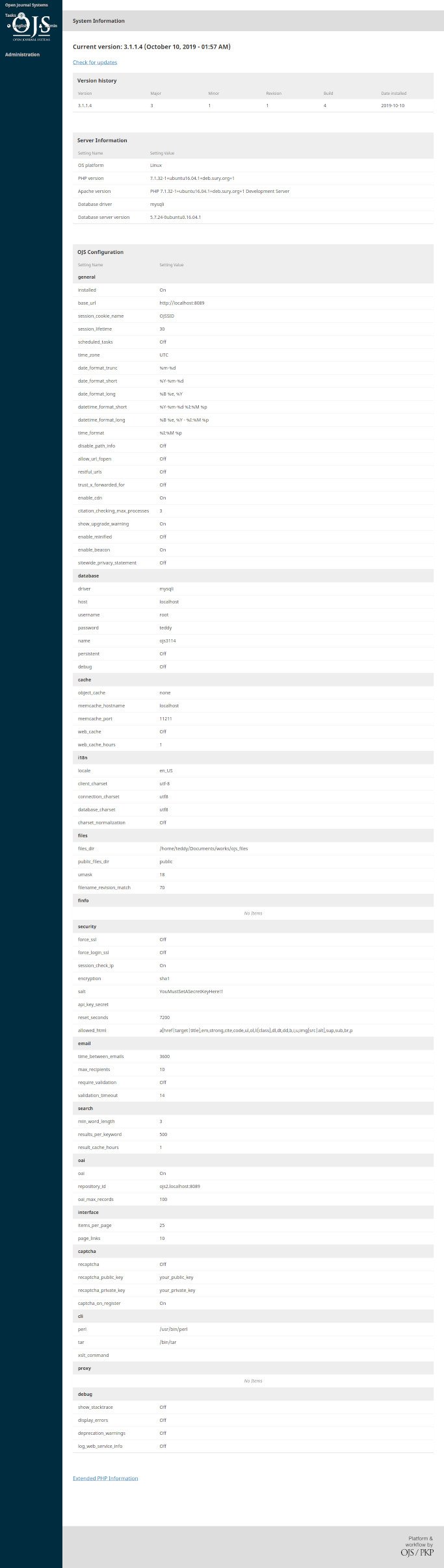 To upgrade OJS to version 3.1.2.1, pls read https://openjournaltheme.com/how-to-upgrade-ojs-version-3-1-1-to-3-1-2/ then implement its.
Here is the upgraded OJS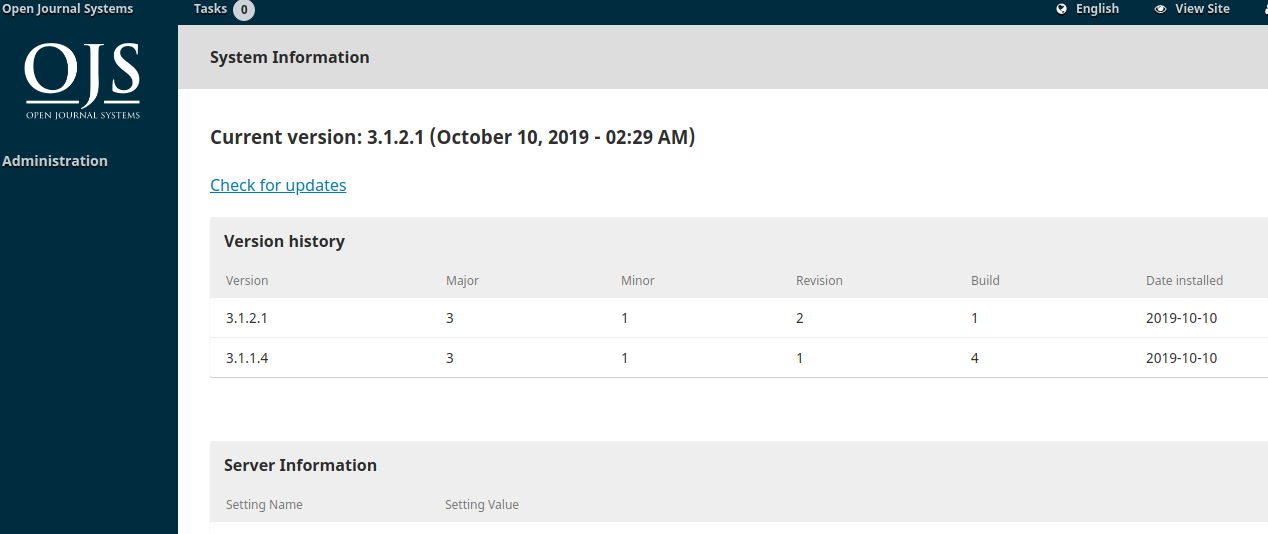 User
User
username: advcha
password: Teddy@123
<FAILED>
NGINX SETUP:
|
1 |
sudo gedit /etc/nginx/sites-available/ojs-3121.test |
CONTENT:
|
1 2 3 4 5 6 7 8 9 10 11 12 13 14 15 16 17 18 19 20 21 22 23 24 25 26 27 28 29 30 31 32 33 34 35 36 37 38 39 40 41 42 43 44 45 46 47 48 49 50 51 52 53 54 55 56 57 58 59 60 61 62 63 64 65 66 67 68 69 70 71 72 73 74 75 76 77 78 79 80 81 82 83 |
server { listen 80; listen [::]:80; root /home/teddy/Documents/works/ojs-3.1.2-1; #your document root server_name www.ojs-3121.test ojs-3121.test ; # Your server name index index.php index.html index.htm ; # Webfonts,fonts location ~* \.(?:ttf|ttc|otf|eot|woff|woff2)$ { add_header "Access-Control-Allow-Origin" "*"; expires 1y; access_log off; add_header Cache-Control "public"; } # Media: images, icons, video, audio, HTC location ~* \.(?:jpg|jpeg|gif|png|ico|cur|gz|svg|svgz|mp4|ogg|ogv|webm|htc)$ { expires 1y; access_log off; add_header Cache-Control "public"; } # Js, Css location ~* \.(?:css|js)$ { expires 1y; access_log off; add_header Cache-Control "public"; } # Serve static files without touching php location / { try_files $uri $uri/ /index.php?$args; } # pass requests for dynamic content to site location ~ [^/]\.php(/|$) { try_files $uri /index.php; fastcgi_pass unix:/run/php/php7.2-fpm.sock; fastcgi_buffers 1024 4k; fastcgi_read_timeout 600s; fastcgi_connect_timeout 600s; fastcgi_index index.php; fastcgi_param SCRIPT_FILENAME $document_root$fastcgi_script_name; #include fastcgi_params; #FOR DEVELOPMENT MODE ONLY - BEGIN fastcgi_param MAGE_IS_DEVELOPER_MODE true; fastcgi_param PHP_VALUE display_startup_errors=on; fastcgi_param PHP_VALUE display_errors=on; fastcgi_param PHP_VALUE html_errors=on; fastcgi_param PHP_VALUE log_errors=on; fastcgi_param PHP_VALUE error_log=/home/teddy/Documents/works/ojs-3.1.2-1/var/log/system.log; #FOR DEVELOPMENT MODE ONLY - END include fastcgi_params; } gzip on; gzip_disable "msie6"; gzip_comp_level 6; gzip_min_length 1100; gzip_buffers 16 8k; gzip_proxied any; gzip_types text/plain text/css text/js text/xml text/javascript application/javascript application/x-javascript application/json application/xml application/xml+rss image/svg+xml; gzip_vary on; # Banned locations (only reached if the earlier PHP entry point regexes don't match) location ~* (\.php$|\.htaccess$|\.git) { deny all; } } |
Enable file config
|
1 |
sudo ln -s /etc/nginx/sites-available/ojs-3121.test /etc/nginx/sites-enabled/ojs-3121.test |
Register the host on my system
|
1 |
sudo gedit /etc/hosts |
Like this:
|
1 2 3 |
... 127.0.0.1 ojs-3121.test ... |
CHECK THE NGINX SETTING AND RESTART IT:
|
1 2 3 |
sudo nginx -t sudo service nginx restart |
Open it on your browser : http://ojs-3121.test
Admin: http://ojs-3121.test/wp-admin
username: admin
password: LF3#F@OPz8
</FAILED>
Install Sharetribe Go on Ubuntu 16.04
Ref: https://github.com/sharetribe/sharetribe
Make sure ruby already installed.
Install Sphinx:
download it from http://sphinxsearch.com/ then extract it. Pls read: http://sphinxsearch.com/docs/sphinx3.html#getting-started-on-linux-and-macos
Here is the extracted path: /home/teddy/Documents/sphinx-3.1.1/
And the ‘program’ (searchd, indexer, etc) in ‘bin’ dir: /home/teddy/Documents/sphinx-3.1.1/bin
check :
|
1 2 3 4 5 6 7 8 |
teddy@teddy:~/Documents/sphinx-3.1.1/bin$ ./searchd Sphinx 3.1.1 (commit 612d99f) Copyright (c) 2001-2018, Andrew Aksyonoff Copyright (c) 2008-2016, Sphinx Technologies Inc (http://sphinxsearch.com) no config file, using 'sphinxdata' folder... listening on all interfaces, port=9312 listening on all interfaces, port=9306 |
NOTE: TO MAKE THE EXECUTABLE CAN RUN GLOBALLY, PLS DO:
|
1 2 3 4 |
teddy@teddy:~$ sudo ln -s /home/teddy/Documents/sphinx-3.1.1/bin/ /usr/bin/ teddy@teddy:~$ PATH="$HOME/Documents/sphinx-3.1.1/bin:$PATH" teddy@teddy:~$ export PATH |
THEN RUN FROM ANYWHERE
|
1 2 3 4 5 6 7 8 |
teddy@teddy:~$ searchd Sphinx 3.1.1 (commit 612d99f) Copyright (c) 2001-2018, Andrew Aksyonoff Copyright (c) 2008-2016, Sphinx Technologies Inc (http://sphinxsearch.com) no config file, using 'sphinxdata' folder... listening on all interfaces, port=9312 listening on all interfaces, port=9306 |
Creating ‘test’ database (no problem if the database is already exist)
|
1 2 3 4 5 6 7 8 9 10 11 12 13 14 15 16 17 18 19 20 21 22 23 24 25 26 27 28 29 30 31 32 |
teddy@teddy:~/Documents/sphinx-3.1.1/bin$ mysql -u root -p Enter password: Welcome to the MySQL monitor. Commands end with ; or \g. Your MySQL connection id is 19 Server version: 5.7.24-0ubuntu0.16.04.1 (Ubuntu) Copyright (c) 2000, 2018, Oracle and/or its affiliates. All rights reserved. Oracle is a registered trademark of Oracle Corporation and/or its affiliates. Other names may be trademarks of their respective owners. Type 'help;' or '\h' for help. Type '\c' to clear the current input statement. mysql> CREATE DATABASE test; ERROR 1007 (HY000): Can't create database 'test'; database exists mysql> SOURCE /home/teddy/Documents/sphinx-3.1.1/etc/example.sql; Query OK, 0 rows affected, 1 warning (0,00 sec) Query OK, 0 rows affected (0,06 sec) Query OK, 4 rows affected (0,01 sec) Records: 4 Duplicates: 0 Warnings: 0 Query OK, 0 rows affected, 1 warning (0,00 sec) Query OK, 0 rows affected (0,06 sec) Query OK, 10 rows affected (0,01 sec) Records: 10 Duplicates: 0 Warnings: 0 mysql> quit |
I need to create the sphinx.conf file (read: https://www.digitalocean.com/community/tutorials/how-to-install-and-configure-sphinx-on-ubuntu-16-04#step-6-%E2%80%94-testing)
First I need to remove/move ‘sphinxdata’ dir in ‘bin’ dir because I got this message ‘No config file, using ‘sphinxdata’ folder.’ (read: https://stackoverflow.com/questions/50837676/sphinx-3-0-3-searchd-dont-see-my-config)
Create a new file ‘sphinx.conf’ in /home/teddy/Documents/sphinx-3.1.1/sphinxsearch/ dir:
|
1 2 3 4 5 6 7 8 9 10 11 12 13 14 15 16 17 18 19 20 21 22 23 24 25 26 27 28 29 30 31 32 33 34 35 36 37 |
source src1 { type = mysql #SQL settings (for ‘mysql’ and ‘pgsql’ types) sql_host = localhost sql_user = root sql_pass = teddy sql_db = test sql_port = 3306 # optional, default is 3306 sql_query = \ SELECT id, group_id, UNIX_TIMESTAMP(date_added) AS date_added, title, content \ FROM documents sql_attr_uint = group_id sql_attr_timestamp = date_added } index test1 { source = src1 path = /home/teddy/Documents/sphinx-3.1.1/sphinxsearch/data/test1 } searchd { listen = 9306:mysql41 log = /home/teddy/Documents/sphinx-3.1.1/sphinxsearch/searchd.log query_log = /home/teddy/Documents/sphinx-3.1.1/sphinxsearch/query.log read_timeout = 5 max_children = 30 pid_file = /home/teddy/Documents/sphinx-3.1.1/sphinxsearch/searchd.pid seamless_rotate = 1 preopen_indexes = 1 unlink_old = 1 binlog_path = /home/teddy/Documents/sphinx-3.1.1/sphinxsearch/data } |
RUN:
|
1 2 3 4 5 6 7 8 9 10 11 12 13 14 15 16 17 18 19 20 21 22 |
teddy@teddy:~$ searchd --config /home/teddy/Documents/sphinx-3.1.1/sphinxsearch/sphinx.conf Sphinx 3.1.1 (commit 612d99f) Copyright (c) 2001-2018, Andrew Aksyonoff Copyright (c) 2008-2016, Sphinx Technologies Inc (http://sphinxsearch.com) using config file '/home/teddy/Documents/sphinx-3.1.1/sphinxsearch/sphinx.conf'... listening on all interfaces, port=9306 bind() failed on 0.0.0.0, retrying... bind() failed on 0.0.0.0, retrying... bind() failed on 0.0.0.0, retrying... ^C teddy@teddy:~$ bind() failed on 0.0.0.0, retrying... bind() failed on 0.0.0.0, retrying... bind() failed on 0.0.0.0, retrying... bind() failed on 0.0.0.0, retrying... bind() failed on 0.0.0.0, retrying... bind() failed on 0.0.0.0, retrying... bind() failed on 0.0.0.0, retrying... bind() failed on 0.0.0.0, retrying... bind() failed on 0.0.0.0, retrying... FATAL: bind() failed on 0.0.0.0: Address already in use shutdown complete |
IF I GOT ‘bind() failed on 0.0.0.0, retrying’ THEN IT MEANS ‘searchd’ ALREADY RUNNING ON THE BACKGROUND (REF: http://sphinxsearch.com/forum/view.html?id=5542). CHECK
|
1 2 3 4 |
teddy@teddy:~$ ps aux|grep searchd teddy 517 0.0 0.0 23896 328 ? S 11:26 0:00 searchd teddy 518 2.0 0.0 91280 3400 ? Sl 11:26 0:11 searchd teddy 868 0.0 0.0 14232 968 pts/0 S+ 11:35 0:00 grep --color=auto searchd |
KILL THEM WITH ‘killall searchd’ THEN CHECK AGAIN:
|
1 2 3 4 |
teddy@teddy:~$ killall searchd teddy@teddy:~$ ps aux|grep searchd teddy 888 0.0 0.0 14232 912 pts/0 S+ 11:36 0:00 grep --color=auto searchd |
RE RUN ‘searchd’
|
1 2 3 4 5 6 7 8 9 |
teddy@teddy:~$ searchd --config /home/teddy/Documents/sphinx-3.1.1/sphinxsearch/sphinx.conf Sphinx 3.1.1 (commit 612d99f) Copyright (c) 2001-2018, Andrew Aksyonoff Copyright (c) 2008-2016, Sphinx Technologies Inc (http://sphinxsearch.com) WARNING: both 'sphinxdata' and config file '/home/teddy/Documents/sphinx-3.1.1/sphinxsearch/sphinx.conf' exist; using 'sphinxdata' folder no config file, using 'sphinxdata' folder... listening on all interfaces, port=9312 listening on all interfaces, port=9306 |
MODIFY sphinx.conf
|
1 2 3 4 5 6 7 8 9 10 11 12 13 14 15 16 17 18 19 20 21 22 23 24 25 26 27 28 29 30 31 32 33 34 35 36 37 38 39 40 41 42 43 44 45 46 47 48 49 50 51 52 53 54 55 56 57 58 59 60 61 62 63 64 |
# # Minimal Sphinx configuration sample (clean, simple, functional) # source src1 { type = mysql sql_host = localhost sql_user = root sql_pass = teddy sql_db = test sql_port = 3306 # optional, default is 3306 sql_query = \ SELECT id, group_id, UNIX_TIMESTAMP(date_added) AS date_added, title, content \ FROM documents sql_attr_uint = group_id sql_attr_timestamp = date_added } index test1 { source = src1 path = /home/teddy/Documents/sphinx-3.1.1/sphinxsearch/data/test1 } index testrt { type = rt rt_mem_limit = 128M path = /home/teddy/Documents/sphinx-3.1.1/sphinxsearch/data/testrt rt_field = title rt_field = content rt_attr_uint = gid } indexer { mem_limit = 128M } searchd { listen = 9312 listen = 9306:mysql41 log = /home/teddy/Documents/sphinx-3.1.1/sphinxsearch/data/searchd.log query_log = /home/teddy/Documents/sphinx-3.1.1/sphinxsearch/data/query.log read_timeout = 5 max_children = 30 pid_file = /home/teddy/Documents/sphinx-3.1.1/sphinxsearch/data/searchd.pid seamless_rotate = 1 preopen_indexes = 1 unlink_old = 1 workers = threads # for RT to work binlog_path = /home/teddy/Documents/sphinx-3.1.1/sphinxsearch/data } |
BUT
|
1 2 3 4 5 6 7 8 9 10 11 12 |
teddy@teddy:/usr/sbin$ searchd --config /home/teddy/Documents/sphinx-3.1.1/sphinxsearch/sphinx.conf Sphinx 3.1.1 (commit 612d99f) Copyright (c) 2001-2018, Andrew Aksyonoff Copyright (c) 2008-2016, Sphinx Technologies Inc (http://sphinxsearch.com) using config file '/home/teddy/Documents/sphinx-3.1.1/sphinxsearch/sphinx.conf'... listening on all interfaces, port=9312 listening on all interfaces, port=9306 precaching index 'test1' WARNING: index 'test1': prealloc: failed to open /home/teddy/Documents/sphinx-3.1.1/sphinxsearch/data/test1.sph: No such file or directory; NOT SERVING precaching index 'testrt' precached 2 indexes in 0.004 sec |
OK. HERE IS THE WORKING sphinx.conf. USE ‘type=rt’ (READ: https://sphinxsearch.com/forum/view.html?id=16238)
|
1 2 3 4 5 6 7 8 9 10 11 12 13 14 15 16 17 18 19 20 21 22 23 24 25 26 27 28 29 30 31 32 33 34 35 36 37 38 39 40 41 42 43 44 45 46 47 48 49 50 51 52 53 54 55 56 57 58 59 60 61 62 63 64 65 66 67 68 |
# # Minimal Sphinx configuration sample (clean, simple, functional) # source src1 { type = mysql sql_host = localhost sql_user = root sql_pass = teddy sql_db = test sql_port = 3306 # optional, default is 3306 sql_query = \ SELECT id, group_id, UNIX_TIMESTAMP(date_added) AS date_added, title, content \ FROM documents sql_attr_uint = group_id sql_attr_timestamp = date_added } index test1 { type = rt source = src1 path = /home/teddy/Documents/sphinx-3.1.1/sphinxsearch/data/test1 rt_field = title rt_field = content rt_attr_uint = gid } index testrt { type = rt rt_mem_limit = 128M path = /home/teddy/Documents/sphinx-3.1.1/sphinxsearch/data/testrt rt_field = title rt_field = content rt_attr_uint = gid } indexer { mem_limit = 128M } searchd { listen = 9312 listen = 9306:mysql41 log = /home/teddy/Documents/sphinx-3.1.1/sphinxsearch/data/searchd.log query_log = /home/teddy/Documents/sphinx-3.1.1/sphinxsearch/data/query.log read_timeout = 5 max_children = 30 pid_file = /home/teddy/Documents/sphinx-3.1.1/sphinxsearch/data/searchd.pid seamless_rotate = 1 preopen_indexes = 1 unlink_old = 1 workers = threads # for RT to work binlog_path = /home/teddy/Documents/sphinx-3.1.1/sphinxsearch/data } |
PLS REMOVE ALL FILE IN /home/teddy/Documents/sphinx-3.1.1/sphinxsearch/data FIRST! ALSO RUN ‘killall searchd’ THEN
|
1 2 3 4 5 6 7 8 9 10 11 |
teddy@teddy:/usr/sbin$ searchd --config /home/teddy/Documents/sphinx-3.1.1/sphinxsearch/sphinx.conf Sphinx 3.1.1 (commit 612d99f) Copyright (c) 2001-2018, Andrew Aksyonoff Copyright (c) 2008-2016, Sphinx Technologies Inc (http://sphinxsearch.com) using config file '/home/teddy/Documents/sphinx-3.1.1/sphinxsearch/sphinx.conf'... listening on all interfaces, port=9312 listening on all interfaces, port=9306 precaching index 'test1' precaching index 'testrt' precached 2 indexes in 0.002 sec |
NO ERROR!
Imagemagick
Check
|
1 2 3 4 5 |
teddy@teddy:~/Documents/sphinx-3.1.1/bin$ identify -version Version: ImageMagick 6.8.9-9 Q16 x86_64 2018-09-28 http://www.imagemagick.org Copyright: Copyright (C) 1999-2014 ImageMagick Studio LLC Features: DPC Modules OpenMP Delegates: bzlib cairo djvu fftw fontconfig freetype jbig jng jpeg lcms lqr ltdl lzma openexr pangocairo png rsvg tiff wmf x xml zlib |
INSTALL SHARETRIBE
|
1 2 3 |
git clone git://github.com/sharetribe/sharetribe.git cd sharetribe git checkout latest |
CURRENTLY HAVE TO USE ruby 2.6.2
|
1 2 |
teddy@teddy:~/Documents/ruby/sharetribe$ bundle install rbenv: version `2.6.2' is not installed (set by /home/teddy/Documents/ruby/sharetribe/.ruby-version) |
SO USE rbenv TO INSTALL 2.6.2 AND MAKE IT DEFAULT WITH ‘global’
|
1 2 3 |
rbenv install 2.6.2 rbenv global 2.6.2 ruby -v |
THEN CONTINUE WITH
|
1 |
bundle install |
Install node modules:
|
1 |
npm install |
Create a database.yml file by copying the example database configuration:
|
1 |
cp config/database.example.yml config/database.yml |
Add your database configuration details to config/database.yml. You will probably only need to fill in the password for the database(s). Pls set the right config for ‘development’ and ‘test’:
|
1 2 3 4 5 6 7 8 9 10 11 12 13 14 15 16 17 18 19 20 21 22 23 24 25 26 27 28 29 30 31 32 33 34 35 36 37 |
development: adapter: mysql2 database: sharetribe_development encoding: utf8 username: root password: teddy host: localhost # Warning: The database defined as "test" will be erased and # re-generated from your development database when you run "rake". # Do not set this db to the same as development or production. test: &test adapter: mysql2 database: sharetribe_test encoding: utf8 username: root password: teddy host: localhost staging: adapter: mysql2 database: sharetribe_staging encoding: utf8 username: # ADD DATABASE USERNAME password: # ADD DATABASE PASSWORD host: localhost production: adapter: mysql2 database: sharetribe_production encoding: utf8 username: # ADD DATABASE USERNAME password: # ADD DATABASE PASSWORD host: localhost cucumber: <<: *test |
Create a config.yml file by copying the example configuration file:
|
1 |
cp config/config.example.yml config/config.yml |
Create and initialize the database:
|
1 |
bundle exec rake db:create db:structure:load |
Run Sphinx index:
|
1 |
bundle exec rake ts:index |
Output:
|
1 2 3 4 5 6 7 8 9 10 11 12 13 14 15 16 17 18 19 20 21 22 23 24 25 26 27 28 29 30 31 32 33 34 35 |
teddy@teddy:~/Documents/ruby/sharetribe$ bundle exec rake ts:index Generating configuration to /home/teddy/Documents/ruby/sharetribe/config/development.sphinx.conf DEBUG (0.2ms) SET NAMES utf8, @@SESSION.sql_mode = CONCAT(CONCAT(@@sql_mode, ',STRICT_ALL_TABLES'), ',NO_AUTO_VALUE_ON_ZERO'), @@SESSION.sql_auto_is_null = 0, @@SESSION.wait_timeout = 2147483 DEBUG ↳ app/indices/custom_field_value_index.rb:8 DEBUG Delayed::Backend::ActiveRecord::Job Destroy (0.4ms) DELETE FROM `delayed_jobs` WHERE (handler LIKE ('--- !ruby/object:ThinkingSphinx::Deltas::%') AND locked_at IS NULL AND locked_by IS NULL AND failed_at IS NULL) DEBUG ↳ /home/teddy/.rbenv/versions/2.6.2/bin/rake:23 Sphinx 3.1.1 (commit 612d99f) Copyright (c) 2001-2018, Andrew Aksyonoff Copyright (c) 2008-2016, Sphinx Technologies Inc (http://sphinxsearch.com) using config file '/home/teddy/Documents/ruby/sharetribe/config/development.sphinx.conf'... WARNING: key 'docinfo' was permanently removed from Sphinx configuration. Refer to documentation for details. WARNING: key 'docinfo' was permanently removed from Sphinx configuration. Refer to documentation for details. WARNING: key 'docinfo' was permanently removed from Sphinx configuration. Refer to documentation for details. WARNING: key 'enable_star' was permanently removed from Sphinx configuration. Refer to documentation for details. WARNING: key 'docinfo' was permanently removed from Sphinx configuration. Refer to documentation for details. WARNING: 1 more warnings skipped. indexing index 'custom_field_value_core'... collected 0 docs, 0.0 MB total 0 docs, 0.0 Kb total 0.0 sec, 0.0 Kb/sec, 0 docs/sec indexing index 'custom_field_value_delta'... collected 0 docs, 0.0 MB total 0 docs, 0.0 Kb total 0.0 sec, 0.0 Kb/sec, 0 docs/sec indexing index 'listing_core'... collected 0 docs, 0.0 MB total 0 docs, 0.0 Kb total 0.0 sec, 0.0 Kb/sec, 0 docs/sec indexing index 'listing_delta'... collected 0 docs, 0.0 MB total 0 docs, 0.0 Kb total 0.0 sec, 0.0 Kb/sec, 0 docs/sec skipping non-plain index 'custom_field_value'... skipping non-plain index 'listing'... |
Start the Sphinx daemon:
|
1 |
bundle <span class="pl-c1">exec</span> rake ts:start |
Output:
|
1 2 3 4 5 6 7 8 9 10 11 12 13 14 15 16 17 18 19 |
teddy@teddy:~/Documents/ruby/sharetribe$ bundle exec rake ts:start Sphinx 3.1.1 (commit 612d99f) Copyright (c) 2001-2018, Andrew Aksyonoff Copyright (c) 2008-2016, Sphinx Technologies Inc (http://sphinxsearch.com) using config file '/home/teddy/Documents/ruby/sharetribe/config/development.sphinx.conf'... WARNING: key 'docinfo' was permanently removed from Sphinx configuration. Refer to documentation for details. WARNING: key 'docinfo' was permanently removed from Sphinx configuration. Refer to documentation for details. WARNING: key 'docinfo' was permanently removed from Sphinx configuration. Refer to documentation for details. WARNING: key 'enable_star' was permanently removed from Sphinx configuration. Refer to documentation for details. WARNING: key 'docinfo' was permanently removed from Sphinx configuration. Refer to documentation for details. WARNING: 1 more warnings skipped. listening on all interfaces, port=3563 precaching index 'custom_field_value_core' precaching index 'custom_field_value_delta' precaching index 'listing_core' precaching index 'listing_delta' precached 4 indexes in 0.006 sec Started searchd successfully (pid: 6158). |
Start the development server:
|
1 |
foreman start -f Procfile.static |
But Install ‘foreman’ FIRST (READ: https://github.com/ddollar/foreman)
|
1 2 3 4 5 6 7 8 9 10 11 12 |
teddy@teddy:~/Documents/ruby/sharetribe$ gem install foreman Fetching thor-0.19.4.gem Fetching foreman-0.85.0.gem /home/teddy/.rbenv/rbenv.d/exec/gem-rehash/rubygems_plugin.rb:6: warning: Insecure world writable dir /home/teddy/.composer/vendor/bin in PATH, mode 040777 Successfully installed thor-0.19.4 Successfully installed foreman-0.85.0 Parsing documentation for thor-0.19.4 Installing ri documentation for thor-0.19.4 Parsing documentation for foreman-0.85.0 Installing ri documentation for foreman-0.85.0 Done installing documentation for thor, foreman after 0 seconds 2 gems installed |
But to run ‘foreman’, it need node js v10.15.3 and npm 6.4.1
|
1 2 3 4 5 6 7 8 9 10 |
teddy@teddy:~/Documents/ruby/sharetribe$ foreman start -f Procfile.static /home/teddy/.rbenv/versions/2.6.2/lib/ruby/gems/2.6.0/gems/foreman-0.85.0/lib/foreman/process.rb:54: warning: Insecure world writable dir /home/teddy/.composer/vendor/bin in PATH, mode 040777 ... 13:34:13 rails-client-assets.1 | node: 8.9.4 13:34:13 rails-client-assets.1 | Error: Wanted node version 10.15.3 (10.15.3) 13:34:13 rails-client-assets.1 | To install node, run `nvm install 10.15.3` or see https://nodejs.org/ 13:34:13 rails-client-assets.1 | npm: 6.7.0 13:34:13 rails-client-assets.1 | Error: Wanted npm version 6.4.1 (6.4.1) 13:34:13 rails-client-assets.1 | To install npm, run `npm install -g npm@6.4.1` ... |
current node version is v8.9.4
|
1 2 |
teddy@teddy:~/Documents/ruby/sharetribe$ node -v v8.9.4 |
So use ‘nvm’ to install node v10.15.3
|
1 2 3 4 5 6 7 8 9 10 11 12 13 14 15 16 17 18 19 20 21 22 23 24 25 |
teddy@teddy:~/Documents/ruby/sharetribe$ nvm install 10.15.3 Downloading and installing node v10.15.3... Downloading https://nodejs.org/dist/v10.15.3/node-v10.15.3-linux-x64.tar.xz... ######################################################################## 100,0% Computing checksum with sha256sum Checksums matched! Now using node v10.15.3 (npm v6.4.1) teddy@teddy:~/Documents/ruby/sharetribe$ node -v v10.15.3 teddy@teddy:~/Documents/ruby/sharetribe$ nvm ls v8.9.4 v8.15.0 v10.15.1 -> v10.15.3 default -> 8.9.4 (-> v8.9.4) node -> stable (-> v10.15.3) (default) stable -> 10.15 (-> v10.15.3) (default) iojs -> N/A (default) lts/* -> lts/dubnium (-> N/A) lts/argon -> v4.9.1 (-> N/A) lts/boron -> v6.17.1 (-> N/A) lts/carbon -> v8.16.1 (-> N/A) lts/dubnium -> v10.16.3 (-> N/A) |
RE RUN ‘foreman’ BUT GOT ANOTHER ERROR ABOUT node-sass
|
1 2 3 4 5 6 7 8 9 10 11 12 |
... 13:45:00 rails-client-assets.1 | ERROR in ./node_modules/react-dates/css/styles.scss (./node_modules/css-loader/dist/cjs.js!./node_modules/sass-loader/lib/loader.js!./node_modules/react-dates/css/styles.scss) 13:45:00 rails-client-assets.1 | Module build failed (from ./node_modules/sass-loader/lib/loader.js): 13:45:00 rails-client-assets.1 | Error: Missing binding /home/teddy/Documents/ruby/sharetribe/client/node_modules/node-sass/vendor/linux-x64-64/binding.node 13:45:00 rails-client-assets.1 | Node Sass could not find a binding for your current environment: Linux 64-bit with Node.js 10.x 13:45:00 rails-client-assets.1 | 13:45:00 rails-client-assets.1 | Found bindings for the following environments: 13:45:00 rails-client-assets.1 | - Linux 64-bit with Node.js 8.x 13:45:00 rails-client-assets.1 | 13:45:00 rails-client-assets.1 | This usually happens because your environment has changed since running `npm install`. 13:45:00 rails-client-assets.1 | Run `npm rebuild node-sass` to download the binding for your current environment. ... |
Then open your browser: http://localhost:5000
The first time will go to http://localhost:5000/communities/new?locale=en
Setting:
admin email: advcha@yahoo.com
admin pass: Admin@123
Admin user first name: Satria
Admin user last name; Faestha
Marketplace name: Web Devs Service
Marketplace type: Service marketplace
Marketplace country: Australia
Marketplace language: English
Save
Then it’ll go to http://web-devs-service.lvh.me:3000/?auth=IETnn4GA1Nc
BUT I GOT
|
1 2 3 |
This site can’t be reached web-devs-service.lvh.me refused to connect. |
IT SHOULD OPEN http://localhost:5000 ALSO OPEN ANOTHER TERMINAL THEN RUN:
|
1 |
teddy@teddy:~/Documents/ruby/sharetribe$ bundle exec rake jobs:work |
ADMIN: http://localhost:5000/en/login
admin email: advcha@yahoo.com
admin pass: Admin@123
JS ERROR
|
1 2 3 4 5 6 7 8 9 10 11 12 13 14 15 16 17 18 19 20 21 22 23 24 25 26 27 28 29 30 31 32 33 34 35 36 37 38 39 40 41 42 43 44 45 46 47 48 49 50 |
Uncaught Error: Module build failed (from ./node_modules/sass-loader/lib/loader.js): Error: Missing binding /home/teddy/Documents/ruby/sharetribe/client/node_modules/node-sass/vendor/linux-x64-64/binding.node Node Sass could not find a binding for your current environment: Linux 64-bit with Node.js 10.x Found bindings for the following environments: - Linux 64-bit with Node.js 8.x This usually happens because your environment has changed since running `npm install`. Run `npm rebuild node-sass` to download the binding for your current environment. at module.exports (:5000/home/teddy/Documents/ruby/sharetribe/client/node_modules/node-sass/lib/binding.js:15) at Object.<anonymous> (:5000/home/teddy/Documents/ruby/sharetribe/client/node_modules/node-sass/lib/index.js:14) at Module._compile (:5000/home/teddy/Documents/ruby/sharetribe/client/node_modules/v8-compile-cache/v8-compile-cache.js:192) at Object.Module._extensions..js (internal/modules/cjs/loader.js:712) at Module.load (internal/modules/cjs/loader.js:600) at tryModuleLoad (internal/modules/cjs/loader.js:539) at Function.Module._load (internal/modules/cjs/loader.js:531) at Module.require (internal/modules/cjs/loader.js:637) at require (:5000/home/teddy/Documents/ruby/sharetribe/client/node_modules/v8-compile-cache/v8-compile-cache.js:161) at Object.sassLoader (:5000/home/teddy/Documents/ruby/sharetribe/client/node_modules/sass-loader/lib/loader.js:46) at eval (styles.scss:1) at Object../node_modules/css-loader/dist/cjs.js!./node_modules/sass-loader/lib/loader.js!./node_modules/react-dates/css/styles.scss (application-704bf177df4b8be9f75d0dfecbd09d41cd5da0080f515899b9faa2fc882972f4.js:2151) at __webpack_require__ (application-704bf177df4b8be9f75d0dfecbd09d41cd5da0080f515899b9faa2fc882972f4.js:8367) at eval (styles.scss?23f2:2) at Object../node_modules/react-dates/css/styles.scss (application-704bf177df4b8be9f75d0dfecbd09d41cd5da0080f515899b9faa2fc882972f4.js:5051) at __webpack_require__ (application-704bf177df4b8be9f75d0dfecbd09d41cd5da0080f515899b9faa2fc882972f4.js:8367) at eval (ManageAvailabilityCalendar.js?7215:1) at Module../app/components/composites/ManageAvailabilityCalendar/ManageAvailabilityCalendar.js (application-704bf177df4b8be9f75d0dfecbd09d41cd5da0080f515899b9faa2fc882972f4.js:8791) at __webpack_require__ (application-704bf177df4b8be9f75d0dfecbd09d41cd5da0080f515899b9faa2fc882972f4.js:8367) at eval (ManageAvailability.js:14) slogan_and_description:504 Uncaught TypeError: Cannot set property 'jsonTranslations' of undefined at slogan_and_description:504 slogan_and_description:536 Uncaught ReferenceError: $ is not defined at slogan_and_description:536 slogan_and_description:545 Uncaught ReferenceError: $ is not defined at slogan_and_description:545 slogan_and_description:549 Uncaught ReferenceError: $ is not defined at slogan_and_description:549 slogan_and_description:553 Uncaught ReferenceError: ST is not defined at slogan_and_description:553 at slogan_and_description:558 clientStartup.js?2d59:161 Uncaught Error: ReactOnRails encountered an error while rendering component: OnboardingTopBar. Original message: Could not find component registered with name OnboardingTopBar. Registered component names include [ ]. Maybe you forgot to register the component? at Object.get (ComponentRegistry.js?8e5d:58) at Object.getComponent (ReactOnRails.js?6455:196) at render (clientStartup.js?2d59:134) at forEach (clientStartup.js?2d59:58) at forEachComponent (clientStartup.js?2d59:71) at reactOnRailsPageLoaded (clientStartup.js?2d59:179) at HTMLDocument.renderInit (clientStartup.js?2d59:204) step2_sloganDescription-b19a5e558e3d56b5334dcfe55e3c036c.jpg:1 Failed to load resource: the server responded with a status of 404 (Not Found) |
I did : nvm alias default 10.15.3
also nvm use 10.15.3
also
npm -g uninstall node-sass
npm -g i node-sass
BUT STILL EXIST
npm install node-sass
teddy@teddy:~/Documents/ruby/sharetribe$ npm rebuild node-sass
> node-sass@4.12.0 install /home/teddy/Documents/ruby/sharetribe/node_modules/node-sass
> node scripts/install.js
node-sass build Binary found at /home/teddy/Documents/ruby/sharetribe/node_modules/node-sass/vendor/linux-x64-64/binding.node
> node-sass@4.12.0 postinstall /home/teddy/Documents/ruby/sharetribe/node_modules/node-sass
> node scripts/build.js
Binary found at /home/teddy/Documents/ruby/sharetribe/node_modules/node-sass/vendor/linux-x64-64/binding.node
Testing binary
Binary is fine
node-sass@4.12.0 /home/teddy/Documents/ruby/sharetribe/node_modules/node-sass
teddy@teddy:~/Documents/ruby/sharetribe$ npm ls node-sass
/home/teddy/Documents/ruby/sharetribe
└── node-sass@4.12.0
SOLUTION: REMOVE ‘node_modules’ DIR IN SHARETRIBE ROOT AND IN client/ DIR
THEN RUN IN SHARETRIBE ROOT ‘npm install –no-cache’
NO MORE ERROR!
Install Ruby, ROR and RBENV on Ubuntu 16.04
Ref:
https://gorails.com/setup/ubuntu/16.04
https://medium.com/@rgdev/how-to-install-ruby-rails-on-ubuntu-16-04-from-scratch-quickly-4da73c67daa3
I think I already installed many packages needed like curl, nodejs and yarn. so just install this:
|
1 |
sudo apt-get install git-core zlib1g-dev build-essential libssl-dev libreadline-dev libyaml-dev libsqlite3-dev sqlite3 libxml2-dev libxslt1-dev libcurl4-openssl-dev software-properties-common libffi-dev |
Use rbenv to install ruby 2.6.3 at home:
|
1 2 3 4 5 6 7 8 9 10 11 12 |
git clone https://github.com/rbenv/rbenv.git ~/.rbenv echo 'export PATH="$HOME/.rbenv/bin:$PATH"' >> ~/.bashrc echo 'eval "$(rbenv init -)"' >> ~/.bashrc exec $SHELL git clone https://github.com/rbenv/ruby-build.git ~/.rbenv/plugins/ruby-build echo 'export PATH="$HOME/.rbenv/plugins/ruby-build/bin:$PATH"' >> ~/.bashrc exec $SHELL rbenv install 2.6.3 rbenv global 2.6.3 ruby -v |
output:
|
1 2 |
teddy@teddy:~$ ruby -v ruby 2.6.3p62 (2019-04-16 revision 67580) [x86_64-linux] |
NOTE: Instal ruby 2.6.2 AND make it default:
|
1 2 3 |
rbenv install 2.6.2 rbenv global 2.6.2 ruby -v |
CHECK:
|
1 2 |
teddy@teddy:~/Documents/ruby$ ruby -v ruby 2.6.2p47 (2019-03-13 revision 67232) [x86_64-linux] |
Then install ‘bundler’
|
1 2 3 4 5 6 7 8 |
teddy@teddy:~$ gem install bundler Fetching bundler-2.0.2.gem /home/teddy/.rbenv/rbenv.d/exec/gem-rehash/rubygems_plugin.rb:6: warning: Insecure world writable dir /home/teddy/.composer/vendor/bin in PATH, mode 040777 Successfully installed bundler-2.0.2 Parsing documentation for bundler-2.0.2 Installing ri documentation for bundler-2.0.2 Done installing documentation for bundler after 1 seconds 1 gem installed |
I already setup git, so no need to set it up again. check
|
1 2 |
teddy@teddy:~$ ssh -T git@github.com Hi advcha! You've successfully authenticated, but GitHub does not provide shell access. |
Install Rails (v6.0.0.rc1)
|
1 |
teddy@teddy:~$ gem install rails -v 6.0.0.rc1 |
If you’re using rbenv, you’ll need to run the following command to make the rails executable available:
|
1 |
teddy@teddy:~$ rbenv rehash |
check:
|
1 2 |
teddy@teddy:~$ rails -v Rails 6.0.0.rc1 |
SETUP MYSQL
Install libmysqlclient-dev gives you the necessary files to compile the mysql2 gem which is what Rails will use to connect to MySQL when you setup your Rails app.
|
1 |
teddy@teddy:~$ sudo apt-get install libmysqlclient-dev |
Let’s create your first Rails application (with mysql):
|
1 |
teddy@teddy:~/Documents/ruby$ rails new first-app-mysql -d mysql |
then modify /home/teddy/Documents/ruby/first-app-mysql/config/database.yml. Modify the database username, password and db name:
Create the database manually or run ‘rake db:create’
|
1 2 3 |
teddy@teddy:~/Documents/ruby/first-app-mysql$ rake db:create Database 'first_app_mysql' already exists Created database 'first_app_mysql_test' |
Then run ‘rails server’
|
1 |
teddy@teddy:~/Documents/ruby/first-app-mysql$ rails server |
Then open on your browser: http://localhost:3000/
Install Flarum on Ubuntu 16.04
Ref: https://flarum.org/
https://flarum.org/docs/install.html
Install via composer:
|
1 |
teddy@teddy:~/Documents/works/flarum$ composer create-project flarum/flarum . --stability=beta |
SETUP NGINX
NGINX SETUP:
|
1 |
sudo gedit /etc/nginx/sites-available/flarum.test |
CONTENT:
|
1 2 3 4 5 6 7 8 9 10 11 12 13 14 15 16 17 18 19 20 21 22 23 24 25 26 27 28 29 30 31 32 33 34 35 36 37 38 39 40 41 42 43 44 45 46 47 48 49 50 51 52 53 54 55 56 57 58 59 60 61 62 63 64 65 66 67 68 69 70 71 72 73 74 75 76 77 78 79 80 81 82 83 |
server { listen 80; listen [::]:80; root /home/teddy/Documents/works/flarum/public; #your document root server_name flarum.test ; # Your server name index index.php index.html index.htm ; # Webfonts,fonts location ~* \.(?:ttf|ttc|otf|eot|woff|woff2)$ { add_header "Access-Control-Allow-Origin" "*"; expires 1y; access_log off; add_header Cache-Control "public"; } # Media: images, icons, video, audio, HTC location ~* \.(?:jpg|jpeg|gif|png|ico|cur|gz|svg|svgz|mp4|ogg|ogv|webm|htc)$ { expires 1y; access_log off; add_header Cache-Control "public"; } # Js, Css location ~* \.(?:css|js)$ { expires 1y; access_log off; add_header Cache-Control "public"; } # Serve static files without touching php location / { try_files $uri $uri/ /index.php?$args; } # pass requests for dynamic content to site location ~ [^/]\.php(/|$) { try_files $uri /index.php; fastcgi_pass unix:/run/php/php7.3-fpm.sock; fastcgi_buffers 1024 4k; fastcgi_read_timeout 600s; fastcgi_connect_timeout 600s; fastcgi_index index.php; fastcgi_param SCRIPT_FILENAME $document_root$fastcgi_script_name; #include fastcgi_params; #FOR DEVELOPMENT MODE ONLY - BEGIN fastcgi_param MAGE_IS_DEVELOPER_MODE true; fastcgi_param PHP_VALUE display_startup_errors=on; fastcgi_param PHP_VALUE display_errors=on; fastcgi_param PHP_VALUE html_errors=on; fastcgi_param PHP_VALUE log_errors=on; fastcgi_param PHP_VALUE error_log=/home/teddy/Documents/works/flarum/var/log/system.log; #FOR DEVELOPMENT MODE ONLY - END include fastcgi_params; } gzip on; gzip_disable "msie6"; gzip_comp_level 6; gzip_min_length 1100; gzip_buffers 16 8k; gzip_proxied any; gzip_types text/plain text/css text/js text/xml text/javascript application/javascript application/x-javascript application/json application/xml application/xml+rss image/svg+xml; gzip_vary on; # Banned locations (only reached if the earlier PHP entry point regexes don't match) location ~* (\.php$|\.htaccess$|\.git) { deny all; } } |
Enable file config
|
1 |
sudo ln -s /etc/nginx/sites-available/flarum.test /etc/nginx/sites-enabled/flarum.test |
Register the host on my system
|
1 |
sudo gedit /etc/hosts |
Like this:
|
1 2 3 |
... 127.0.0.1 flarum.test ... |
CHECK THE NGINX SETTING AND RESTART IT:
|
1 2 3 |
sudo nginx -t sudo service nginx restart |
Change the file permissions
|
1 2 3 |
teddy@teddy:~/Documents/works/flarum$ sudo chmod -R 775 . teddy@teddy:~/Documents/works/flarum$ sudo chown -R www-data:www-data . |
CREATE A NEW DATABASE: flarum COLLATION utf8mb4_unicode_ci
Open it on your browser then install : http://flarum.test
Setting admin:
username: admin
password: Admin@123
User
username: teddy
password: teddy123