WordPress and Woocommerce

WordPress and Woocommerce

Download the latest from wordpress.org. I got version 5.2.3

SETUP LOCAL WITH NGINX

content:

  • Enable file config
  • Register the host on my system

    Like this:
  • CHECK THE NGINX SETTING AND RESTART IT:

CREATE A NEW DATABASE: wp523_commerce COLLATION utf8_general_ci
Open it on your browser and install : http://wp523_commerce.test
setting:
username: admin
password: xA**EbXJ4UNw96u0wI

Download theme ‘futurio’ from https://futuriowp.com/free-woocommerce-theme/
then extract and put it in theme dir. install
Then download plugin futurio extra from https://wordpress.org/plugins/futurio-extra/
Then download plugin wordpress-importer from https://wordpress.org/plugins/wordpress-importer/
Then download plugin elementor from https://wordpress.org/plugins/elementor/
Then download plugin WooCommerce
from https://wordpress.org/plugins/woocommerce/
Then download plugin Ajax Search for WooCommerce
from https://wordpress.org/plugins/ajax-search-for-woocommerce/
extract and put these plugins into plugins dir then install

Then download the sample data from https://futuriowp.com/docs/futurio/importing-the-sample-data/. Follow the instructions to import the sample data. NOTE: I can’t import the data from the local site. I have to import it manually!

TEST: http://wp523_commerce.test
ADMIN: http://wp523_commerce.test/wp-admin
WOOCOMMERCE SHOP: http://wp523_commerce.test/shop

Elance API on WordPress Without WP Plugin

Elance has gone now and merged with Odesk to establish a new company Upwork. Once I successfully used Elance API on my wordpress website without using wordpress plugin. I know it’s a bad practice but it’s work anyway. Here is how to do it:

  1. Make sure you already registered on elance (https://elance.com) and have any elance key. If not go to https://developers.elance.com and get the keys (API Key, API secret, redirect URL, etc). Here is the keys:
    SORRY, ONLY ADMIN CAN SHOW THIS!
  2. I created a new wordpress template page with name ‘My Elance Jobs’ in a new file ‘my_elance_page.php’ in the active wordpress theme (currently the active theme is Sorbet). Based on some PHP example to use Elance API, Here is the complete content:

    Just read the code. Try to comprehend it by yourself :). I also need to add a new file ‘elance-auth-lib.php’ for the elance API PHP wrapper in the same directory. The class ‘ElanceAuthentication’ in the file would authenticate the access to the API.

     
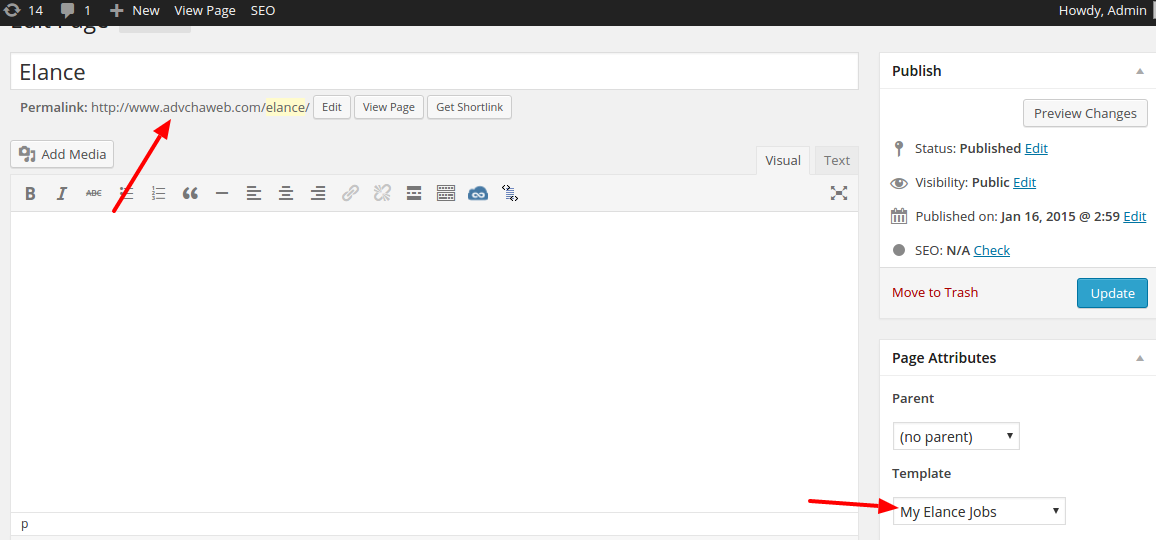
  3. On the wordpress admin, create a new page (not post) with title ‘Elance’ then use template ‘My Elance Jobs’ then Save! It would create a new url: http://www.advchaweb.com/elance/. The url is must be same with our redirect url above!elance-api
  4. OK. Now we can use the API from our wordpress page.wp-elanceJust click the link ‘Elance’ or http://www.advchaweb.com/elance
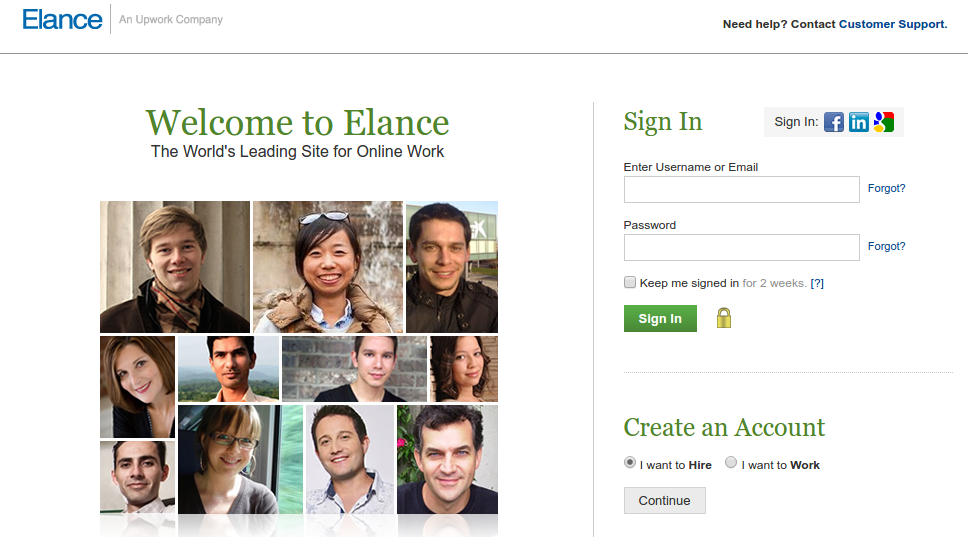
  5. First, It’d redirect us to elance page and please log in!elance-loginSORRY, ONLY ADMIN CAN SHOW THIS!
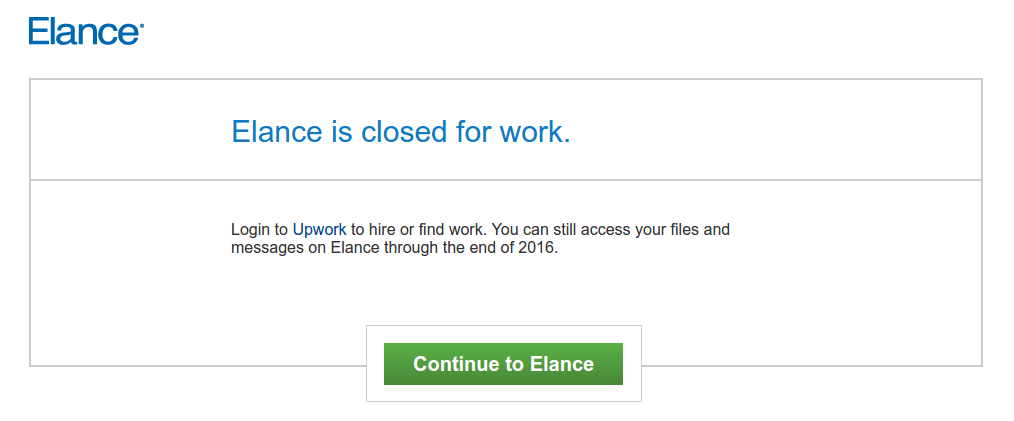
  6. After successful login, I supposed to get the authorization page but because it is already closed, I got this page instead 🙁elance-closedSOMEHOW when I click the ‘Continue to Elance’ button, I still get the authorization page!!!
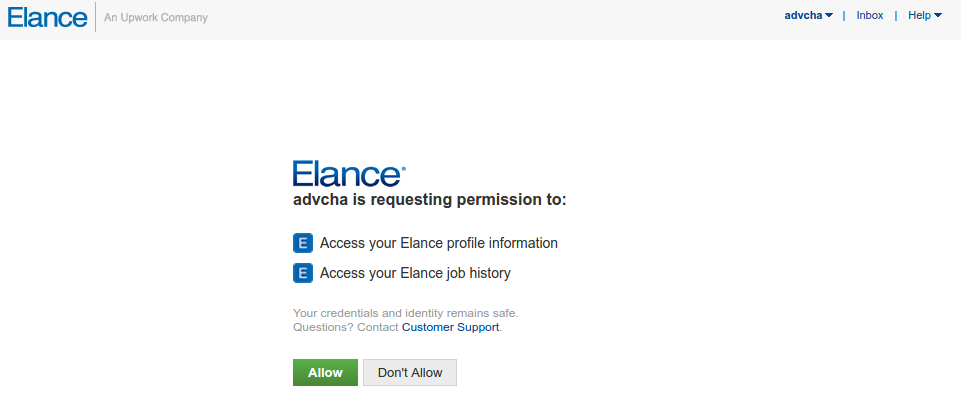
    SORRY, ONLY ADMIN CAN SHOW THIS!elance-authOK. Click ‘Allow’ button
  7. It would be redirected back to my wordpress page. Because there is no job anymore on elance, I got no data!elance-redirectSORRY, ONLY ADMIN CAN SHOW THIS!


WordPress Plugin to Connect to Upwork API

Ref: APIS, WORDPRESS TIPS AND TRICKS, USING OAUTH IN WORDPRESS PLUGINS, PART 1: THE BASICS
       How to write a WordPress plugin

  1. Make sure you already registered on Upwork (https://upwork.com) and have any Upwork key. If not go to https://developers.upwork.com and get the keys (API Key, API secret, redirect URL, etc). Apply for the API on https://www.upwork.com/services/api/apply
  2. Go into the plugin directory (/wp-content/plugins/) then create a new directory ‘upwork’. then in the new directory, create a new file ‘upwork.php’
  3. Here is our first content in upwork.php file

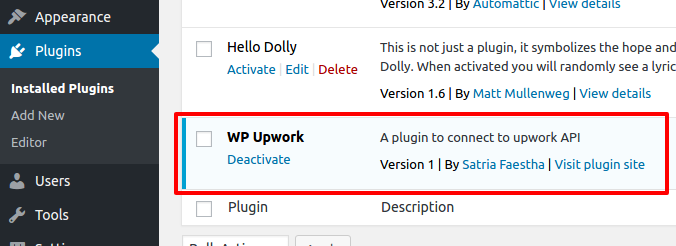
    From here, we can see the plugin ‘Upwork’ in the wordpress admin -> plugin Then please ‘Activate’ it.wp-plugin-upwork
  4. Create a class ‘WP_Upwork’ and instantiate it in upwork.php file
  5. Add the setting page
    To add the setting page, we need to add actions and callback in constructor of WP_Upwork class.

    First we set and register the Upwork setting (API Key and Secret) in WP_Upwork class:

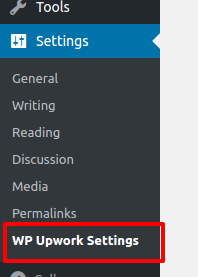
    Then we add the menu ‘WP Upwork Setting’ in the Settings menu. Let’s add some code in WP_Upwork class:

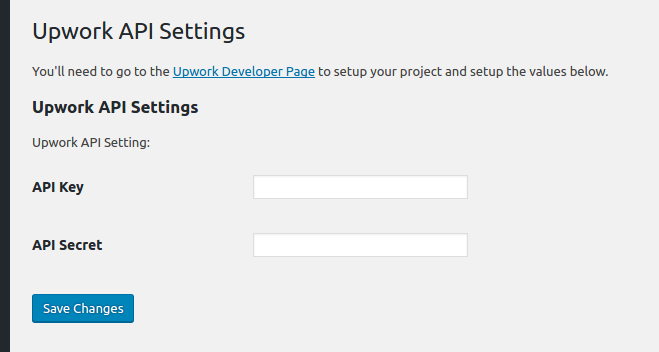
    Okay. Here is the menuwp-plugin-upwork-menuAnd here is the ‘Upwork API Settings’ page (http://localhost/works/wordpress_local/wp-admin/options-general.php?page=wp_upwork)wp-plugin-upwork-admin-page
  6. Save the settings
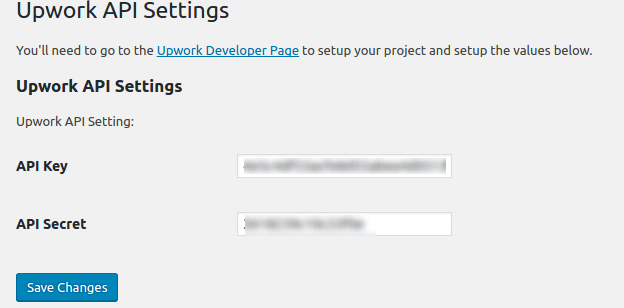
    Fill the API Key and API Secret data above given by upwork then click ‘Save Changes’wp-plugin-upwork-settingsThe above values would be saved in the database at ‘wp_options’ table. You can see them in the table like this:wp-plugin-upwork-settings-dbHere is my Upwork API Settings:SORRY, ONLY ADMIN CAN SHOW THIS!
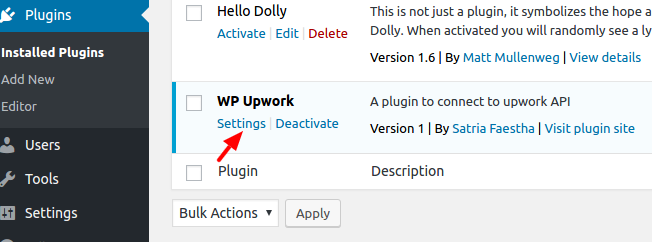
  7. Add Setting link next to activate/deactivate link in the plugin management list.
    In the WP_Upwork class constructor, add filter ‘plugin_action_links’ like this line:

    Then define the function ‘add_settings_link’ in the WP_Upwork class:

    Here is the result looks like:wp-plugin-upwork-settings-link
  8. Refactor our plugin structure a bit. Create a new directory ‘includes’ and add a new file in it ‘settings.php’. I want to move the settings in to the file to make the plugin structure better (Please learn WordPress plugin boilerplate and read How to Build a WordPress Plugin (part 1)).
    Here is the content of /includes/settings.php:

    And here is our main plugin file ‘upwork.php’ content:

    Somehow I can’t put the filter ‘plugin_action_links_’ . plugin_basename(__FILE__)’ in ‘WP_Upwork_Settings’ class! The setting link can’t be displayed in the plugin main list!
  9. Now I want to connect to Upwork API with My API key and API Secret provided by Upwork. When the connection is success, I would get the access token! I need to store the token to get more access from Upwork like searching the jobs and many more.
    NOTE: I MADE A WRONG THING HERE! WHAT I THOUGHT AS ACCESS TOKEN ACTUALLY IS A REQUEST TOKEN! AND FINALLY IT’S NOT WORKING FROM HERE #9 UNTIL #13
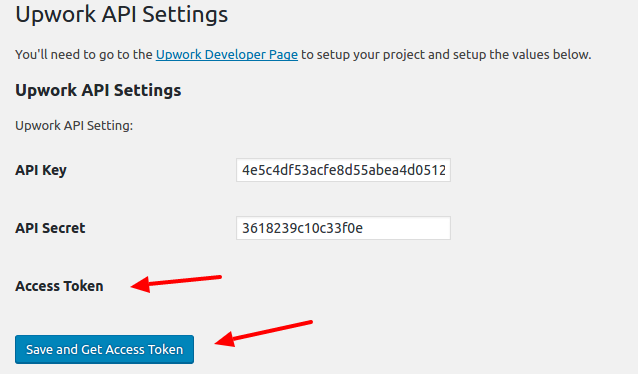
    Modify /includes/settings.php to show the token below the API Key and Secret (The token must be from Upwork so I dont have to type it manually). The screnario is every ‘Save’ button is pressed, beside the keys, the token would be updated as well. So in ‘WP_Upwork_Settings’ class constructor, add this:

    Then show the label for the access token in ‘admin_init’ and ‘settings_field_label’ function:

    Modify ‘plugin_settings_page’ function to add a new hidden value ‘wp_nonce_field’ and change the button title to ‘Save and Get Access Token’.

    The hidden value would be submitted and be caught to inspect the keys and get the access token in ‘get_access_token’ function.

    There is an important setting to pass the configuration beside ‘consumer key’ and ‘consumer secret’, it’s ‘authType’. I tried ‘OAuth1’ but it didn’t work. the work is ‘OAuthPHPLib’.
  10. Use composer to download the Upwork API for PHP (https://github.com/upwork/php-upwork). Create a new composer.json file in our main plugin directory. Here is the content:

    Now use terminal and download the API PHP library

    This would create a new directory ‘vendor’ in the main our plugin directory. The API would be there!
    Read how to use autoload and composer for developing wordpress plugin: Improving WordPress Development Workflow with Composer, Managing Your WordPress Site with Git and Composer Part 2 – Using Composer to Manage Themes and Plugins and How To Use Autoloading And A Plugin Container In WordPress Plugins.
  11. We need to add the autoload in upwork.php file so we can use the API library:

    With this only single line, we dont need to include/require the API library manually like this (/includes/settings.php at ‘admin_post’ function):
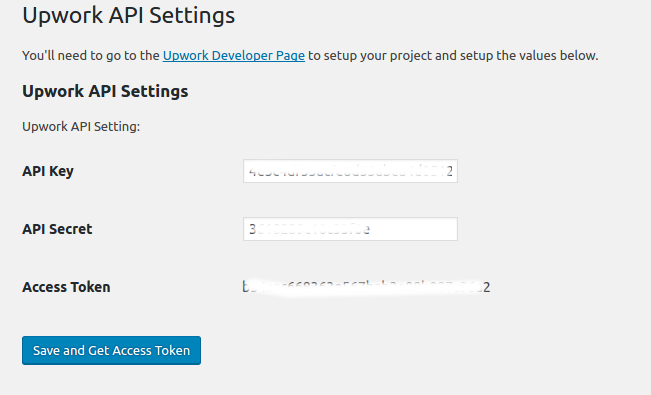
  12. Here is how it lookswp-plugin-upwork-tokenWhen the button is pressed,  if nothing wrong the access token and the access token secret would be revealed like this:SORRY, ONLY ADMIN CAN SHOW THIS!
  13. Now I want to store the tokens values in database so later we can get the values and use its for Upwork API functions.
    Modify ‘get_access_token’ function in /includes/settings.php file to get the tokens and save its. I use ‘update_option’ function to do its (https://codex.wordpress.org/Function_Reference/update_option)

    If everything right, here is how it would looks likewp-plugin-upwork-get-token2<OLD>
    You can also check the tokens values. Not only the value for access token (‘wp_upwork_access_token’) but also for access token secret’s value (‘wp_upwork_access_token_secret’). No reason to display the secret’s value here.
    </OLD>
    <NEW>
    Actually I GOT THE REQUEST TOKEN ABOVE NOT THE ACCESS TOKEN!! SO UPWORK GAVE REQUEST TOKEN FIRST THEN GIVE BACK THE ACCESS TOKEN IF SUCCESS!
    READ THIS FOR THE WORKFLOW: https://developers.upwork.com/?lang=php#authentication_oauth-10
    </NEW>
  14. I tried to get the access token (actually I just realized I got the request token not the access token)
    I MODIFY ‘get_access_token’ function

    LIKE I SAID ABOVE, IT DIDN’T WORK

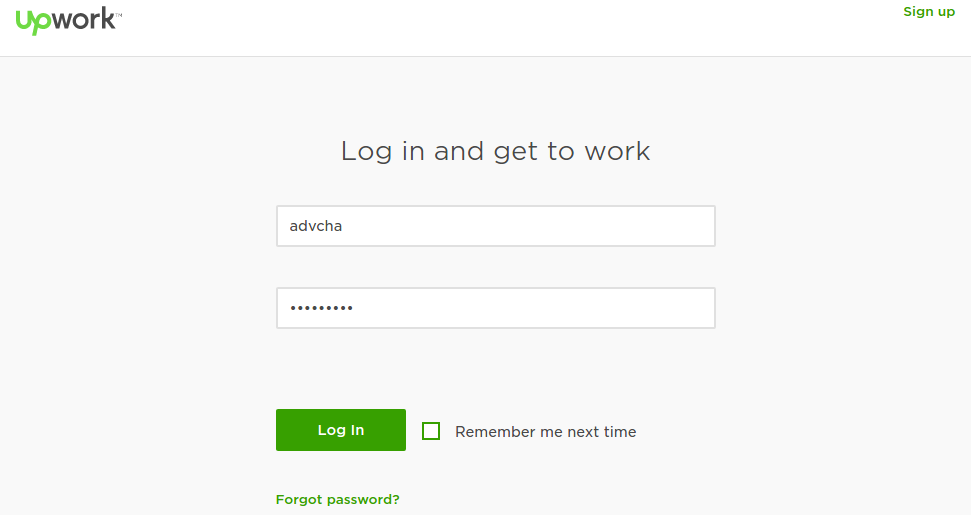
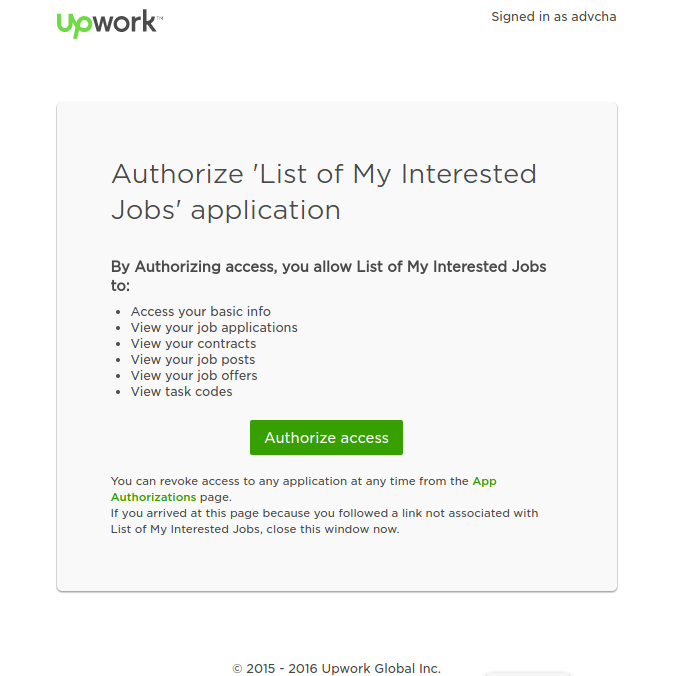
    wp-plugin-upwork-authwp-plugin-upwork-auth-accesswp-plugin-upwork-auth-no-pagehttps://www.upwork.com/services/api/www.advchaweb.com/upwork?oauth_token=708638d60eee72f4c7c133a2617b15ef&oauth_verifier=b57428447a10ef831db125a1c9f6e648
    IT SHOULD BE LIKE:
    http://localhost/works/wordpress_local/wp-admin/options-general.php?page=wp_upwork&oauth_token=63c1ab57d81ef2a120dc122255f252fd&oauth_verifier=4601823dab3c049d2d71be0f76a48a7cUNTIL HERE, IT’S NOT WORKING AS EXPECTED. I NEED TO TRY THIS SAMPLE https://github.com/upwork/php-upwork/blob/master/example/web.php
    I MAKE THE SAMPLE LOCALLY: http://localhost/works/upwork_api/ AND IT’S WORKING FOR THE FIRST TIME (NOT WORKING AFTER THAT. MEANS NO DATA CAN I GET FROM UPWORK!!!)
    SORRY, ONLY ADMIN CAN SHOW THIS!
    After a few hours I tried again to call the Upwork API via http://localhost/works/upwork_api AND it’s working again. Actually to get the access token and call a function (like User), it takes four web call.
    SORRY, ONLY ADMIN CAN SHOW THIS!

  15. Because I failed to get the access token from ‘get_access_token’ function, I tried to use Custom Page Template (Please read Add Page Templates to WordPress with a Plugin) like I used to use it for Elance API. But it different here. I dont have to inject the php file in the active theme. I can use it from my plugin!
    Okay. I need to clean my code and remove the previous changes above (from #9 and #14) about the tokens field and the ‘get_access_token’ function.
    SORRY, ONLY ADMIN CAN SHOW THIS!
    SO I BACK TO THE PREVIOUS CODE WHERE THE WP_Upwork plugin in the admin page only to store API Key and API Secret!
    Back to our custom page template, create a new file ‘template.php’ in /includes/ directory. this file would consist of a class ‘WP_Upwork_Template’. This class would get the template file, show it on the page/post page dropdown template and render/view it.

    The template name is in a file ‘upwork-template.php’ in the same directory (/includes/). this file is the main page to connect to Upwork API (authenticate, authorize/get access token and call the Upwork API functions). This content looks like same with https://github.com/upwork/php-upwork/blob/master/example/web.php. Only API key and API secret I got from database. For a test only and to prove it can work as expected, here is the file content:

    The template name is ‘Upwork Template’
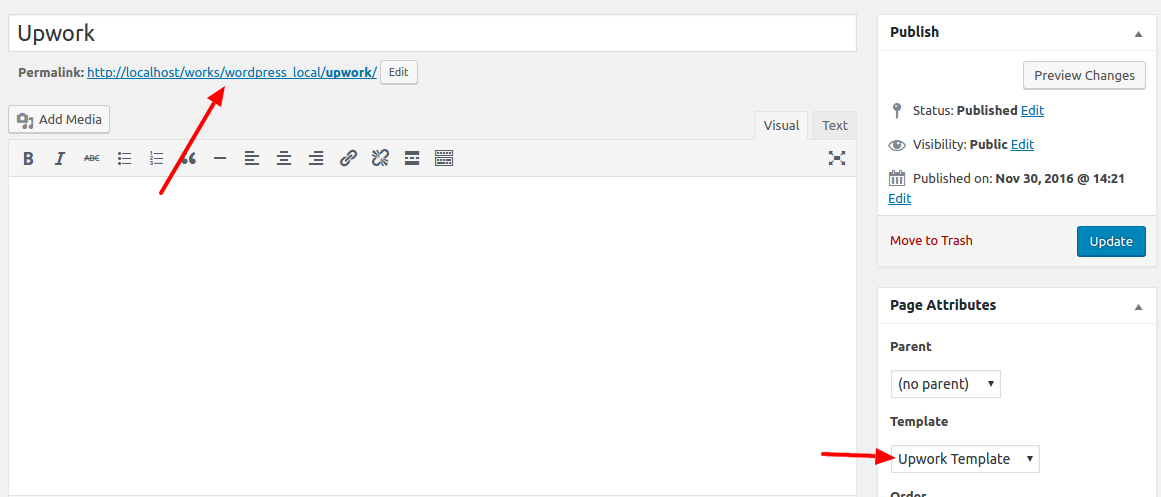
  16. Then create a new page ‘Upwork’ and select the template ‘Upwork Template’wp-plugin-upwork-templateOkay. One more thing. It’s better to change the permalink of our page url to http://localhost/works/wordpress_local/upwork/ instead of http://localhost/works/wordpress_local/?p=123. To do this, please go to Settings -> Permalinks -> Select ‘Post name’ Then Click ‘Save Changes’. It’d change the page url like above. BUT if you open the link and show 404 error, it means something wrong on your .htaccess or the permission or the apache2 setting. I tried many thing from

    or

    BUT NOTHING IS WORKING. IT’S FINALLY WORKING IS FROM http://askubuntu.com/questions/48362/how-to-enable-mod-rewrite-in-apache. I need to put ‘AllowOverride All’ in the default apache2 configuration file:

    Then add these lines:

    Then restart apache2 server.
    Okay. It’s working now. It can open http://localhost/works/wordpress_local/upwork correctly. ALSO DON’T FORGET TO CHANGE AND SAVE Callback URL IN UPWORK API PAGE (https://www.upwork.com/services/api/keys).
    SORRY, ONLY ADMIN CAN SHOW THIS!
  17. Modify ‘upwork-template.php’ so we can save the access token and no need to get new token each API call. I tried like this:

    THE RESULT CAN’T BE EXPECTED BECAUSE UPWORK SERVER IS NOT RELIABLE ENOUGH!!!!. THIS SUPPOSED TO WORK BUT I GOT THIS ERROR

    IT’S REALLY EMBARRASSING. I NEED TO WAIT A FEW HOURS TO TRY IT AGAIN!
    OKAY. IT’S WORKING NOW. I MODIFIED ‘upwork-template.php’ file like this:

    With this changes, I can store the access token in database when it haven’t it yet and use the tokens from repeat Upwork API call without having to get the new token. From https://developers.upwork.com/?lang=php#authentication_get-access-token, IT SAID “Once created, the Access token never expires.”.
    NOTE: the ‘config’ parameters is different when we already have the tokens. it no need the ‘request token’ anymore (see above code at if($access_token && $access_token_secret){) .
    NOTE: I also need to clear the sessions if there is any error related with the Upwork API occured. I think it’d be better to put a new button ‘Reset Access Token’ on the WP Upwork admin settings. The button would empty the tokens values in the database. This would give a chance to get the new token and fix the errors. The button would also be responsible to clear the sessions!
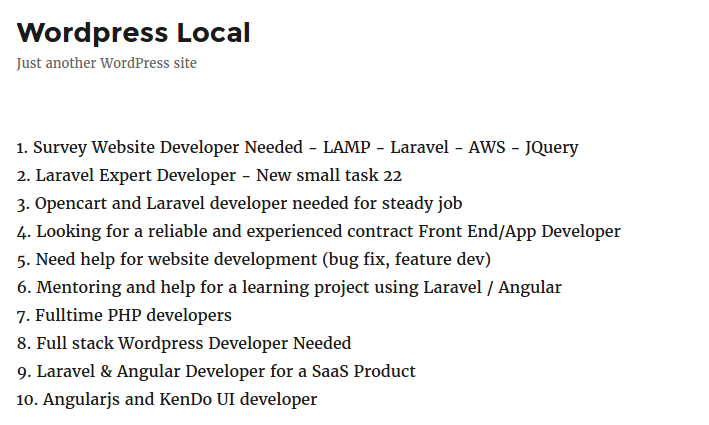
    This is a screenshots of the Upwork API to display job listing by some criteria. wp-plugin-upwork-jobsNOTE: SOMEHOW I CAN’T MANAGE HOW TO GET THE RESULT MORE THAN 10 DATA
    NEXT: HOW TO CATCH ANY ERROR FROM THE UPWORK API???
    CREATE a new button ‘Reset Access Token’ on the WP Upwork admin settings.
  18. SOME ERROR HAS HAPPENED. HERE THEY ARE AND THE SOLUTIONS:

    SOLUTIONS: Clear the sessions and empty the tokens values in the database then refresh the page again!
  19. Now, I already put the source code in my github repository: https://github.com/advcha/upwork.