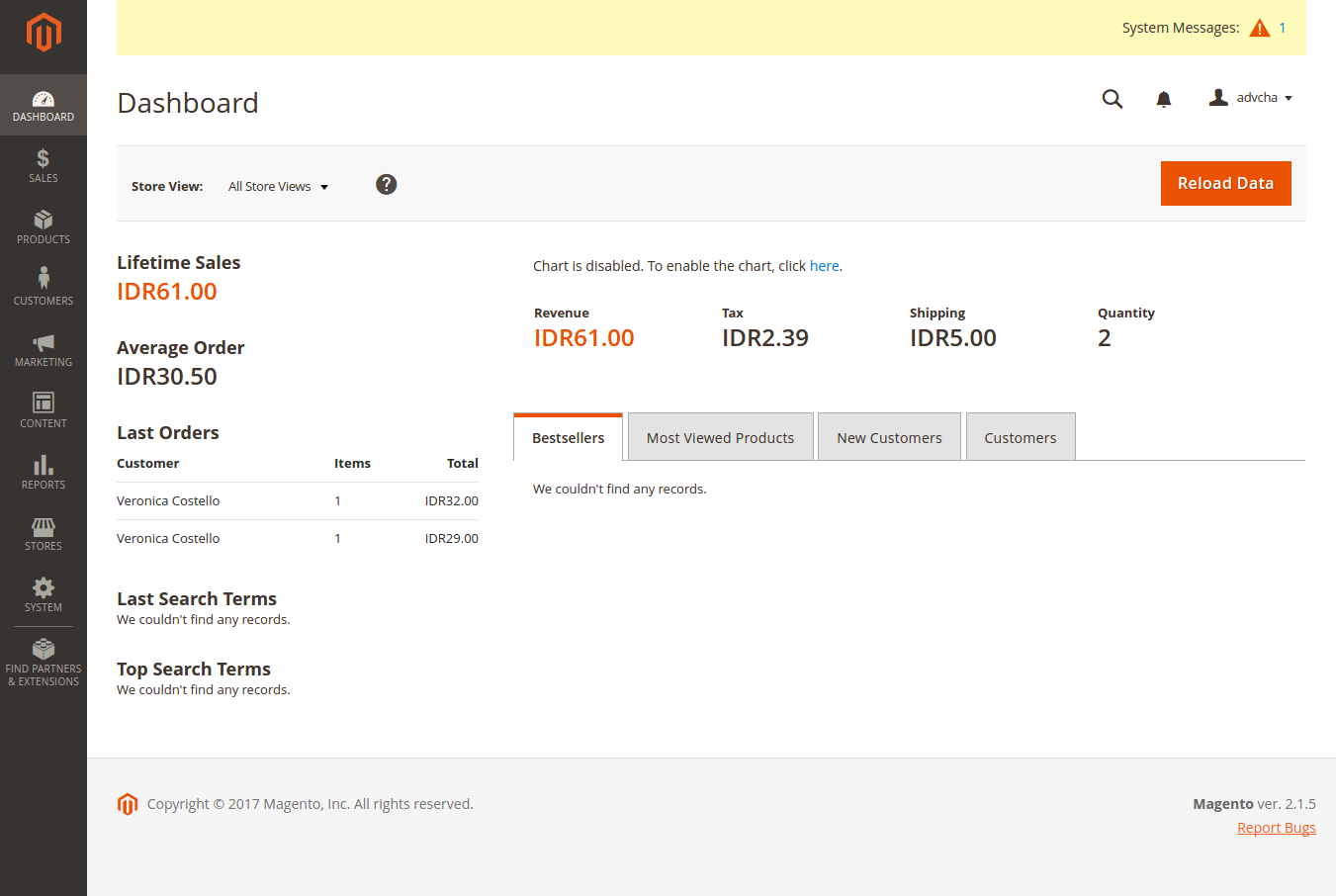
I want to install Magento CE 2.1.5 (with sample data) in my machine Ubuntu 14.04 and PHP 7.0.
Ref: http://devdocs.magento.com/guides/v2.1/install-gde/prereq/zip_install.html
- Download the installation file from magento website. Here I downloaded the file with sample data in tar.bz2 format
- Extract the compressed file into your web root. I extract them in ‘magentoce215’ directory.
- Modify the files permission of ‘magentoce215’ directory. Here I used this command to make it easier for me to deal with the many security issues.
1teddy@teddy-K43SJ:~$ sudo chmod -R 777 Documents/works/magentoce215/ - Open it the first time on your browser: http://localhost/works/magentoce215. It’d setup magento for the first time.
 Click ‘Agree and Setup Magento’ button. It’d bring us to next step, the check install page. Here is the looks
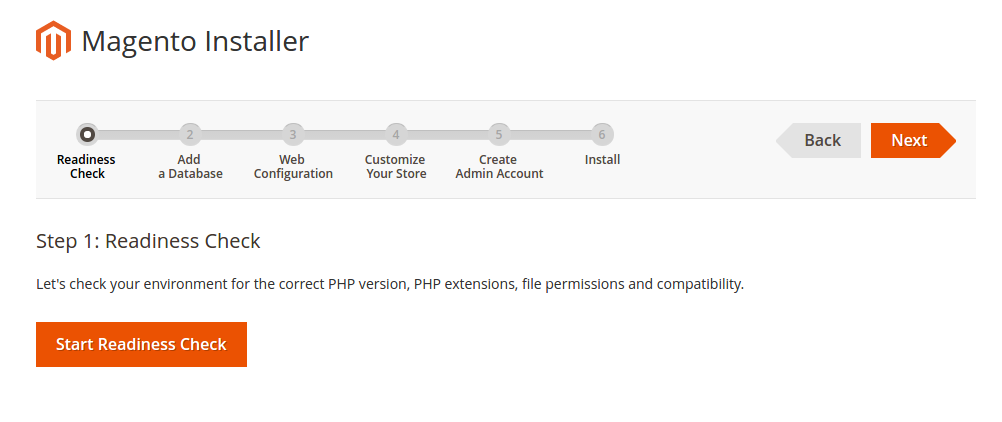 I want to make sure anything would be okay so I click ‘Start Readiness Check’ button. It’d check my php version and the php extension I have. It seemed I miss some extensions. Here is the result.
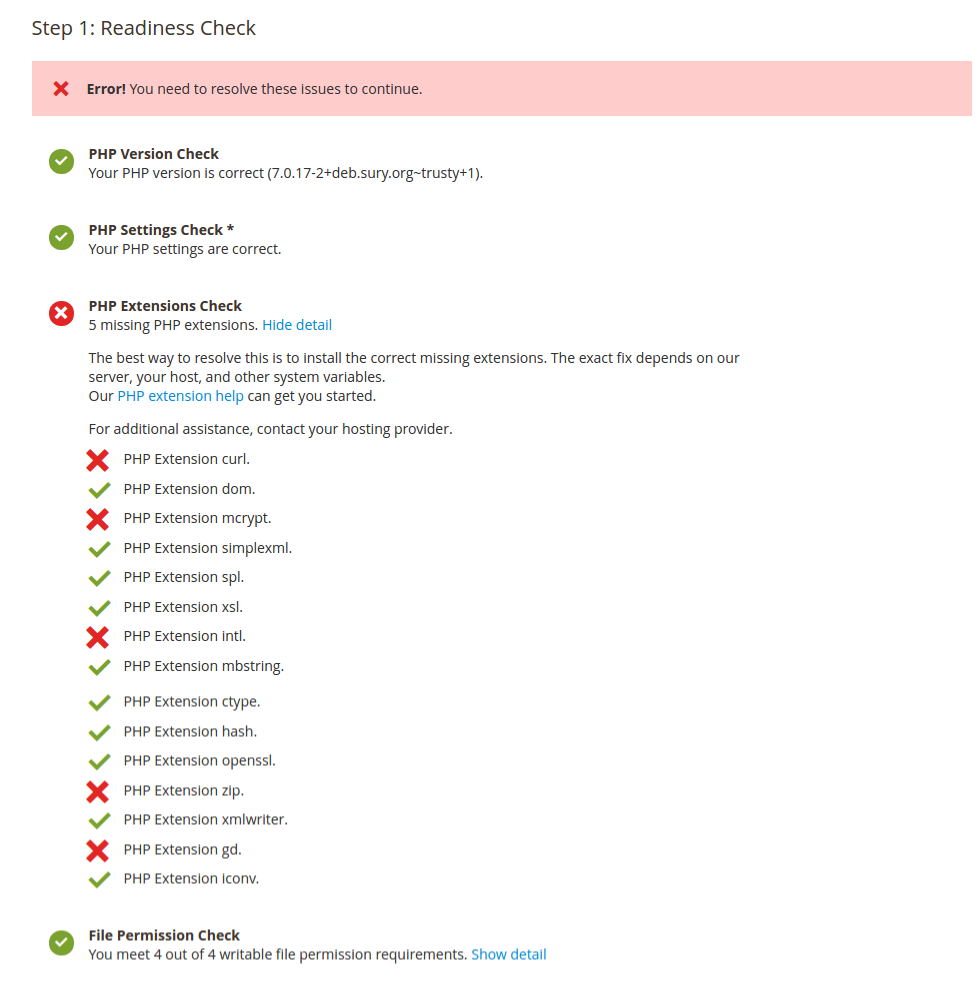 I need to sort its out first. Install the missing php extensions.
1teddy@teddy-K43SJ:~$ sudo apt-get install php7.0-curl php7.0-mcrypt php7.0-intl php7.0-zip php7.0-gd
Then don’t forget to restart apache server
1teddy@teddy-K43SJ:~$ sudo service apache2 restart
Back to the browser then click ‘Try Again’ button at the top of the page. If everything okay, I’ll get this page.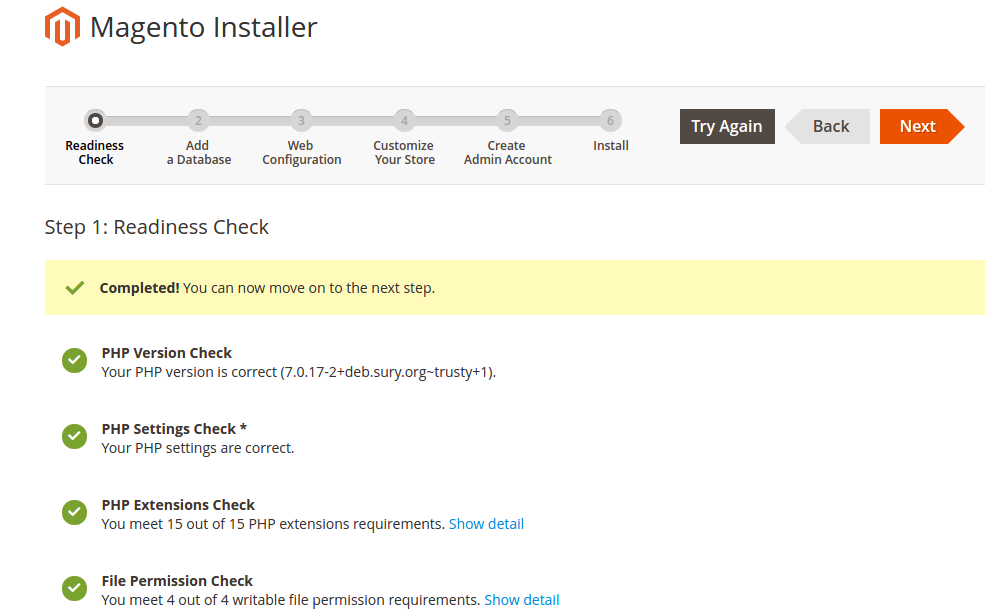 Then click ‘Next’ button. It’d bring you to the database setting page.
  That is my database setting. I already created a new database ‘magentoce215’ (utf8-general-ci) via phpmyadmin. Make sure the setting is correct! Then click ‘Next’ button. Oops! I have MySQL Server 5.5.54 that not supported by magento ce 2.1.5. It recommended to use MySQL 5.6.0 or later!
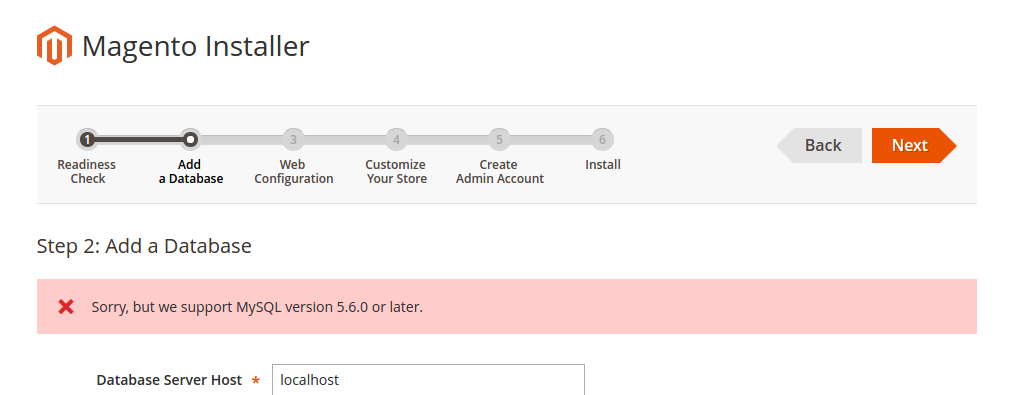 SO I NEED TO UPGRADE THE MYSQL VERSION TO MYSQL 5.6.0 OR LATER? OK. I upgraded my MySQL server to 5.7 version. Now everything is fine. Then I got this screen about my local magento web configuration.
 magento url: http://localhost/works/magentoce215/
magento admin url: http://localhost/works/magentoce215/admin_dgj2ff
Then click ‘Next’. Then I modify my store setting like this: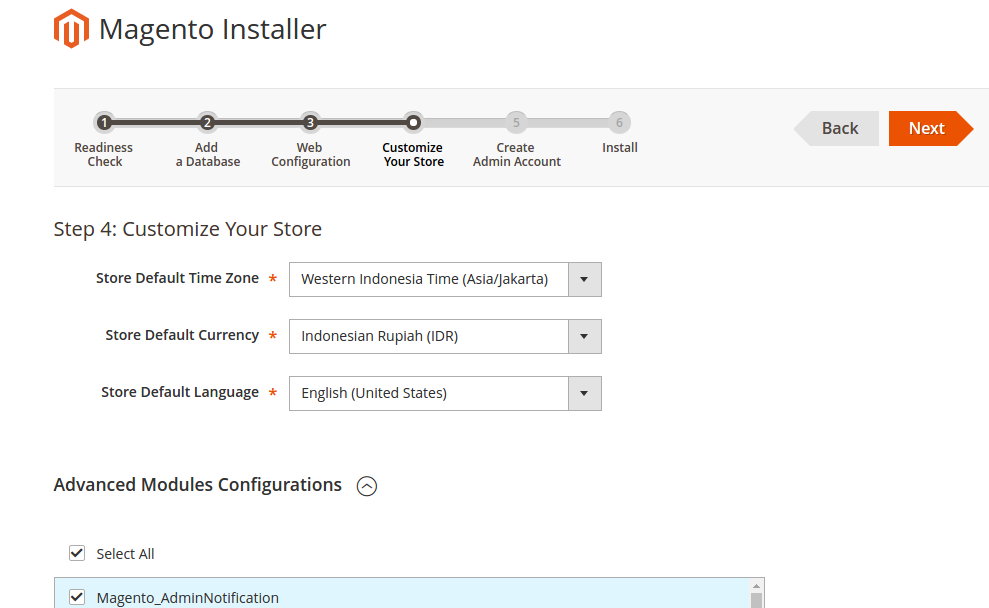 I checked ‘Select All’ for ‘Advanced Modules Configuration’ because I want to use the samples data. Then click ‘Next’. Then fill out the admin form.
Then click ‘Next’. This is the last page to install magento.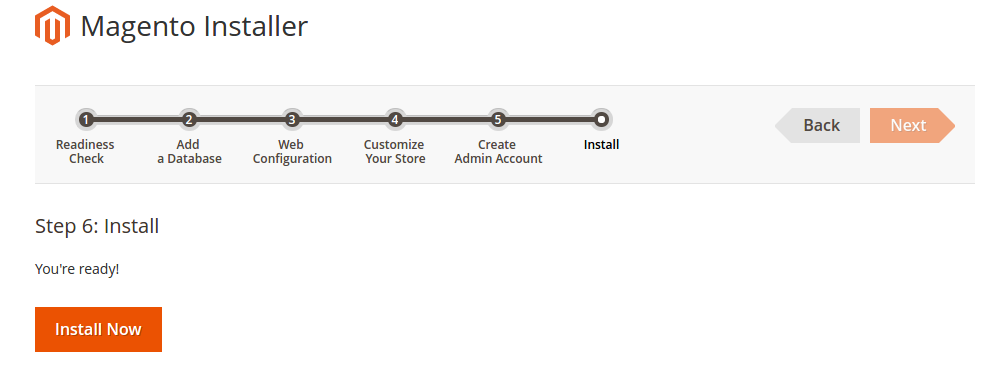 Click ‘Install Now’ button. Wait until installation completed and you get the success page.
It’s recommended for security, remove write permissions from these directories: ‘/home/teddy/Documents/works/magentoce215/app/etc’.
When ‘Launch Magento Admin’ button is clicked, it’d go to the admin page (http://localhost/works/magentoce215/admin_dgj2ff). Use your correct username and password to sign in. Here is the main admin page.
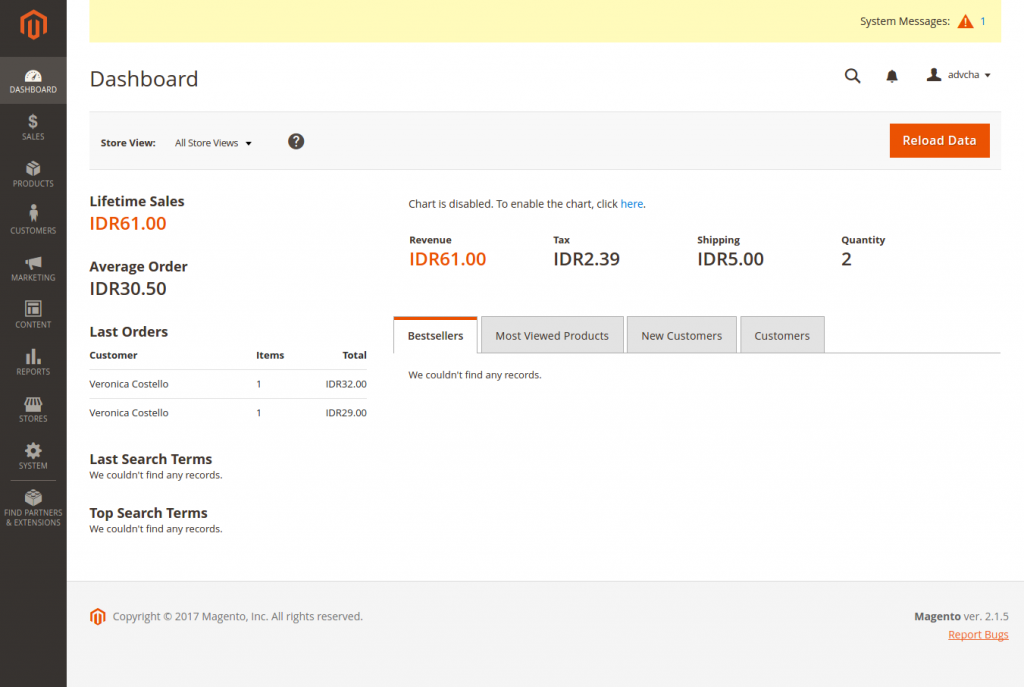 Somehow I got an error like this:
 “One or more indexers are invalid. Make sure your Magento cron job is running.”. I think no need to worry right now.
Here is the main page (http://localhost/works/magentoce215/) looks:
- Use VirtualHost
I prefer to use virtualhost so I can open this magento with more pleasing url like http://magentoce215.dev. Here is the step:
Create an apache file configuration:
1sudo gedit /etc/apache2/sites-available/magentoce215.dev.conf
Here is the file content:
1234567891011<VirtualHost *:80>ServerName magentoce215.devServerAlias www.magentoce215.devDocumentRoot "/home/teddy/Documents/works/magentoce215"DirectoryIndex index.php<Directory "/home/teddy/Documents/works/magentoce215">AllowOverride AllAllow from AllRequire all granted</Directory></VirtualHost>
Enable the site:
1sudo a2ensite magentoce215.dev
Put the url in hosts file
1sudo gedit /etc/hosts
Here is the line:
1127.0.0.1 magentoce215.dev
Restart apache server
1sudo service apache2 restart
We need to clean and flush the cache and build and deploy the static files:
1234teddy@teddy-K43SJ:~/Documents/works/magentoce215$ sudo su -s /bin/bash www-datawww-data@teddy-K43SJ:/home/teddy/Documents/works/magentoce215$ php bin/magento cache:cleanwww-data@teddy-K43SJ:/home/teddy/Documents/works/magentoce215$ php bin/magento cache:flushwww-data@teddy-K43SJ:/home/teddy/Documents/works/magentoce215$ php bin/magento setup:upgrade && php bin/magento setup:static-content:deploy
Test it on your browser: http://magentoce215.dev
If there is no change on the url and still use the url: http://localhost/works/magentoce215, we need to update ‘base-url’ and ‘base-url-secure’ (ref: http://blog.netgloo.com/2016/05/13/magento-2-change-base-url-using-the-command-line/) like this:
123www-data@teddy-K43SJ:/home/teddy/Documents/works/magentoce215$ php bin/magento setup:store-config:set --base-url="http://magentoce215.dev/"www-data@teddy-K43SJ:/home/teddy/Documents/works/magentoce215$ php bin/magento setup:store-config:set --base-url-secure="https://magentoce215.dev/"www-data@teddy-K43SJ:/home/teddy/Documents/works/magentoce215$ php bin/magento cache:flush
Test it again on your browser: http://magentoce215.dev and the admin url is http://magentoce215.dev/admin_dgj2ff - The looks are different with the version 1.X. Please read https://www.atwix.com/magento-2/magento-1-vs-magento-2/, https://www.shopping-cart-migration.com/blog/42-magento/43708-the-key-differences-between-magento-1x-and-20, https://www.apptha.com/blog/magento-1-vs-magento-2-for-building-multi-vendor-marketplace/, etc.
- Create a setup for nginx and php7.0-fpm
Create the config file
1sudo gedit /etc/nginx/sites-available/magentoce215.test
Here is the content:
123456789101112131415161718192021222324252627282930313233343536373839404142434445464748495051525354555657585960616263646566676869707172737475767778798081828384858687888990919293949596979899100101102103104105106107108109110111112113114115116117118119120121122123124125126127128129130131132133134135136137138139140141142143144145146147148149150151152153154155156157158159160161162163164165166167168169170171172173174175176177178179180181182183184185186187188189190191192193194195196197198199200201202203204server {listen 80;server_name magentoce215.test;set $MAGE_ROOT /home/teddy/Documents/works/magentoce215;root $MAGE_ROOT;index index.php;autoindex off;charset UTF-8;error_page 404 403 = /errors/404.php;#add_header "X-UA-Compatible" "IE=Edge";client_max_body_size 100M;# PHP entry point for setup applicationlocation ~* ^/setup($|/) {root $MAGE_ROOT;location ~ ^/setup/index.php {fastcgi_split_path_info ^(.+?\.php)(/.*)$;fastcgi_buffers 1024 4k;fastcgi_read_timeout 600s;fastcgi_connect_timeout 600s;fastcgi_pass unix:/run/php/php7.0-fpm.sock; #FOR AWS SERVER#fastcgi_pass 127.0.0.1:9000;#fastcgi_index index.php;fastcgi_param SCRIPT_FILENAME $document_root$fastcgi_script_name;include fastcgi_params;}location ~ ^/setup/(?!pub/). {deny all;}location ~ ^/setup/pub/ {add_header X-Frame-Options "SAMEORIGIN";}}# PHP entry point for update applicationlocation ~* ^/update($|/) {root $MAGE_ROOT;location ~ ^/update/index.php {fastcgi_split_path_info ^(/update/index.php)(/.+)$;fastcgi_pass unix:/run/php/php7.0-fpm.sock; #FOR AWS SERVER#fastcgi_pass 127.0.0.1:9000;fastcgi_index index.php;fastcgi_param SCRIPT_FILENAME $document_root$fastcgi_script_name;fastcgi_param PATH_INFO $fastcgi_path_info;include fastcgi_params;}# Deny everything but index.phplocation ~ ^/update/(?!pub/). {deny all;}location ~ ^/update/pub/ {add_header X-Frame-Options "SAMEORIGIN";}}location / {try_files $uri $uri/ /index.php?$args;}location /pub/ {location ~ ^/pub/media/(downloadable|customer|import|theme_customization/.*\.xml) {deny all;}alias $MAGE_ROOT/pub/;add_header X-Frame-Options "SAMEORIGIN";}location ~ ^/pub/static/version {rewrite ^/pub/static/(version\d*/)?(.*)$ /pub/static/$2 last;}location /static/ {# Uncomment the following line in production mode# expires max;# Remove signature of the static files that is used to overcome the browser cachelocation ~ ^/static/version {rewrite ^/static/(version\d*/)?(.*)$ /static/$2 last;}location ~* \.(ico|jpg|jpeg|png|gif|svg|js|css|swf|eot|ttf|otf|woff|woff2)$ {add_header Cache-Control "public";add_header X-Frame-Options "SAMEORIGIN";expires +1y;if (!-f $request_filename) {rewrite ^/static/(version\d*/)?(.*)$ /static.php?resource=$2 last;}}location ~* \.(zip|gz|gzip|bz2|csv|xml)$ {add_header Cache-Control "no-store";add_header X-Frame-Options "SAMEORIGIN";expires off;if (!-f $request_filename) {rewrite ^/static/(version\d*/)?(.*)$ /static.php?resource=$2 last;}}if (!-f $request_filename) {rewrite ^/static/(version\d*/)?(.*)$ /static.php?resource=$2 last;}add_header X-Frame-Options "SAMEORIGIN";}location /media/ {try_files $uri $uri/ /get.php?$args;location ~ ^/media/theme_customization/.*\.xml {deny all;}location ~* \.(ico|jpg|jpeg|png|gif|svg|js|css|swf|eot|ttf|otf|woff|woff2)$ {add_header Cache-Control "public";add_header X-Frame-Options "SAMEORIGIN";expires +1y;try_files $uri $uri/ /get.php?$args;}location ~* \.(zip|gz|gzip|bz2|csv|xml)$ {add_header Cache-Control "no-store";add_header X-Frame-Options "SAMEORIGIN";expires off;try_files $uri $uri/ /get.php?$args;}add_header X-Frame-Options "SAMEORIGIN";}location /media/customer/ {deny all;}location /media/downloadable/ {deny all;}location /media/import/ {deny all;}# PHP entry point for main applicationlocation ~ (index|get|static|report|404|503)\.php$ {try_files $uri =404;fastcgi_pass unix:/run/php/php7.0-fpm.sock; #FOR AWS SERVER#fastcgi_pass 127.0.0.1:9000;fastcgi_buffers 1024 4k;fastcgi_read_timeout 600s;fastcgi_connect_timeout 600s;fastcgi_index index.php;fastcgi_param SCRIPT_FILENAME $document_root$fastcgi_script_name;#include fastcgi_params;#FOR DEVELOPMENT MODE ONLY - BEGINfastcgi_param MAGE_IS_DEVELOPER_MODE true;fastcgi_param PHP_VALUE display_startup_errors=on;fastcgi_param PHP_VALUE display_errors=on;fastcgi_param PHP_VALUE html_errors=on;fastcgi_param PHP_VALUE log_errors=on;fastcgi_param PHP_VALUE error_log=/home/teddy/Documents/works/magentoce215/var/log/system.log;#FOR DEVELOPMENT MODE ONLY - ENDinclude fastcgi_params;#FOR DEBUGGING WITH XDEBUG - BEGIN#fastcgi_read_timeout 600;#FOR DEBUGGING WITH XDEBUG - END}gzip on;gzip_disable "msie6";gzip_comp_level 6;gzip_min_length 1100;gzip_buffers 16 8k;gzip_proxied any;gzip_typestext/plaintext/csstext/jstext/xmltext/javascriptapplication/javascriptapplication/x-javascriptapplication/jsonapplication/xmlapplication/xml+rssimage/svg+xml;gzip_vary on;# Banned locations (only reached if the earlier PHP entry point regexes don't match)location ~* (\.php$|\.htaccess$|\.git) {deny all;}}
Enable file config
1sudo ln -s /etc/nginx/sites-available/magentoce215.test /etc/nginx/sites-enabled/magentoce215.test
Register the host on my system
1sudo gedit /etc/hosts
Like this:
123...127.0.0.1 magentoce215.test...
CHECK THE NGINX SETTING AND RESTART IT:
123teddy@teddy:~$ sudo nginx -tnginx: the configuration file /etc/nginx/nginx.conf syntax is oknginx: configuration file /etc/nginx/nginx.conf test is successful
1sudo systemctl restart nginx
Set file permission and owner:
1sudo chown www-data -R var/ pub/ app/etc/ setup/
Test: http://magentoce215.test –> IT’S WORKING