Ref: https://tecadmin.net/install-django-on-ubuntu/
Check python3 (no need python2) version and pip3 version
|
1 2 3 4 5 6 |
teddy@teddy:~$ python3 -V Python 3.5.2 teddy@teddy:~$ python -V Python 2.7.12 teddy@teddy:~$ pip3 -V pip 9.0.1 from /home/teddy/.local/lib/python3.5/site-packages (python 3.5) |
I need to upgrade pip with this command (must with sudo)
|
1 |
teddy@teddy:~$ sudo pip3 install --upgrade pip |
but when I checked the newest installed pip, I got this
|
1 2 3 4 |
teddy@teddy:~$ pip3 -V bash: /home/teddy/.local/bin/pip3: No such file or directory teddy@teddy:~$ pip -V bash: /home/teddy/.local/bin/pip: No such file or directory |
SOLUTION: https://askubuntu.com/questions/1034018/problem-in-installing-pip-in-ubuntu-16-04
So I need to do this after the upgrade:
|
1 2 3 4 5 6 7 8 9 10 11 12 13 14 15 16 |
teddy@teddy:~$ type pip pip is hashed (/home/teddy/.local/bin/pip) teddy@teddy:~$ type pip3 pip3 is hashed (/home/teddy/.local/bin/pip3) teddy@teddy:~$ hash -d pip teddy@teddy:~$ pip -V pip 19.1.1 from /usr/local/lib/python3.5/dist-packages/pip (python 3.5) teddy@teddy:~$ pip3 -V bash: /home/teddy/.local/bin/pip3: No such file or directory teddy@teddy:~$ hash -d pip3 teddy@teddy:~$ pip3 -V pip 19.1.1 from /usr/local/lib/python3.5/dist-packages/pip (python 3.5) teddy@teddy:~$ type pip3 pip3 is hashed (/usr/local/bin/pip3) teddy@teddy:~$ pip3 -V pip 19.1.1 from /usr/local/lib/python3.5/dist-packages/pip (python 3.5) |
Install Django (NO) — USE VIRTUALENV INSTEAD (http://myprojects.advchaweb.com/index.php/2018/01/24/ubuntu-16-04-3-installation-problem-and-solution/)
|
1 2 3 4 5 6 7 8 9 10 |
teddy@teddy:~$ pip3 install Django Collecting Django Using cached https://files.pythonhosted.org/packages/b1/1d/2476110614367adfb079a9bc718621f9fc8351e9214e1750cae1832d4090/Django-2.2.1-py3-none-any.whl Collecting pytz (from Django) Using cached https://files.pythonhosted.org/packages/3d/73/fe30c2daaaa0713420d0382b16fbb761409f532c56bdcc514bf7b6262bb6/pytz-2019.1-py2.py3-none-any.whl Collecting sqlparse (from Django) Using cached https://files.pythonhosted.org/packages/ef/53/900f7d2a54557c6a37886585a91336520e5539e3ae2423ff1102daf4f3a7/sqlparse-0.3.0-py2.py3-none-any.whl Installing collected packages: pytz, sqlparse, Django ERROR: Could not install packages due to an EnvironmentError: [Errno 13] Permission denied: '/usr/local/lib/python3.5/dist-packages/pytz-2019.1.dist-info' Consider using the `--user` option or check the permissions. |
USE VIRTUALENV
|
1 2 3 4 5 6 7 8 9 10 11 |
teddy@teddy:~$ virtualenv --version 15.1.0 teddy@teddy:~$ cd Documents/python/django-apps/ teddy@teddy:~/Documents/python/django-apps$ virtualenv env Using base prefix '/usr' New python executable in /home/teddy/Documents/python/django-apps/env/bin/python3 Not overwriting existing python script /home/teddy/Documents/python/django-apps/env/bin/python (you must use /home/teddy/Documents/python/django-apps/env/bin/python3) Installing setuptools, pip, wheel...done. teddy@teddy:~/Documents/python/django-apps$ . env/bin/activate (env) teddy@teddy:~/Documents/python/django-apps$ django-admin --version 2.0.1 |
Go to ‘djangotest’ directory and run migration if exist
|
1 2 3 4 5 6 7 8 9 10 11 12 13 14 15 16 17 18 19 20 21 22 23 24 25 26 27 28 29 30 31 |
(env) teddy@teddy:~/Documents/python/django-apps$ cd djangotest/ (env) teddy@teddy:~/Documents/python/django-apps/djangotest$ python3 manage.py runserver localhost:8000 Performing system checks... System check identified no issues (0 silenced). You have 14 unapplied migration(s). Your project may not work properly until you apply the migrations for app(s): admin, auth, contenttypes, sessions. Run 'python manage.py migrate' to apply them. May 10, 2019 - 03:35:06 Django version 2.0.1, using settings 'djangotest.settings' Starting development server at http://localhost:8000/ Quit the server with CONTROL-C. (env) teddy@teddy:~/Documents/python/django-apps/djangotest$ python3 manage.py migrate Operations to perform: Apply all migrations: admin, auth, contenttypes, sessions Running migrations: Applying contenttypes.0001_initial... OK Applying auth.0001_initial... OK Applying admin.0001_initial... OK Applying admin.0002_logentry_remove_auto_add... OK Applying contenttypes.0002_remove_content_type_name... OK Applying auth.0002_alter_permission_name_max_length... OK Applying auth.0003_alter_user_email_max_length... OK Applying auth.0004_alter_user_username_opts... OK Applying auth.0005_alter_user_last_login_null... OK Applying auth.0006_require_contenttypes_0002... OK Applying auth.0007_alter_validators_add_error_messages... OK Applying auth.0008_alter_user_username_max_length... OK Applying auth.0009_alter_user_last_name_max_length... OK Applying sessions.0001_initial... OK |
RUN SERVER
|
1 |
(env) teddy@teddy:~/Documents/python/django-apps/djangotest$ python3 manage.py runserver localhost:8000 |
OPEN IT ON YOUR BROWSER: http://localhost:8000/
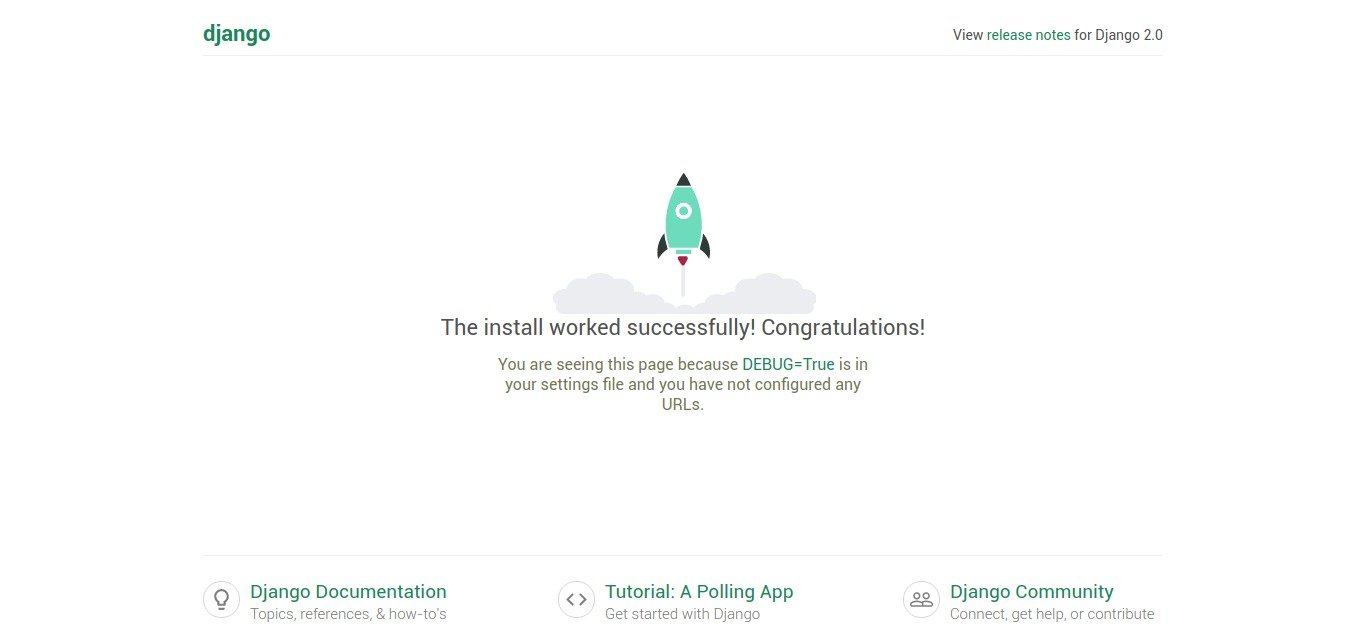 LOGIN ADMIN
http://localhost:8000/admin/login/?next=/admin/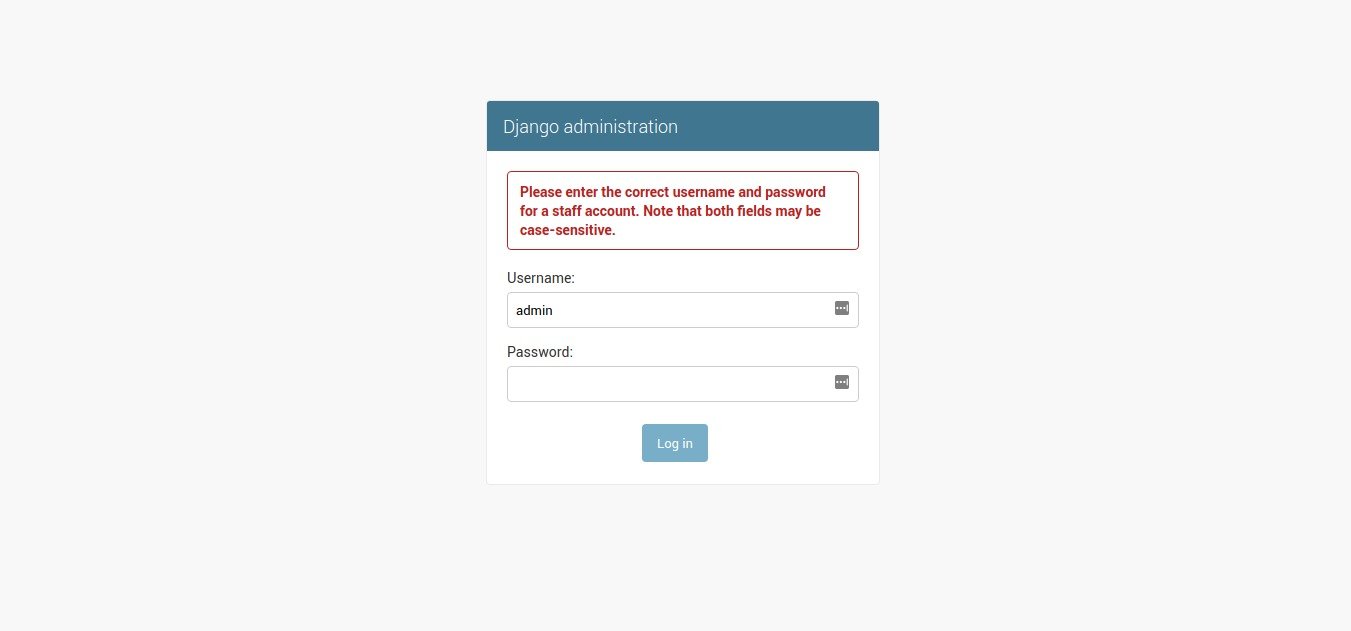 CREATE SUPERUSER FOR ADMIN
|
1 2 3 4 5 6 7 8 9 10 11 |
(env) teddy@teddy:~/Documents/python/django-apps/djangotest$ python3 manage.py createsuperuser Username (leave blank to use 'teddy'): admin Email address: advcha@yahoo.com Password: Password (again): This password is too short. It must contain at least 8 characters. This password is too common. Password: Password (again): Superuser created successfully. (env) teddy@teddy:~/Documents/python/django-apps/djangotest$ python3 manage.py runserver localhost:8000 |
so superuser:
username: admin
password: admin123
THEN LOGIN TO ADMIN AGAIN WITH THIS SUPERUSER ACCOUNT. HERE IS THE ADMIN DASHBOARD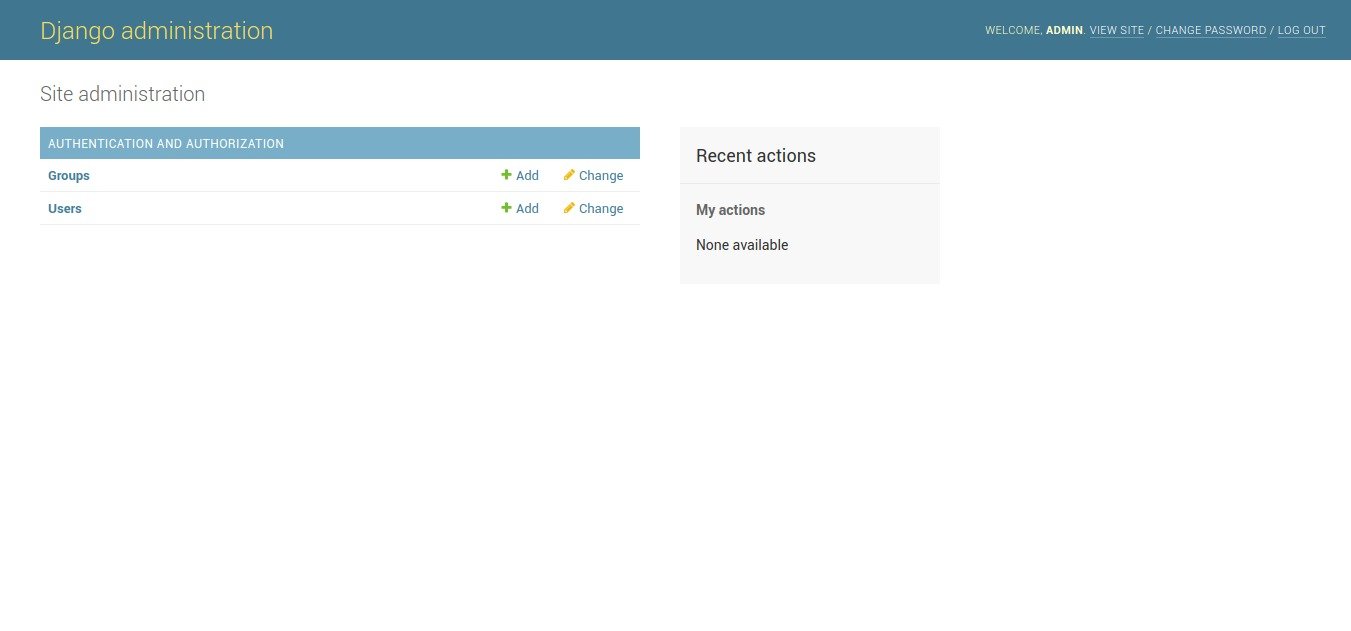 DEACTIVATE
|
1 2 |
(env) teddy@teddy:~/Documents/python/django-apps/djangotest$ deactivate teddy@teddy:~/Documents/python/django-apps/djangotest$ |
INSTALL NEWEST DJANGO (VERSION 2.2) WITH VIRTUALENV ‘django2.2’
|
1 2 3 4 5 6 7 8 9 10 11 12 13 14 15 |
teddy@teddy:~/Documents/python/django-apps$ virtualenv django2.2 Using base prefix '/usr' New python executable in /home/teddy/Documents/python/django-apps/django2.2/bin/python3 Also creating executable in /home/teddy/Documents/python/django-apps/django2.2/bin/python Installing setuptools, pip, wheel...done. teddy@teddy:~/Documents/python/django-apps$ . django2.2/bin/activate (django2.2) teddy@teddy:~/Documents/python/django-apps$ pip3 install Django Collecting Django Using cached https://files.pythonhosted.org/packages/b1/1d/2476110614367adfb079a9bc718621f9fc8351e9214e1750cae1832d4090/Django-2.2.1-py3-none-any.whl Collecting pytz (from Django) Using cached https://files.pythonhosted.org/packages/3d/73/fe30c2daaaa0713420d0382b16fbb761409f532c56bdcc514bf7b6262bb6/pytz-2019.1-py2.py3-none-any.whl Collecting sqlparse (from Django) Using cached https://files.pythonhosted.org/packages/ef/53/900f7d2a54557c6a37886585a91336520e5539e3ae2423ff1102daf4f3a7/sqlparse-0.3.0-py2.py3-none-any.whl Installing collected packages: pytz, sqlparse, Django Successfully installed Django-2.2.1 pytz-2019.1 sqlparse-0.3.0 |
CHECK THE DJANGO VERSION
|
1 2 |
(django2.2) teddy@teddy:~/Documents/python/django-apps$ django-admin --version 2.2.1 |
CREATE DJANGO APP PROJECT ‘django_app’
|
1 |
(django2.2) teddy@teddy:~/Documents/python/django-apps$ django-admin startproject django_app |
Goto the project directory and migrate
|
1 2 3 4 5 6 7 8 9 10 11 12 13 14 15 16 17 18 19 20 21 |
(django2.2) teddy@teddy:~/Documents/python/django-apps/django_app$ python3 manage.py migrate Operations to perform: Apply all migrations: admin, auth, contenttypes, sessions Running migrations: Applying contenttypes.0001_initial... OK Applying auth.0001_initial... OK Applying admin.0001_initial... OK Applying admin.0002_logentry_remove_auto_add... OK Applying admin.0003_logentry_add_action_flag_choices... OK Applying contenttypes.0002_remove_content_type_name... OK Applying auth.0002_alter_permission_name_max_length... OK Applying auth.0003_alter_user_email_max_length... OK Applying auth.0004_alter_user_username_opts... OK Applying auth.0005_alter_user_last_login_null... OK Applying auth.0006_require_contenttypes_0002... OK Applying auth.0007_alter_validators_add_error_messages... OK Applying auth.0008_alter_user_username_max_length... OK Applying auth.0009_alter_user_last_name_max_length... OK Applying auth.0010_alter_group_name_max_length... OK Applying auth.0011_update_proxy_permissions... OK Applying sessions.0001_initial... OK |
CREATE SUPERUSER ACCOUNT
|
1 2 3 4 5 6 7 8 9 |
(django2.2) teddy@teddy:~/Documents/python/django-apps/django_app$ python3 manage.py createsuperuser Username (leave blank to use 'teddy'): admin Email address: advcha@yahoo.com Password: Password (again): The password is too similar to the username. This password is too common. Bypass password validation and create user anyway? [y/N]: y Superuser created successfully. |
so superuser:
username: admin
password: admin123
RUN DJANGO SERVER
|
1 |
(django2.2) teddy@teddy:~/Documents/python/django-apps/django_app$ python3 manage.py runserver localhost:8000 |
OPEN: http://localhost:8000/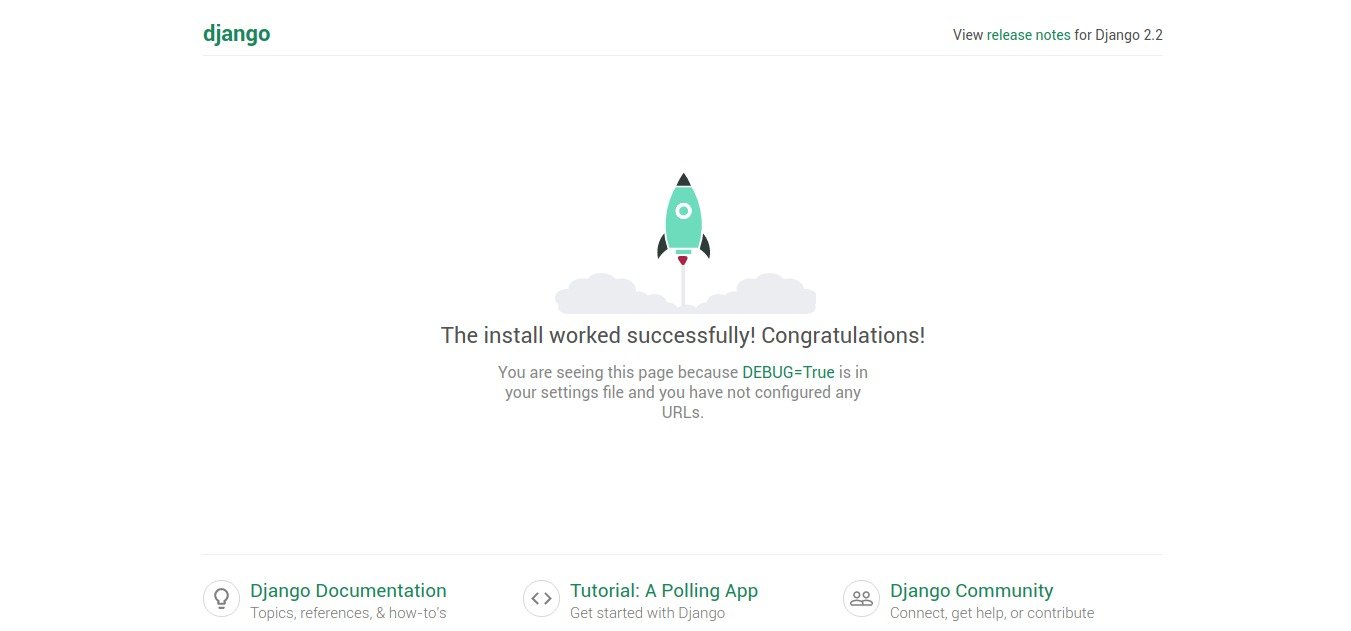 THE ADMIN (http://localhost:8000/admin/) HAS SAME ACCOUNT AND DISPLAY
CREATE POLLS APP
ref: https://docs.djangoproject.com/en/2.2/intro/tutorial01/
Go to the ‘django_app’ directory:
|
1 |
teddy@teddy:~$ cd Documents/python/django-apps/ |
activate the virtualenv ‘django2.2’ then go to the project directory
|
1 2 |
teddy@teddy:~/Documents/python/django-apps$ . django2.2/bin/activate (django2.2) teddy@teddy:~/Documents/python/django-apps$ cd django_app/ |
create ‘polls’ app
|
1 2 3 |
(django2.2) teddy@teddy:~/Documents/python/django-apps/django_app$ python3 manage.py startapp polls (django2.2) teddy@teddy:~/Documents/python/django-apps/django_app$ ls db.sqlite3 django_app manage.py polls |
That’ll create a directory polls, which is laid out like this:
|
1 2 3 4 5 6 7 8 9 |
polls/ __init__.py admin.py apps.py migrations/ __init__.py models.py tests.py views.py |
Write your first view
Let’s write the first view. Open the file polls/views.py and put the following Python code in it:
|
1 2 3 4 5 |
from django.shortcuts import render from django.http import HttpResponse # Create your views here. def index(request): return HttpResponse("Hello world, You're at the polls index!") |
This is the simplest view possible in Django. To call the view, we need to map it to a URL – and for this we need a URLconf.
To create a URLconf in the polls directory, create a file called urls.py. Then Open the file polls/urls.py
|
1 2 3 4 5 6 |
from django.urls import path from . import views urlpatterns = [ path('', views.index, name='index'), ] |
The next step is to point the root URLconf at the polls.urls module. In django_app/urls.py, add an import for django.urls.include and insert an include() in the urlpatterns list, so you have:
|
1 2 3 4 5 6 7 8 |
... from django.contrib import admin from django.urls import include, path urlpatterns = [ path('polls/', include('polls.urls')), path('admin/', admin.site.urls), ] |
Then run the server
|
1 |
(django2.2) teddy@teddy:~/Documents/python/django-apps/django_app$ python3 manage.py runserver |
open: http://localhost:8000/polls/
NOTE: BUT I GOT AN ERROR IF I OPEN http://localhost:8000/
|
1 2 3 4 5 6 7 8 9 10 |
Page not found (404) Request Method: GET Request URL: http://localhost:8000/ Using the URLconf defined in django_app.urls, Django tried these URL patterns, in this order: polls/ admin/ The empty path didn't match any of these. You're seeing this error because you have DEBUG = True in your Django settings file. Change that to False, and Django will display a standard 404 page. |