<OLD>
The PHP version on my Sierra was 5.6. I want to upgrade it to PHP 7.0 version. I followed a tutorial from https://coolestguidesontheplanet.com/upgrade-php-on-osx/.
|
1 |
curl -s http://php-osx.liip.ch/install.sh | bash -s 7.0 |
PHP 7 would be installed in ‘/usr/local/php5/’ directory. Actually this is a symlink directory from ‘/usr/local/php5-7.0.18-20170506-095200/’ directory. Now I can use PHP 7.0 on my mac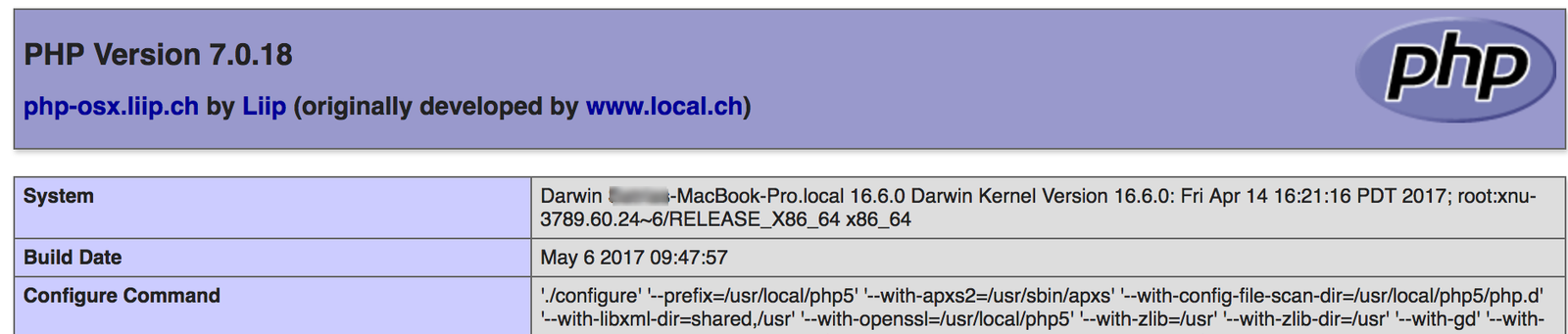
But the php version on the terminal still show the old version. I need to change the $PATH like on this tutorial: https://stackoverflow.com/questions/25731145/mac-upgraded-php-to-5-6-but-cli-php-v-get-5-3-28:
Open Terminal, then run
|
1 |
open -a TextEdit ~/.bash_profile |
Then add these 2 lines at the bottom of the file:
|
1 2 |
#PHP7 export PATH="/usr/local/php5/bin:$PATH" |
Save and reopen the terminal. Here is the new version:
|
1 2 3 4 5 6 |
Xxxxx-MacBook-Pro:~ teddy$ php -v PHP 7.0.18 (cli) (built: May 6 2017 09:49:26) ( NTS ) Copyright (c) 1997-2017 The PHP Group Zend Engine v3.0.0, Copyright (c) 1998-2017 Zend Technologies with Zend OPcache v7.0.18, Copyright (c) 1999-2017, by Zend Technologies with Xdebug v2.5.3, Copyright (c) 2002-2017, by Derick Rethans |
</OLD>
NOW USE brew
REF: https://stackoverflow.com/questions/54207030/what-are-the-options-to-upgrade-php-on-macos-mojave-10-14-2
SEARCH PHP
|
1 2 3 4 5 6 7 8 9 10 11 12 13 14 |
Satrias-MacBook-Pro:~ teddy$ brew search php ==> Formulae brew-php-switcher phpunit php homebrew/linuxbrew-core/brew-php-switcher php-code-sniffer homebrew/linuxbrew-core/php php-cs-fixer homebrew/linuxbrew-core/php-code-sniffer php@5.6 ✔ homebrew/linuxbrew-core/php-cs-fixer php@7.1 homebrew/linuxbrew-core/php@5.6 php@7.2 homebrew/linuxbrew-core/php@7.1 phplint homebrew/linuxbrew-core/php@7.2 phpmyadmin ==> Casks eclipse-php netbeans-php phpstorm |
INSTALL PHP 7.2
|
1 |
Satrias-MacBook-Pro:~ teddy$ brew install php@7.2 |
START SERVICE
|
1 2 |
Satrias-MacBook-Pro:~ teddy$ brew services start php@7.2 ==> Successfully started `php@7.2` (label: homebrew.mxcl.php@7.2) |
ADD PATH
|
1 2 |
Satrias-MacBook-Pro:~ teddy$ echo 'export PATH="/usr/local/opt/php@7.2/bin:$PATH"' >> ~/.bash_profile Satrias-MacBook-Pro:~ teddy$ echo 'export PATH="/usr/local/opt/php@7.2/sbin:$PATH"' >> ~/.bash_profile |
PHP.INI
|
1 2 |
The php.ini and php-fpm.ini file can be found in: /usr/local/etc/php/7.2/ |
MUST CLOSE THE TERMINAL THEN OPEN IT BACK TO CHECK THE PHP VERSION
|
1 2 3 4 5 |
Satrias-MacBook-Pro:~ teddy$ php -v PHP 7.2.20 (cli) (built: Jul 5 2019 12:51:26) ( NTS ) Copyright (c) 1997-2018 The PHP Group Zend Engine v3.2.0, Copyright (c) 1998-2018 Zend Technologies with Zend OPcache v7.2.20, Copyright (c) 1999-2018, by Zend Technologies |
PHP-FPM
|
1 2 3 4 5 |
Satrias-MacBook-Pro:html teddy$ php-fpm -v PHP 7.2.20 (fpm-fcgi) (built: Jul 5 2019 12:51:32) Copyright (c) 1997-2018 The PHP Group Zend Engine v3.2.0, Copyright (c) 1998-2018 Zend Technologies with Zend OPcache v7.2.20, Copyright (c) 1999-2018, by Zend Technologies |
CHANGE PHP SETTING
|
1 |
nano /usr/local/etc/php/7.2/php-fpm.d/www.conf |