Ref: https://github.com/tomchal/Quiz4All
Installation:
- Go to your favorite directory and Clone the app
12345678teddy@teddy-K43SJ:~$ cd Documents/node/teddy@teddy-K43SJ:~/Documents/node$ git clone https://github.com/tomchal/Quiz4All.gitCloning into 'Quiz4All'...remote: Counting objects: 191, done.remote: Total 191 (delta 0), reused 0 (delta 0), pack-reused 191Receiving objects: 100% (191/191), 3.60 MiB | 140.00 KiB/s, done.Resolving deltas: 100% (8/8), done.Checking connectivity... done. - Go to the ‘Quiz4All’ dir
1teddy@teddy-K43SJ:~/Documents/node$ cd Quiz4All/ - Install the node packages with npm
123456789101112131415161718192021222324252627282930313233343536373839404142434445464748495051525354555657585960616263646566676869707172737475767778798081828384858687888990919293949596979899100101102103104105106107108109110111112113114115116117118119120121122123124125126127128129130131132133134135136137138139140141142143144145146147148149150151152153154155156157158159160161162163164165166167168169170171172173174175176177178179180181182183184185186187188189190191192193194195196197198199200201202203204205206207208209210211212213214215216217218219220221222223224225226227228229230231232233234235236237238239240241242243244245246247248249250251252253254255256257258259260261262263264265266267268269270271272273274275276277278279280281282283284285286287288289290291292293294295296297298299300301302303304305306307308309310311312313314315316317318319320321322323324325326327328329330331332333334335336337338339340341342343344345346347348349350351352353354355356357358359360361362363364365366367368369370371372373374375376377378379380381382383384385386387388389390391392393394395396397398399400401402403404405406407408409410411412413414415416417418419420421422423424425426427428429430431432433434435436437438439440441442443444445446447448449450451452453454455456457458459460461462463464465466467468469470471472473474475476477478479480481482483484485486487488489490491492493494495496497498499500501502503504505506507508509510511512513514515516517518519520521522523524525526527528529530531532533534535536537teddy@teddy-K43SJ:~/Documents/node/Quiz4All$ npm installnpm WARN deprecated gcloud@0.10.0: gcloud has been renamed to google-cloud. To get new features and bug fixes, you must use the new package.npm WARN deprecated node-uuid@1.4.7: use uuid module insteadQuiz4All@1.0.0 /home/teddy/Documents/node/Quiz4All├─┬ compression@1.6.2│ ├─┬ accepts@1.3.3│ │ ├── mime-types@2.1.14│ │ └── negotiator@0.6.1│ ├── bytes@2.3.0│ ├─┬ compressible@2.0.9│ │ └── mime-db@1.26.0│ ├─┬ debug@2.2.0│ │ └── ms@0.7.1│ ├── on-headers@1.0.1│ └── vary@1.1.0├── cors@2.8.1├─┬ eslint@2.13.1│ ├─┬ chalk@1.1.3│ │ ├── ansi-styles@2.2.1│ │ ├── escape-string-regexp@1.0.5│ │ ├── has-ansi@2.0.0│ │ ├── strip-ansi@3.0.1│ │ └── supports-color@2.0.0│ ├─┬ concat-stream@1.4.10│ │ ├── inherits@2.0.3│ │ ├─┬ readable-stream@1.1.14│ │ │ ├── isarray@0.0.1│ │ │ └── string_decoder@0.10.31│ │ └── typedarray@0.0.6│ ├─┬ doctrine@1.5.0│ │ └── isarray@1.0.0│ ├─┬ es6-map@0.1.4│ │ ├── d@0.1.1│ │ ├── es5-ext@0.10.14│ │ ├── es6-iterator@2.0.0│ │ ├── es6-set@0.1.4│ │ ├── es6-symbol@3.1.0│ │ └── event-emitter@0.3.4│ ├─┬ escope@3.6.0│ │ ├── es6-weak-map@2.0.1│ │ └─┬ esrecurse@4.1.0│ │ ├── estraverse@4.1.1│ │ └── object-assign@4.1.1│ ├─┬ espree@3.4.0│ │ ├── acorn@4.0.4│ │ └─┬ acorn-jsx@3.0.1│ │ └── acorn@3.3.0│ ├── estraverse@4.2.0│ ├── esutils@2.0.2│ ├─┬ file-entry-cache@1.3.1│ │ ├─┬ flat-cache@1.2.2│ │ │ ├── circular-json@0.3.1│ │ │ ├─┬ del@2.2.2│ │ │ │ ├─┬ globby@5.0.0│ │ │ │ │ ├─┬ array-union@1.0.2│ │ │ │ │ │ └── array-uniq@1.0.3│ │ │ │ │ ├── arrify@1.0.1│ │ │ │ │ └── object-assign@4.1.1│ │ │ │ ├── is-path-cwd@1.0.0│ │ │ │ ├─┬ is-path-in-cwd@1.0.0│ │ │ │ │ └── is-path-inside@1.0.0│ │ │ │ ├── object-assign@4.1.1│ │ │ │ ├── pify@2.3.0│ │ │ │ └─┬ pinkie-promise@2.0.1│ │ │ │ └── pinkie@2.0.4│ │ │ ├── graceful-fs@4.1.11│ │ │ └── write@0.2.1│ │ └── object-assign@4.1.1│ ├─┬ glob@7.1.1│ │ ├── fs.realpath@1.0.0│ │ ├─┬ inflight@1.0.6│ │ │ └── wrappy@1.0.2│ │ └── once@1.4.0│ ├── globals@9.16.0│ ├── ignore@3.2.5│ ├── imurmurhash@0.1.4│ ├─┬ inquirer@0.12.0│ │ ├── ansi-escapes@1.4.0│ │ ├── ansi-regex@2.1.1│ │ ├─┬ cli-cursor@1.0.2│ │ │ └─┬ restore-cursor@1.0.1│ │ │ ├── exit-hook@1.1.1│ │ │ └── onetime@1.1.0│ │ ├── cli-width@2.1.0│ │ ├─┬ figures@1.7.0│ │ │ └── object-assign@4.1.1│ │ ├─┬ readline2@1.0.1│ │ │ ├── code-point-at@1.1.0│ │ │ ├─┬ is-fullwidth-code-point@1.0.0│ │ │ │ └── number-is-nan@1.0.1│ │ │ └── mute-stream@0.0.5│ │ ├── run-async@0.1.0│ │ ├── rx-lite@3.1.2│ │ ├── string-width@1.0.2│ │ └── through@2.3.8│ ├─┬ is-my-json-valid@2.16.0│ │ ├── generate-function@2.0.0│ │ ├─┬ generate-object-property@1.2.0│ │ │ └── is-property@1.0.2│ │ ├── jsonpointer@4.0.1│ │ └── xtend@4.0.1│ ├─┬ is-resolvable@1.0.0│ │ └── tryit@1.0.3│ ├─┬ js-yaml@3.8.2│ │ ├── argparse@1.0.9│ │ └── esprima@3.1.3│ ├─┬ json-stable-stringify@1.0.1│ │ └── jsonify@0.0.0│ ├─┬ levn@0.3.0│ │ ├── prelude-ls@1.1.2│ │ └── type-check@0.3.2│ ├── lodash@4.17.4│ ├─┬ mkdirp@0.5.1│ │ └── minimist@0.0.8│ ├─┬ optionator@0.8.2│ │ ├── deep-is@0.1.3│ │ ├── fast-levenshtein@2.0.6│ │ └── wordwrap@1.0.0│ ├── path-is-absolute@1.0.1│ ├── path-is-inside@1.0.2│ ├── pluralize@1.2.1│ ├── progress@1.1.8│ ├─┬ require-uncached@1.0.3│ │ ├─┬ caller-path@0.1.0│ │ │ └── callsites@0.2.0│ │ └── resolve-from@1.0.1│ ├── shelljs@0.6.1│ ├── strip-json-comments@1.0.4│ ├─┬ table@3.8.3│ │ ├─┬ ajv@4.11.5│ │ │ └── co@4.6.0│ │ ├── ajv-keywords@1.5.1│ │ ├── slice-ansi@0.0.4│ │ └─┬ string-width@2.0.0│ │ └── is-fullwidth-code-point@2.0.0│ ├── text-table@0.2.0│ └─┬ user-home@2.0.0│ └── os-homedir@1.0.2├── eslint-config-loopback@4.0.0├─┬ helmet@1.3.0│ ├─┬ connect@3.4.1│ │ ├─┬ finalhandler@0.4.1│ │ │ └── unpipe@1.0.0│ │ └── utils-merge@1.0.0│ ├── dns-prefetch-control@0.1.0│ ├── dont-sniff-mimetype@1.0.0│ ├─┬ frameguard@1.1.0│ │ └── lodash.isstring@4.0.1│ ├─┬ helmet-csp@1.1.0│ │ ├── camelize@1.0.0│ │ ├─┬ content-security-policy-builder@1.0.0│ │ │ └── dashify@0.2.2│ │ ├─┬ lodash.assign@4.0.4│ │ │ ├── lodash.keys@4.2.0│ │ │ └── lodash.rest@4.0.5│ │ ├── lodash.isfunction@3.0.8│ │ ├─┬ lodash.reduce@4.2.0│ │ │ ├── lodash._baseeach@4.1.3│ │ │ ├─┬ lodash._baseiteratee@4.7.0│ │ │ │ └─┬ lodash._stringtopath@4.8.0│ │ │ │ └── lodash._basetostring@4.12.0│ │ │ └── lodash._basereduce@3.0.2│ │ ├── lodash.some@4.2.0│ │ └── platform@1.3.1│ ├── hide-powered-by@1.0.0│ ├── hpkp@1.1.0│ ├─┬ hsts@1.0.0│ │ └── core-util-is@1.0.2│ ├── ienoopen@1.0.0│ ├── nocache@1.0.0│ └── x-xss-protection@1.0.0├─┬ loopback@2.38.1│ ├── async@2.1.5│ ├── bcryptjs@2.4.3│ ├─┬ body-parser@1.17.1│ │ ├── bytes@2.4.0│ │ ├── content-type@1.0.2│ │ ├─┬ debug@2.6.1│ │ │ └── ms@0.7.2│ │ ├── http-errors@1.6.1│ │ ├── iconv-lite@0.4.15│ │ ├─┬ on-finished@2.3.0│ │ │ └── ee-first@1.1.1│ │ ├── qs@6.4.0│ │ ├─┬ raw-body@2.2.0│ │ │ └── bytes@2.4.0│ │ └─┬ type-is@1.6.14│ │ └── media-typer@0.3.0│ ├── canonical-json@0.0.4│ ├─┬ cookie-parser@1.4.3│ │ ├── cookie@0.3.1│ │ └── cookie-signature@1.0.6│ ├── depd@1.1.0│ ├── ejs@2.5.6│ ├─┬ errorhandler@1.5.0│ │ └── escape-html@1.0.3│ ├─┬ express@4.15.2│ │ ├── array-flatten@1.1.1│ │ ├── content-disposition@0.5.2│ │ ├─┬ debug@2.6.1│ │ │ └── ms@0.7.2│ │ ├── encodeurl@1.0.1│ │ ├── finalhandler@1.0.0│ │ ├── merge-descriptors@1.0.1│ │ ├── methods@1.1.2│ │ ├── path-to-regexp@0.1.7│ │ ├─┬ proxy-addr@1.1.3│ │ │ ├── forwarded@0.1.0│ │ │ └── ipaddr.js@1.2.0│ │ ├── range-parser@1.2.0│ │ ├─┬ send@0.15.1│ │ │ ├── debug@2.6.1│ │ │ ├── destroy@1.0.4│ │ │ ├── mime@1.3.4│ │ │ └── ms@0.7.2│ │ ├── serve-static@1.12.1│ │ ├── setprototypeof@1.0.3│ │ └── statuses@1.3.1│ ├── inflection@1.12.0│ ├── isemail@1.2.0│ ├── loopback-connector-remote@1.3.3│ ├─┬ loopback-context@1.0.0│ │ └─┬ continuation-local-storage@3.2.0│ │ ├─┬ async-listener@0.6.4│ │ │ ├── semver@5.3.0│ │ │ └── shimmer@1.1.0│ │ └─┬ emitter-listener@1.0.1│ │ └── shimmer@1.0.0│ ├─┬ loopback-phase@1.4.1│ │ └── async@0.9.2│ ├─┬ nodemailer@2.7.2│ │ ├─┬ libmime@3.0.0│ │ │ ├── libbase64@0.1.0│ │ │ └── libqp@1.1.0│ │ ├─┬ mailcomposer@4.0.1│ │ │ └─┬ buildmail@4.0.1│ │ │ ├── addressparser@1.0.1│ │ │ └── punycode@1.4.1│ │ ├─┬ nodemailer-direct-transport@3.3.2│ │ │ └─┬ smtp-connection@2.12.0│ │ │ └─┬ httpntlm@1.6.1│ │ │ ├── httpreq@0.4.23│ │ │ └── underscore@1.7.0│ │ ├─┬ nodemailer-shared@1.1.0│ │ │ └── nodemailer-fetch@1.6.0│ │ ├─┬ nodemailer-smtp-pool@2.8.2│ │ │ └── nodemailer-wellknown@0.1.10│ │ ├── nodemailer-smtp-transport@2.7.2│ │ └─┬ socks@1.1.9│ │ ├── ip@1.1.5│ │ └── smart-buffer@1.1.15│ ├── nodemailer-stub-transport@1.1.0│ ├── stable@0.1.5│ ├─┬ strong-globalize@2.8.2│ │ ├── async@1.5.2│ │ ├── esprima@2.7.3│ │ ├─┬ g11n-pipeline@1.3.0│ │ │ └─┬ swagger-client@2.1.32│ │ │ ├── btoa@1.1.2│ │ │ ├── cookiejar@2.1.0│ │ │ ├── lodash-compat@3.10.2│ │ │ ├── q@1.4.1│ │ │ └─┬ superagent@2.3.0│ │ │ ├── component-emitter@1.2.1│ │ │ └─┬ form-data@1.0.0-rc4│ │ │ └── async@1.5.2│ │ ├─┬ htmlparser2@3.9.2│ │ │ ├── domelementtype@1.3.0│ │ │ ├── domhandler@2.3.0│ │ │ ├─┬ domutils@1.5.1│ │ │ │ └─┬ dom-serializer@0.1.0│ │ │ │ └── domelementtype@1.1.3│ │ │ ├── entities@1.1.1│ │ │ └─┬ readable-stream@2.2.5│ │ │ ├── buffer-shims@1.0.0│ │ │ └── process-nextick-args@1.0.7│ │ ├─┬ md5@2.2.1│ │ │ ├── charenc@0.0.2│ │ │ ├── crypt@0.0.2│ │ │ └── is-buffer@1.1.5│ │ ├─┬ mktmpdir@0.1.1│ │ │ └── rimraf@2.2.8│ │ ├── optional@0.1.3│ │ ├─┬ os-locale@1.4.0│ │ │ └─┬ lcid@1.0.0│ │ │ └── invert-kv@1.0.0│ │ ├── posix-getopt@1.2.0│ │ ├── word-count@0.2.2│ │ └── yamljs@0.2.8│ ├─┬ strong-remoting@2.33.0│ │ ├── eventemitter2@2.2.2│ │ ├─┬ jayson@1.2.2│ │ │ ├─┬ commander@1.3.2│ │ │ │ └── keypress@0.1.0│ │ │ ├── eyes@0.1.8│ │ │ ├─┬ JSONStream@1.0.3│ │ │ │ └── jsonparse@1.0.0│ │ │ └── lodash@3.6.0│ │ ├── js2xmlparser@1.0.0│ │ ├─┬ mux-demux@3.7.9│ │ │ ├── duplex@1.0.0│ │ │ ├── json-buffer@2.0.11│ │ │ ├─┬ msgpack-stream@0.0.12│ │ │ │ ├─┬ bops@0.0.6│ │ │ │ │ ├── base64-js@0.0.2│ │ │ │ │ └── to-utf8@0.0.1│ │ │ │ ├── msgpack-js@0.3.0│ │ │ │ └── through@2.3.4│ │ │ ├─┬ stream-combiner@0.0.2│ │ │ │ └── duplexer@0.0.4│ │ │ ├── stream-serializer@1.1.2│ │ │ └── xtend@1.0.3│ │ ├─┬ request@2.81.0│ │ │ ├── aws-sign2@0.6.0│ │ │ ├── aws4@1.6.0│ │ │ ├── caseless@0.12.0│ │ │ ├─┬ combined-stream@1.0.5│ │ │ │ └── delayed-stream@1.0.0│ │ │ ├── extend@3.0.0│ │ │ ├── forever-agent@0.6.1│ │ │ ├─┬ form-data@2.1.2│ │ │ │ └── asynckit@0.4.0│ │ │ ├─┬ har-validator@4.2.1│ │ │ │ └── har-schema@1.0.5│ │ │ ├─┬ hawk@3.1.3│ │ │ │ ├── boom@2.10.1│ │ │ │ ├── cryptiles@2.0.5│ │ │ │ ├── hoek@2.16.3│ │ │ │ └── sntp@1.0.9│ │ │ ├─┬ http-signature@1.1.1│ │ │ │ ├── assert-plus@0.2.0│ │ │ │ ├─┬ jsprim@1.4.0│ │ │ │ │ ├── assert-plus@1.0.0│ │ │ │ │ ├── extsprintf@1.0.2│ │ │ │ │ ├── json-schema@0.2.3│ │ │ │ │ └── verror@1.3.6│ │ │ │ └─┬ sshpk@1.11.0│ │ │ │ ├── asn1@0.2.3│ │ │ │ ├── assert-plus@1.0.0│ │ │ │ ├── bcrypt-pbkdf@1.0.1│ │ │ │ ├─┬ dashdash@1.14.1│ │ │ │ │ └── assert-plus@1.0.0│ │ │ │ ├── ecc-jsbn@0.1.1│ │ │ │ ├─┬ getpass@0.1.6│ │ │ │ │ └── assert-plus@1.0.0│ │ │ │ ├── jodid25519@1.0.2│ │ │ │ ├── jsbn@0.1.1│ │ │ │ └── tweetnacl@0.14.5│ │ │ ├── is-typedarray@1.0.0│ │ │ ├── isstream@0.1.2│ │ │ ├── json-stringify-safe@5.0.1│ │ │ ├── oauth-sign@0.8.2│ │ │ ├── performance-now@0.2.0│ │ │ ├── safe-buffer@5.0.1│ │ │ ├── stringstream@0.0.5│ │ │ ├── tough-cookie@2.3.2│ │ │ └── tunnel-agent@0.6.0│ │ ├─┬ sse@0.0.6│ │ │ └── options@0.0.6│ │ └─┬ xml2js@0.4.17│ │ ├── sax@1.2.2│ │ └── xmlbuilder@4.2.1│ ├── uid2@0.0.3│ └─┬ underscore.string@3.3.4│ ├── sprintf-js@1.0.3│ └── util-deprecate@1.0.2├─┬ loopback-boot@2.23.0│ ├── async@0.9.2│ ├── commondir@0.0.1│ ├── lodash@3.10.1│ ├── semver@4.3.6│ └── toposort@0.2.12├─┬ loopback-component-explorer@2.7.0│ ├── lodash@3.10.1│ ├─┬ loopback-swagger@2.9.0│ │ ├── async@1.5.2│ │ ├── lodash@3.10.1│ │ └── underscore.string@2.3.3│ └── strong-swagger-ui@21.0.2├─┬ loopback-component-storage@3.2.0│ ├── formidable@1.1.1│ ├─┬ pkgcloud@1.4.0│ │ ├── async@0.9.2│ │ ├─┬ aws-sdk@2.28.0│ │ │ ├─┬ buffer@4.9.1│ │ │ │ ├── base64-js@1.2.0│ │ │ │ └── ieee754@1.1.8│ │ │ ├── crypto-browserify@1.0.9│ │ │ ├── jmespath@0.15.0│ │ │ ├── querystring@0.2.0│ │ │ ├── sax@1.1.5│ │ │ ├─┬ url@0.10.3│ │ │ │ └── punycode@1.3.2│ │ │ ├── uuid@3.0.0│ │ │ ├── xml2js@0.4.15│ │ │ └─┬ xmlbuilder@2.6.2│ │ │ └── lodash@3.5.0│ │ ├── errs@0.3.2│ │ ├── eventemitter2@0.4.14│ │ ├── fast-json-patch@0.5.7│ │ ├── filed@0.1.0│ │ ├─┬ gcloud@0.10.0│ │ │ ├─┬ duplexify@3.5.0│ │ │ │ ├─┬ end-of-stream@1.0.0│ │ │ │ │ └── once@1.3.3│ │ │ │ └── stream-shift@1.0.0│ │ │ ├── extend@1.3.0│ │ │ ├─┬ gapitoken@0.1.5│ │ │ │ └─┬ jws@3.0.0│ │ │ │ ├─┬ base64url@1.0.6│ │ │ │ │ └─┬ meow@2.0.0│ │ │ │ │ ├─┬ camelcase-keys@1.0.0│ │ │ │ │ │ ├── camelcase@1.2.1│ │ │ │ │ │ └── map-obj@1.0.1│ │ │ │ │ ├─┬ indent-string@1.2.2│ │ │ │ │ │ ├── get-stdin@4.0.1│ │ │ │ │ │ ├── minimist@1.2.0│ │ │ │ │ │ └─┬ repeating@1.1.3│ │ │ │ │ │ └── is-finite@1.0.2│ │ │ │ │ ├── minimist@1.2.0│ │ │ │ │ └── object-assign@1.0.0│ │ │ │ └─┬ jwa@1.0.2│ │ │ │ ├── base64url@0.0.6│ │ │ │ ├── buffer-equal-constant-time@1.0.1│ │ │ │ └─┬ ecdsa-sig-formatter@1.0.9│ │ │ │ └── base64url@2.0.0│ │ │ ├── node-uuid@1.4.7│ │ │ ├─┬ protobufjs@3.8.2│ │ │ │ ├─┬ ascli@0.3.0│ │ │ │ │ ├── colour@0.7.1│ │ │ │ │ └── optjs@3.2.2│ │ │ │ └─┬ bytebuffer@3.5.5│ │ │ │ ├── bufferview@1.0.1│ │ │ │ └── long@2.4.0│ │ │ └─┬ stream-events@1.0.1│ │ │ └── stubs@1.1.2│ │ ├── ip@0.3.3│ │ ├── lodash@3.10.1│ │ ├── mime@1.2.11│ │ ├── qs@1.2.2│ │ ├─┬ request@2.40.0│ │ │ ├── aws-sign2@0.5.0│ │ │ ├── forever-agent@0.5.2│ │ │ ├─┬ form-data@0.1.4│ │ │ │ └─┬ combined-stream@0.0.7│ │ │ │ └── delayed-stream@0.0.5│ │ │ ├─┬ hawk@1.1.1│ │ │ │ ├── boom@0.4.2│ │ │ │ ├── cryptiles@0.2.2│ │ │ │ ├── hoek@0.9.1│ │ │ │ └── sntp@0.2.4│ │ │ ├─┬ http-signature@0.10.1│ │ │ │ ├── asn1@0.1.11│ │ │ │ ├── assert-plus@0.1.5│ │ │ │ └── ctype@0.5.3│ │ │ ├── mime-types@1.0.2│ │ │ ├── node-uuid@1.4.7│ │ │ ├── oauth-sign@0.3.0│ │ │ ├── qs@1.0.2│ │ │ └── tunnel-agent@0.4.3│ │ ├── s3-upload-stream@1.0.7│ │ ├─┬ through2@0.6.5│ │ │ └─┬ readable-stream@1.0.34│ │ │ └── isarray@0.0.1│ │ ├── url-join@0.0.1│ │ └── xml2js@0.1.14│ └── uuid@3.0.1├─┬ loopback-connector-mysql@2.4.1│ ├── async@0.9.2│ ├─┬ loopback-connector@2.7.1│ │ ├── async@1.5.2│ │ ├── bluebird@3.5.0│ │ └─┬ msgpack5@3.4.1│ │ └── bl@1.2.0│ └─┬ mysql@2.13.0│ ├── bignumber.js@3.1.2│ ├─┬ readable-stream@1.1.14│ │ └── isarray@0.0.1│ └── sqlstring@2.2.0├─┬ loopback-datasource-juggler@2.54.1│ ├── async@1.0.0│ ├─┬ minimatch@3.0.3│ │ └─┬ brace-expansion@1.1.6│ │ ├── balanced-match@0.4.2│ │ └── concat-map@0.0.1│ ├── qs@3.1.0│ ├── shortid@2.2.8│ └── traverse@0.6.6├─┬ nsp@2.6.3│ ├─┬ chalk@1.1.3│ │ ├── ansi-styles@2.2.1│ │ ├── escape-string-regexp@1.0.5│ │ ├─┬ has-ansi@2.0.0│ │ │ └── ansi-regex@2.0.0│ │ ├─┬ strip-ansi@3.0.1│ │ │ └── ansi-regex@2.0.0│ │ └── supports-color@2.0.0│ ├─┬ cli-table@0.3.1│ │ └── colors@1.0.3│ ├── cvss@1.0.1│ ├─┬ https-proxy-agent@1.0.0│ │ ├─┬ agent-base@2.0.1│ │ │ └── semver@5.0.3│ │ ├─┬ debug@2.2.0│ │ │ └── ms@0.7.1│ │ └── extend@3.0.0│ ├─┬ joi@6.10.1│ │ ├── hoek@2.16.3│ │ ├── isemail@1.2.0│ │ ├── moment@2.12.0│ │ └── topo@1.1.0│ ├── nodesecurity-npm-utils@5.0.0│ ├── path-is-absolute@1.0.0│ ├─┬ rc@1.1.6│ │ ├── deep-extend@0.4.1│ │ ├── ini@1.3.4│ │ ├── minimist@1.2.0│ │ └── strip-json-comments@1.0.4│ ├── semver@5.1.0│ ├─┬ subcommand@2.0.3│ │ ├── cliclopts@1.1.1│ │ ├─┬ debug@2.2.0│ │ │ └── ms@0.7.1│ │ ├── minimist@1.2.0│ │ └── xtend@4.0.1│ └─┬ wreck@6.3.0│ ├── boom@2.10.1│ └── hoek@2.16.3├─┬ serve-favicon@2.4.1│ ├── etag@1.8.0│ ├── fresh@0.5.0│ ├── ms@0.7.2│ └── parseurl@1.3.1└─┬ strong-error-handler@1.2.1├── http-status@0.2.5└─┬ js2xmlparser@2.0.2└── xmlcreate@0.1.1 - Go to ‘client’ dir and use bower to install the packages
123456789101112131415161718192021222324252627282930313233343536373839404142434445464748495051525354555657585960616263646566676869707172737475767778798081828384858687888990919293949596979899100101102103104105106107108109110111112113teddy@teddy-K43SJ:~/Documents/node/Quiz4All$ cd client/teddy@teddy-K43SJ:~/Documents/node/Quiz4All/client$ bower installbower not-cached https://github.com/angular-ui/angular-ui-router-bower.git#^0.3.2bower resolve https://github.com/angular-ui/angular-ui-router-bower.git#^0.3.2bower cached https://github.com/angular/bower-angular-resource.git#1.6.3bower validate 1.6.3 against https://github.com/angular/bower-angular-resource.git#^1.6.0bower cached https://github.com/angular/bower-angular.git#1.6.3bower validate 1.6.3 against https://github.com/angular/bower-angular.git#^1.6.0bower cached https://github.com/twbs/bootstrap.git#3.3.7bower validate 3.3.7 against https://github.com/twbs/bootstrap.git#^3.3.7bower not-cached https://github.com/angular/bower-material.git#^1.1.1bower resolve https://github.com/angular/bower-material.git#^1.1.1bower not-cached https://github.com/angular-ui/bootstrap-bower.git#^2.3.2bower resolve https://github.com/angular-ui/bootstrap-bower.git#^2.3.2bower not-cached https://github.com/vitalets/angular-xeditable.git#^0.6.0bower resolve https://github.com/vitalets/angular-xeditable.git#^0.6.0bower not-cached https://github.com/nervgh/angular-file-upload.git#^2.4.1bower resolve https://github.com/nervgh/angular-file-upload.git#^2.4.1bower cached https://github.com/FortAwesome/Font-Awesome.git#4.7.0bower validate 4.7.0 against https://github.com/FortAwesome/Font-Awesome.git#^4.7.0bower download https://github.com/angular-ui/angular-ui-router-bower/archive/0.3.2.tar.gzbower download https://github.com/angular-ui/bootstrap-bower/archive/2.5.0.tar.gzbower download https://github.com/angular/bower-material/archive/v1.1.3.tar.gzbower download https://github.com/nervgh/angular-file-upload/archive/2.5.0.tar.gzbower download https://github.com/vitalets/angular-xeditable/archive/0.6.0.tar.gzbower cached https://github.com/jquery/jquery-dist.git#3.1.1bower validate 3.1.1 against https://github.com/jquery/jquery-dist.git#1.9.1 - 3bower extract angular-file-upload#^2.4.1 archive.tar.gzbower invalid-meta for:/tmp/teddy/bower/e60440287b4df1cbc04045e77a8c05f5-9758-VM6j0Z/bower.jsonbower invalid-meta The "main" field cannot contain minified filesbower resolved https://github.com/nervgh/angular-file-upload.git#2.5.0bower extract angular-bootstrap#^2.3.2 archive.tar.gzbower resolved https://github.com/angular-ui/bootstrap-bower.git#2.5.0bower extract angular-ui-router#^0.3.2 archive.tar.gzbower resolved https://github.com/angular-ui/angular-ui-router-bower.git#0.3.2bower extract angular-xeditable#^0.6.0 archive.tar.gzbower resolved https://github.com/vitalets/angular-xeditable.git#0.6.0bower progress angular-material#^1.1.1 received 1.1MB of 1.9MB downloaded, 61%bower progress angular-material#^1.1.1 received 1.4MB of 1.9MB downloaded, 74%bower progress angular-material#^1.1.1 received 1.7MB of 1.9MB downloaded, 91%bower extract angular-material#^1.1.1 archive.tar.gzbower resolved https://github.com/angular/bower-material.git#1.1.3bower cached https://github.com/angular/bower-angular-animate.git#1.5.11bower validate 1.5.11 against https://github.com/angular/bower-angular-animate.git#^1.4.8bower not-cached https://github.com/angular/bower-angular-aria.git#^1.4.8bower resolve https://github.com/angular/bower-angular-aria.git#^1.4.8bower cached https://github.com/angular/bower-angular-messages.git#1.5.11bower validate 1.5.11 against https://github.com/angular/bower-angular-messages.git#^1.4.8bower download https://github.com/angular/bower-angular-aria/archive/v1.6.3.tar.gzbower extract angular-aria#^1.4.8 archive.tar.gzbower resolved https://github.com/angular/bower-angular-aria.git#1.6.3bower new version for https://github.com/angular/bower-angular-animate.git#^1.4.8bower resolve https://github.com/angular/bower-angular-animate.git#^1.4.8bower new version for https://github.com/angular/bower-angular-messages.git#^1.4.8bower resolve https://github.com/angular/bower-angular-messages.git#^1.4.8bower download https://github.com/angular/bower-angular-animate/archive/v1.6.3.tar.gzbower download https://github.com/angular/bower-angular-messages/archive/v1.6.3.tar.gzbower extract angular-messages#^1.4.8 archive.tar.gzbower resolved https://github.com/angular/bower-angular-messages.git#1.6.3bower extract angular-animate#^1.4.8 archive.tar.gzbower resolved https://github.com/angular/bower-angular-animate.git#1.6.3bower install angular#1.6.3bower install angular-resource#1.6.3bower install font-awesome#4.7.0bower install bootstrap#3.3.7bower install jquery#3.1.1bower install angular-file-upload#2.5.0bower install angular-bootstrap#2.5.0bower install angular-ui-router#0.3.2bower install angular-xeditable#0.6.0bower install angular-material#1.1.3bower install angular-aria#1.6.3bower install angular-messages#1.6.3bower install angular-animate#1.6.3angular#1.6.3 bower_components/angularangular-resource#1.6.3 bower_components/angular-resource└── angular#1.6.3font-awesome#4.7.0 bower_components/font-awesomebootstrap#3.3.7 bower_components/bootstrap└── jquery#3.1.1jquery#3.1.1 bower_components/jqueryangular-file-upload#2.5.0 bower_components/angular-file-upload└── angular#1.6.3angular-bootstrap#2.5.0 bower_components/angular-bootstrap└── angular#1.6.3angular-ui-router#0.3.2 bower_components/angular-ui-router└── angular#1.6.3angular-xeditable#0.6.0 bower_components/angular-xeditable└── angular#1.6.3angular-material#1.1.3 bower_components/angular-material├── angular#1.6.3├── angular-animate#1.6.3├── angular-aria#1.6.3└── angular-messages#1.6.3angular-aria#1.6.3 bower_components/angular-aria└── angular#1.6.3angular-messages#1.6.3 bower_components/angular-messages└── angular#1.6.3angular-animate#1.6.3 bower_components/angular-animate└── angular#1.6.3
- Modify /server/datasources.json file. At ‘TchMySql’, match with your database setting.
If you haven’t created the database ‘Quiz4All’, please do it manually (via phpmyadmin?).
NOTE: Loopback has a functionality to create the tables and fill the data/fixture into the tables when the app run for the first time (create ‘quiz’ table, create ‘user’ table, insert the default user data into the table, etc). It’s called ‘autoMigrate’ (https://loopback.io/doc/en/lb2/Creating-a-database-schema-from-models.html#auto-migrate). It’d run the scripts in /server/boot/ directory like ’02_create-appusers.js’, ’04_load_quizzes.js’, and so on. We know the scripts also load the other scripts to create the tables structure in /common/models/ directory. For example ‘quiz.json’ to create ‘quiz’ table, ‘answer.json’ to create ‘answer’ table, and so on. It’d also fill the tables from the fixture ‘quizDane.js’ in /server/data/ directory. In the above scripts ’02_create-appusers.js’ and ’04_load_quizzes.js’, there is a line responsible to do that (create table, fill the tables with the fixtures) when the app is starting. For example:
123456789//02_create-appusers.js...app.dataSources.TchMySql.automigrate('appuser', function (err) {...//04_load_quizzes.js...app.dataSources.TchMySql.automigrate(['quiz','question','answer'], function (err) {...
The loopback link above says:
“If there are existing tables in a database, running autoMigrate() will drop and re-create the tables: Therefore, data will be lost. To avoid this problem use auto-update(). Instead of dropping tables and recreating them, autoupdate() calculates the difference between the LoopBack model and the database table definition and alters the table accordingly. This way, the column data will be kept as long as the property is not deleted from the model.“.
BECAUSE WE ONLY NEED/WANT TO CREATE THE TABLES FOR THE FIRST TIME, THEN MODIFY THE SCRIPTS TO ‘autoupdate()’ AFTER THAT OR WE’D LOST OUR DATA CHANGES AT THE NEXT START! –> UPDATE: I TRIED TO MODIFY ‘.automigrate()’ to ‘.autoupdate()’ AFTER THE NEXT START BUT IT DIDN’T WORK.
12345.../home/teddy/Documents/node/Quiz4All/node_modules/mysql/lib/protocol/Parser.js:79throw err; // Rethrow non-MySQL errors^ValidationError: The `appuser` instance is not valid. Details: `email` Email already exists (value: "admin@q.com").,ValidationError: The `appuser` instance is not valid. Details: `email` Email already exists (value: "tchalows@gmail.com").
SO WHAT IS WORK IS TO DELETE/RENAME THE FILES IN /server/boot/ DIRECTORY (I RENAMED THEM TO ’02_create-appusers.js.bak’ AND ’04_load_quizzes.js.bak’) - Go back to the root app then start the node server
123456789101112131415161718192021222324252627282930313233343536373839404142434445464748495051525354555657teddy@teddy-K43SJ:~/Documents/node/Quiz4All$ node .The user model "User" is attached to an application that does not specifywhether other sessions should be invalidated when a password oran email has changed. Session invalidation is important for securityreasons as it allows users to recover from various account breachsituations.We recommend turning this feature on by setting"logoutSessionsOnSensitiveChanges" to true inserver/config.json (unless you have implemented your own solutionfor token invalidation).We also recommend enabling "injectOptionsFromRemoteContext" inUser's settings (typically via common/models/*.json file).This setting is required for the invalidation algorithm to keepthe current session valid.Learn more in our documentation athttps://loopback.io/doc/en/lb2/AccessToken-invalidation.htmlThe user model "appuser" is attached to an application that does not specifywhether other sessions should be invalidated when a password oran email has changed. Session invalidation is important for securityreasons as it allows users to recover from various account breachsituations.We recommend turning this feature on by setting"logoutSessionsOnSensitiveChanges" to true inserver/config.json (unless you have implemented your own solutionfor token invalidation).We also recommend enabling "injectOptionsFromRemoteContext" inappuser's settings (typically via common/models/*.json file).This setting is required for the invalidation algorithm to keepthe current session valid.Learn more in our documentation athttps://loopback.io/doc/en/lb2/AccessToken-invalidation.htmlWeb server listening at: http://0.0.0.0:3000Browse your REST API at http://0.0.0.0:3000/explorerQuiz: 0 created!Quiz: 1 created!Quiz: 2 created!Quiz: 3 created!Quiz: 4 created!Users created:[ { email: 'admin@q.com',password: '$2a$10$3UAUdiHgvY7V0kf.0X9V5e2UEe/tHf.pE.2h2SD970Nr.eLToGtVC',created: 2017-03-15T14:43:06.391Z,id: 1 },{ email: 'tchalows@gmail.com',password: '$2a$10$iZZoG4eS39ewJSH6xWogpObGbMPqV0Yi35c9cATPb2e78LpKNlVfS',created: 2017-03-15T14:43:06.391Z,id: 2 } ]
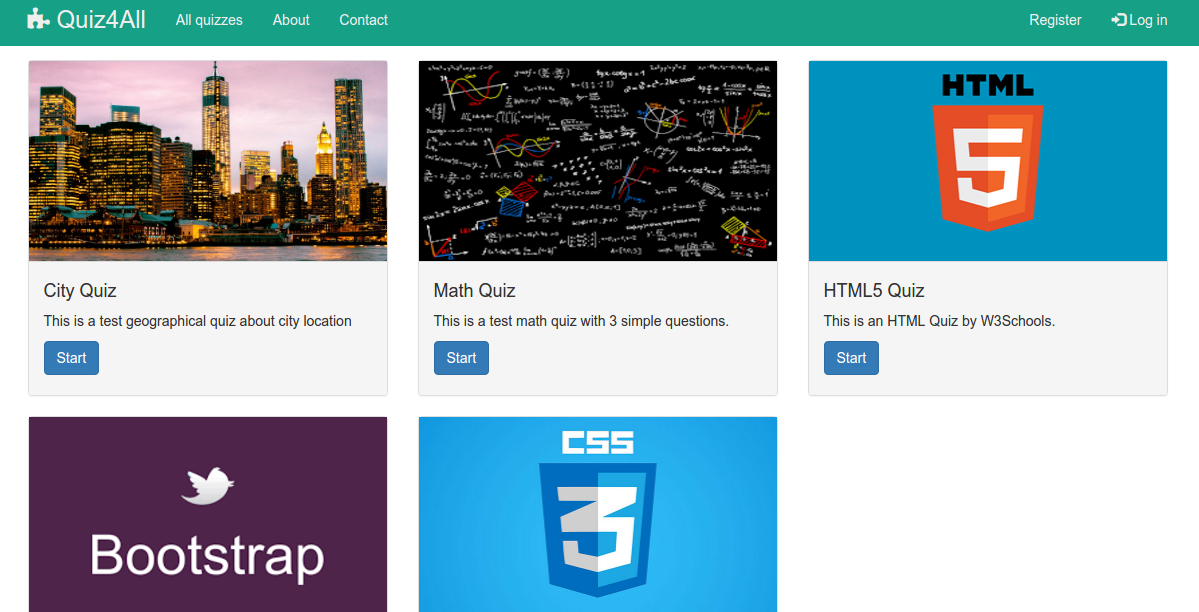
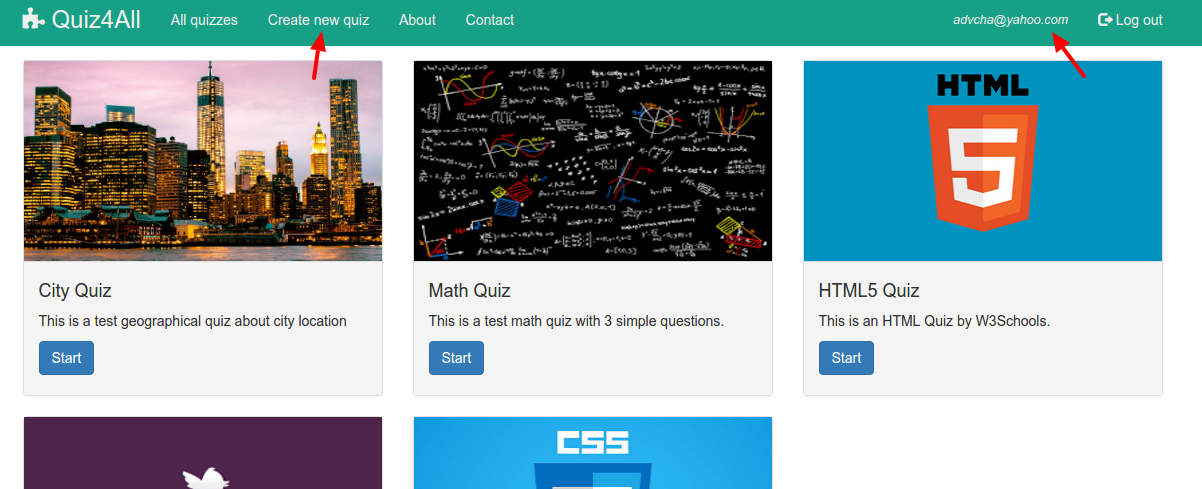
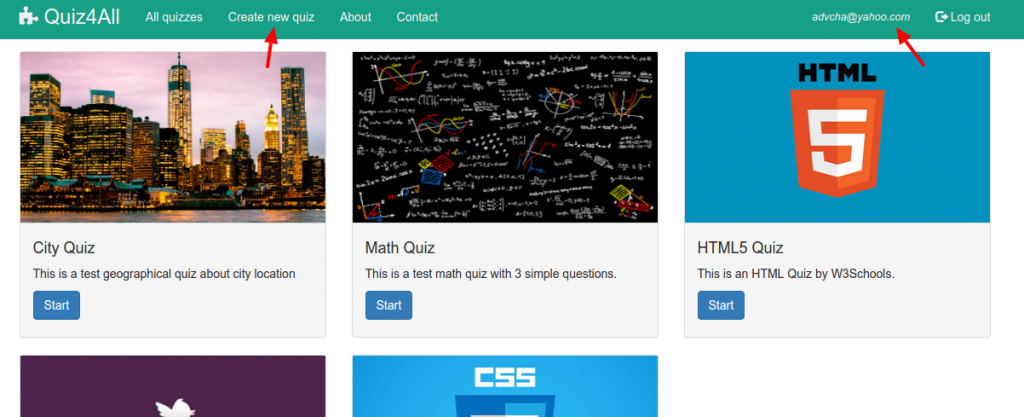
Here are the looks from http://localhost:3000/ or http://localhost:3000/#!/quizzes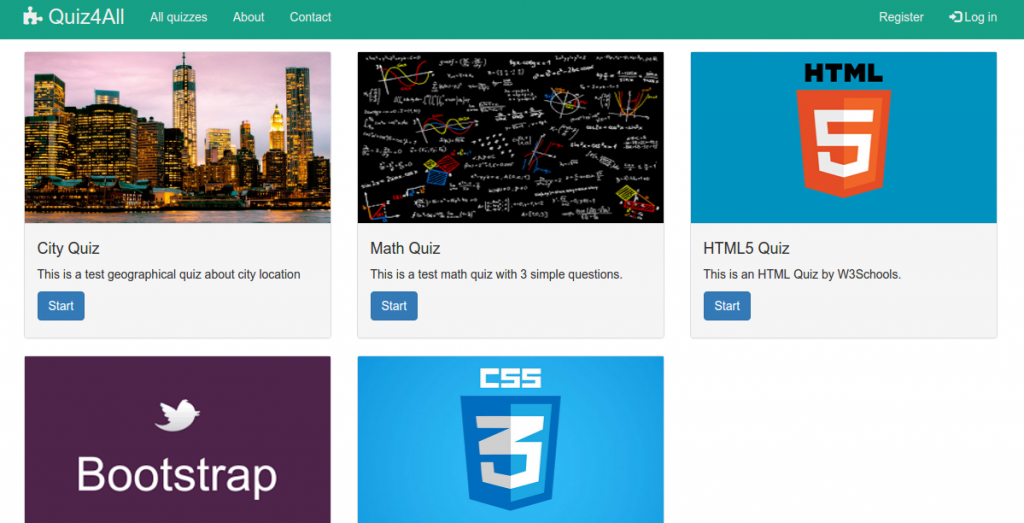 If any user is logged in (or you can also register and login. Here I registered with email: advcha@yahoo.com and password: admin), here is the look
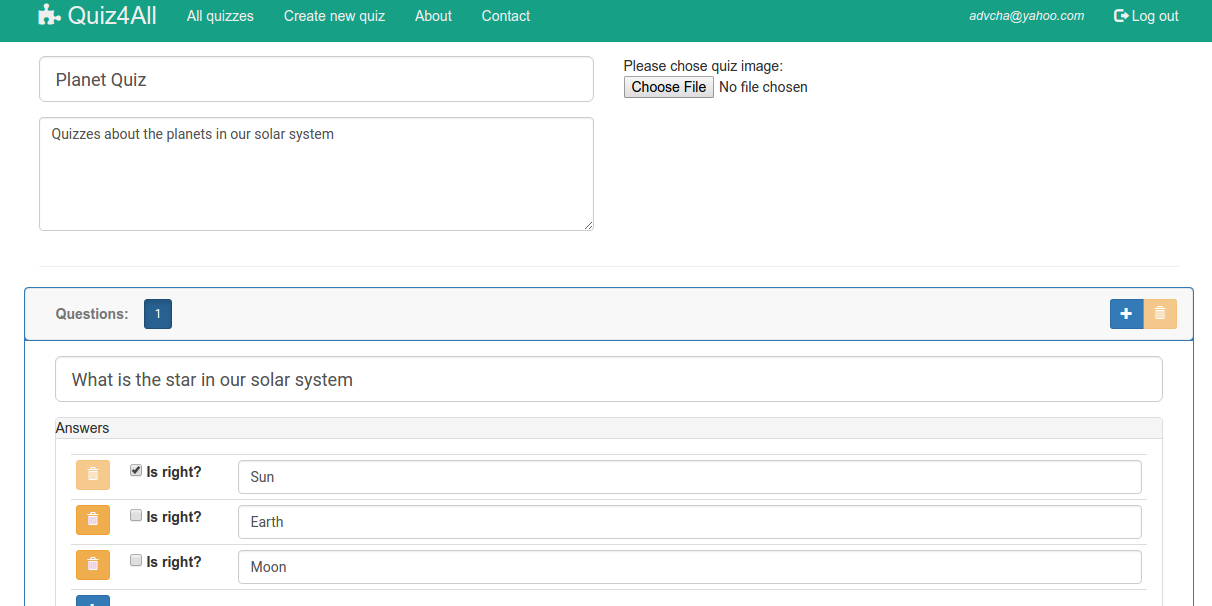
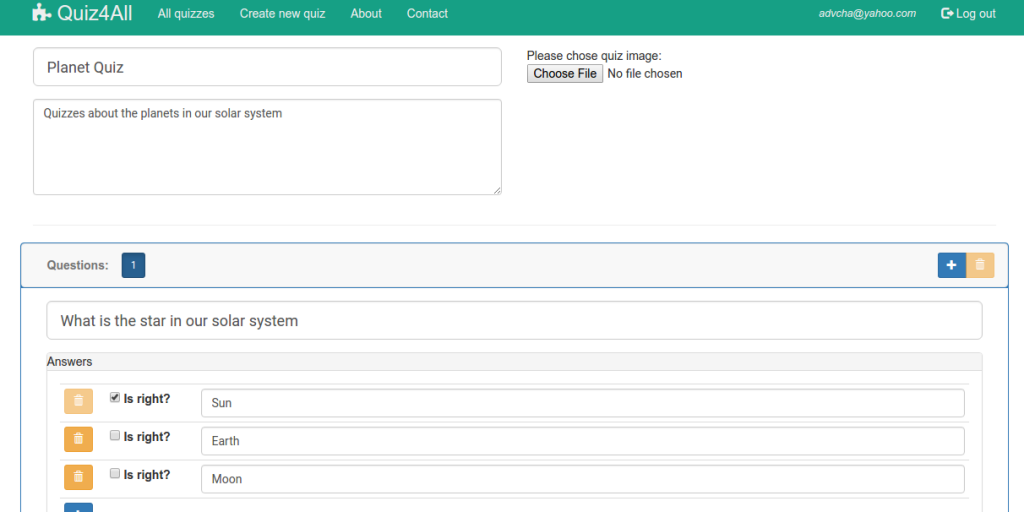
 New quiz (http://localhost:3000/#!/newquiz)
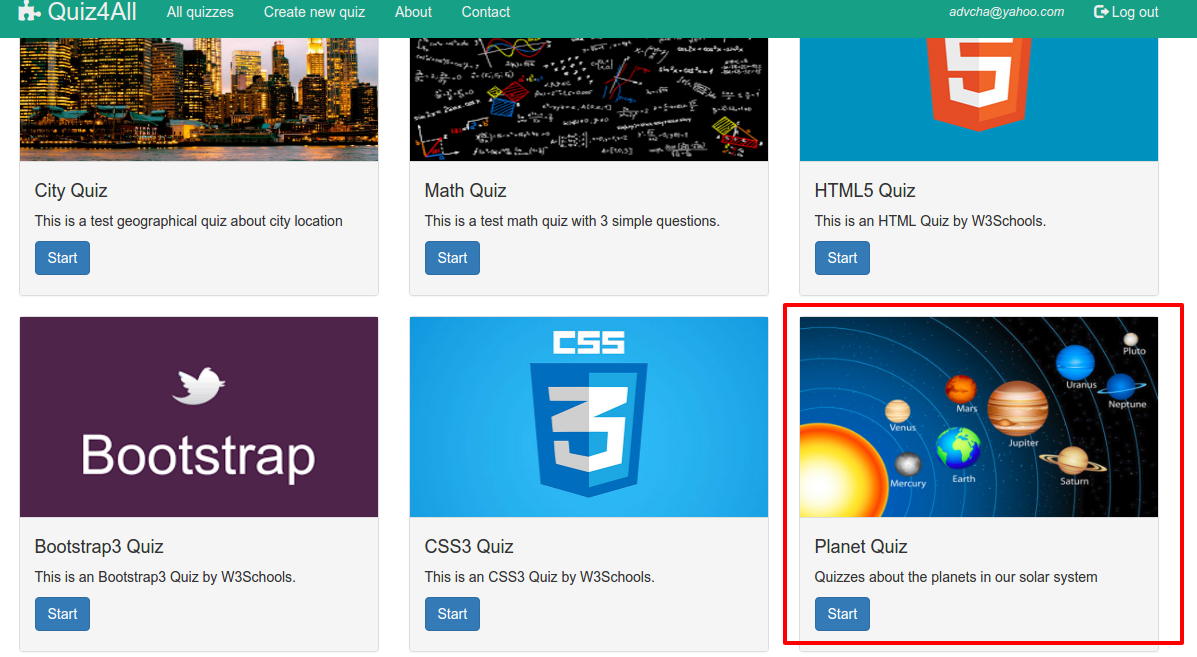
 Here is the created quiz
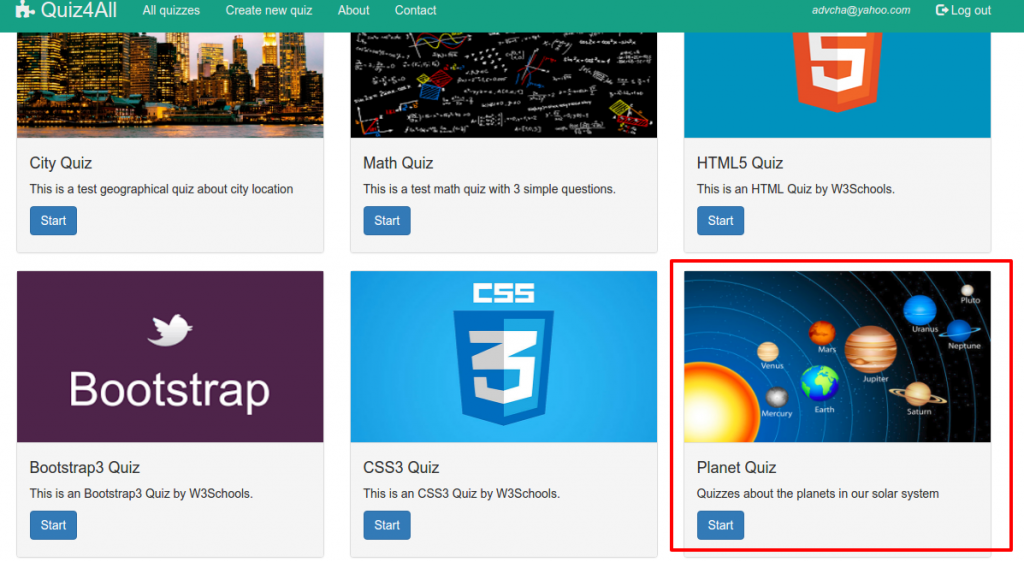 NOTE: DON’T FORGET TO RENAME THE SCRIPTS IN /server/boot/ DIR TO ’02_create-appusers.js.bak’ AND ’04_load_quizzes.js.bak’ RESPECTIVELY SO THE ABOVE DATA WOULD NOT BE DELETED IF THE NODE SERVER RUN AGAIN!
Anyway this is very good. But I think it needs some improvements like edit the quizzes (if user is logged in), admin panel, user member (student or admin), etc.