Source: https://github.com/fotistas/fotista (Laravel 4.2)
Installation:
- Clone from https://github.com/fotistas/fotista
1git clone https://github.com/fotistas/fotista.git
1234567teddy@teddy-K43SJ:~/Documents/works/laravel$ git clone https://github.com/fotistas/fotista.gitCloning into 'fotista'...remote: Counting objects: 642, done.remote: Total 642 (delta 0), reused 0 (delta 0), pack-reused 642Receiving objects: 100% (642/642), 5.23 MiB | 634.00 KiB/s, done.Resolving deltas: 100% (359/359), done.Checking connectivity... done.
Then go to ‘fotista’ directory
1teddy@teddy-K43SJ:~/Documents/works/laravel$ cd fotista/ - Install required components:
1teddy@teddy-K43SJ:~/Documents/works/laravel/fotista$ composer install - Create a database ‘auction’ via phpmyadmin
- Import the sql script ‘auction-20140823-0211.sql’ in ‘/sql archive/’ dir (extract the zip first).
- Set a few configuration settings in /app/config/app.php like
1'url' => 'http://localhost/works/laravel/auction/public',
and the database (Laravel 4 dont use .env file to store the database setting) in /app/config/database.php
12345678910'mysql' => array('driver' => 'mysql','host' => 'localhost','database' => 'auction','username' => 'root','password' => 'XXX','charset' => 'utf8','collation' => 'utf8_unicode_ci','prefix' => '',),
- generate the new key
1php artisan key:generate
- set file permission to 777 for /app/storage
1teddy@teddy-K43SJ:~/Documents/works/laravel/fotista$ sudo chmod -R 777 app/storage/
- Make some update on the database, especially for table ‘images’, I need to remove and replace ‘http:\\/\\/localhost\\/auction\\/public\\/uploads\\/’ in ‘images’ field because I just need the image name. No need the url. With this I can show the product image and the thumbnails. I did the replace in my text editor geany instead of on phpmyadmin because it’s easier to do it in geany. Also modified a few files to display the images and the thumbnails properly:
in /app/views/home.blade.php, replace ‘$product -> thumbnail’ to ‘{{ URL::to( ‘uploads/’ . $product -> thumbnail) }}’ (TWICE) like this
1<img src="{{ URL::to( 'uploads/' . $product -> thumbnail) }}" />
Also the same for /app/views/store.blade.php and /app/views/auction.blade.php. Same also for /app/views/product.blade.php BUT at ‘$product -> large’ like this:
1<img src="{{ URL::to( 'uploads/' . $product -> large) }}" />
Also the same for ‘admin’ page: /app/views/admin/products.blade.php, /app/views/admin/product.blade.php, /app/views/admin/auction.blade.php. - Open it http://localhost/works/laravel/fotista/public/
 The admin page http://localhost/works/laravel/fotista/public/admin/
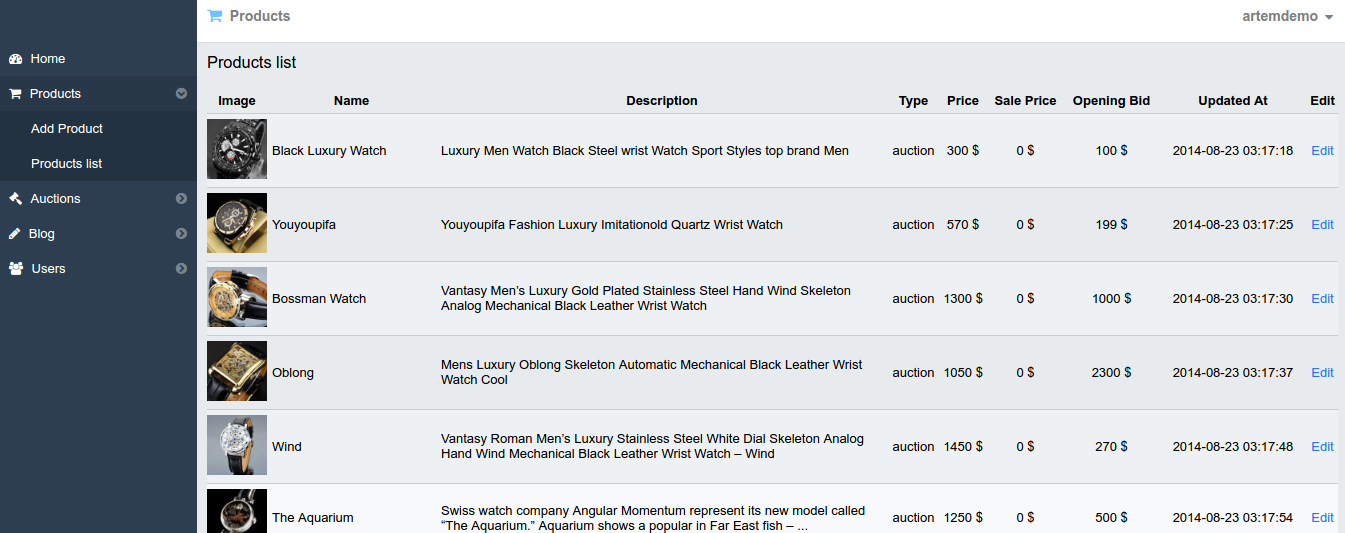
http://localhost/works/laravel/fotista/public/admin/products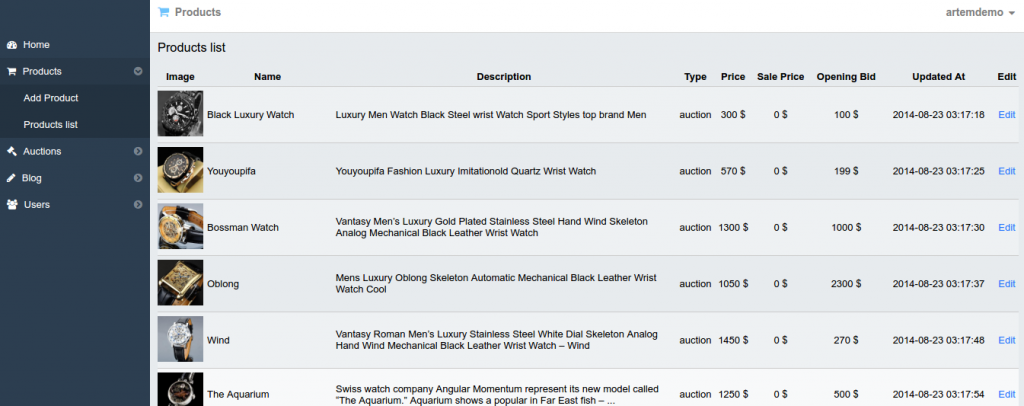
- SOME ERRORS & SOLUTION:
The first time, I got this error:
1Error in exception handler.
SOLUTION: It because I forgot to set the file permission at #7 (ref:http://stackoverflow.com/questions/24982598/laravel-error-in-exception-handler)
NOTE: To get better debug environment, I need to set ‘debug’ to ‘true’ in /app/config/app.php!
1'debug' => true,
After that I got another error:
1Whoops, looks like something went wrong.
SOLUTION: That because I forgot to set a new key like at #6 (ref:http://laravel.io/forum/04-22-2014-whoops-looks-like-something-went-wrong-with-new-installation)
NOTE: For laravel 4, No need to create .env file like laravel 5
Then I got another error:
1Access denied for user ''@'localhost' (using password: NO)
SOLUTION: I forgot to set the database setting in /app/config/database.php like at #5 (ref: http://laravel.io/forum/07-02-2014-sqlstatehy000-1044-access-denied-for-user-localhost-to-database-forge?page=1)

UNSOLVED ERROR:
When I tried to click ‘Auction started click here to open it’. It didn’t work. It did open a new page but do nothing. Just printed ‘Loading…’. From the console, it’s looking for a file in http://localhost/works/laravel/fotista/public/api/auction BUT THERE IS NO /public/api/auction DIR AVAILABLE!
The controller responsible for this is /app/controller/AuctionController.php, The view is /app/views/auction-app.blade.php and the javascript file in /public/js/auction-app.js
HOW TO MAKE THE AUCTION FULLY WORKS???? ESPECIALLY THE ANGULAR JS ‘auction-app.js’???
PLS TRY THIS GITHUB: https://github.com/yervand951/angular-auction
CONVERT TO LARAVEL 5 ???? ref: https://mattstauffer.co/blog/upgrading-from-laravel-4-to-laravel-5 and https://laravel.com/docs/5.0/upgrade.