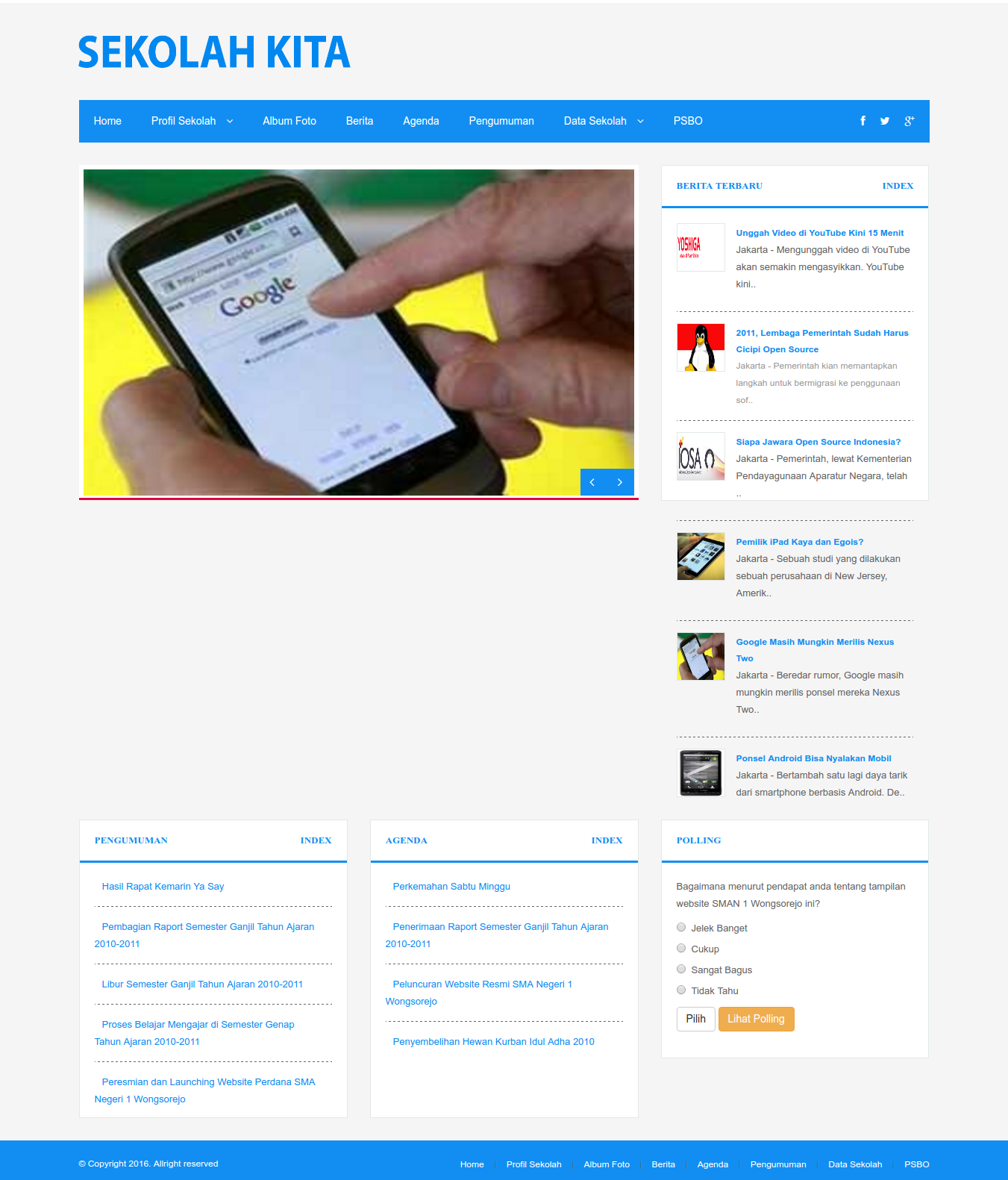
Source: https://github.com/balitax/SI-Sekolah-L5
Installation: (the most steps is pretty same with Laravel Blog)
- Create a new laravel project:
1composer create-project --prefer-dist laravel/laravel sis
- Download the app from https://github.com/balitax/SI-Sekolah-L5. It’s better to donwload in zip file then extract the content in /works/laravel/sis/ directory. Overwrite the existing files and directories.
- Install the laravel component required:
1composer install
- edit .env file and fill the database account (DB name is sis)
- Import the database file (database_sekolah.sql) along with the github.
Note: authentication scaffolding NOT RUN HERE! ERROR BUT NO PROBLEM - Use ‘migration’ to add some new tables into the new database
1php artisan migrate
- Dont forget to set the file permission in /public/ directory if we want to upload an image into it
1teddy@teddy-K43SJ:~/Documents/works/laravel/sis$ sudo chmod -R 777 public/
- I found some errors when tried it for the first time. http://localhost:8000/login IS WORKING but CAN’T LOGIN. THE USER TABLE IN ‘tbl_kepegawaian’. BECAUSE I DONT KNOW THE ‘admin’ PASSWORD, I NEED TO UPDATE ‘password’ FIELD WITH ‘$2y$10$eWW.aZOeruiS1VEO0ghKHu7A7UoQcj2tVmLIcnw6JnrcsiljuOmYK’ –> ‘satria’. SO the ‘admin’ password is ‘satria’. NOW I CAN GO INTO THE ADMIN PAGE (dashboard, data sekolah, data siswa, galeri foto, absensi siswa, data pegawai, etc).
THERE ARE SO MANY ERRORS (I CAN’T GO INTO THE WEBSITE ROOT OR http://localhost:8000/ BUT ONLY CAN GO TO http://localhost:8000/admin). ANYWAY IT’S GOOD AND I CAN SEE THE SCREEN!
NOTES: pls study the routes in /app/Http/routes.php !
SOMETHING IS NEEDED TO FIX SOME ERRORS:
- Error when I want to acces the root http://localhost:8000/
“FatalErrorException in Handler.php line 25:
Uncaught TypeError: Argument 1 passed to App\Exceptions\Handler::report() must be an instance of Exception, instance of Error given, called in /home/teddy/Documents/works/laravel/sis/vendor/laravel/framework/src/Illuminate/Foundation/Bootstrap/HandleExceptions.php on line 73 and defined in /home/teddy/Documents/works/laravel/sis/app/Exceptions/Handler.php:25
Stack trace:
#0 /home/teddy/Documents/works/laravel/sis/vendor/laravel/framework/src/Illuminate/Foundation/Bootstrap/HandleExceptions.php(73): App\Exceptions\Handler->report(Object(Error))
#1 [internal function]: Illuminate\Foundation\Bootstrap\HandleExceptions->handleException(Object(Error))
#2 {main}
thrown”
SOLUTION: The error because I use PHP 7 (CLI) when I started the server (‘php artisan serve’). ref: http://stackoverflow.com/questions/36983734/laravel-fatalerrorexception-in-handler-php-line-25. So use php 5.6 instead when starting the server like this:
1php5.6 artisan serve - Another error when accessing the root website:
“FatalErrorException in FrontController.php line 42:
Class ‘App\Models\Banner’ not found”
SOLUTION: In /app/Http/Controllers/FrontController.php, comment a few lines:
123//$this->data['banner'] = Models\Banner::where('id',1)->first();//$this->data['link'] = Models\Link::orderBy('id','desc')->limit(5)->get();//$this->data['publikasi'] = Models\Publikasi::orderBy('id','desc')->limit(3)->get();
Because there is models available for them.
Also in ‘index’ function, replace ‘bappeda’ with ‘web’
1234public function index() {//return view('bappeda.home', $this->data);return view('web.home', $this->data);}
- Now, the root/front website can be displayed but the website can’t be loaded. User need to upload the logo manually from the admin page -> Setting (http://localhost:8000/admin/setting). But when I saved the input, This error is appeared:
“QueryException in Connection.php line 624:
SQLSTATE[42S22]: Column not found: 1054 Unknown column ‘peta_latitude’ in ‘field list’ (SQL: updatetbl_settingsettitle_web= Sekolah Ku,desc_web= Sekolah Ku,key_web= sekolah,logo= lapVa94436orMdu892YPf3uSj931XM.png,facebook= ,twitter= ,gplus= ,peta_latitude= ,peta_longitude= ,alamat= ,no_telp= ,no_fax= ,email= whereid_setting= 1)”
SOLUTION: Modify tbl_setting in the database, then add these new fields: peta_latitude varchar(25), peta_longitude varchar(25), alamat text, no_telp varchar(25), no_fax varchar(25) and email varchar(25).
Now the website logo can be displayed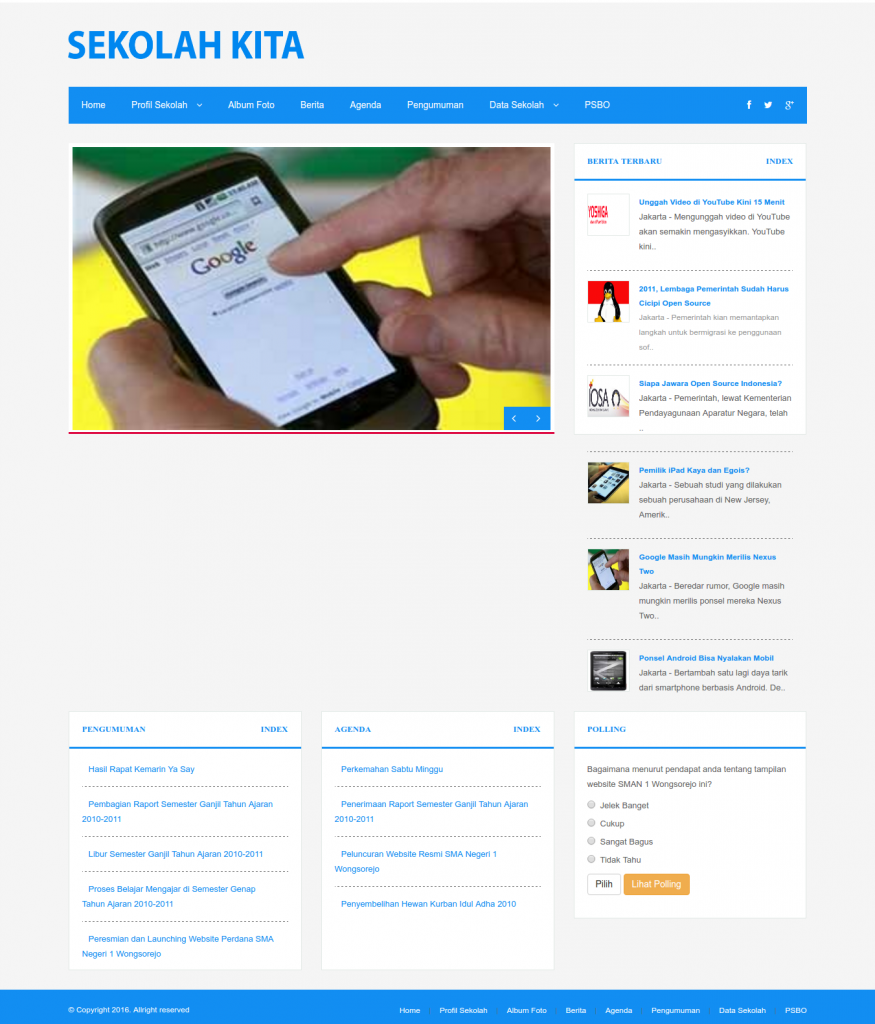
- When I clicked one of the news (berita) like http://localhost:8000/baca/berita/2011-lembaga-pemerintah-sudah-harus-cicipi-open-source, I got this error:
“InvalidArgumentException in FileViewFinder.php line 140:
View [bappeda.berita_detail] not found.”
SOLUTION: in /app/Http/Controllers/FrontController.php, Modify ‘berita’ function and replace ‘bappeda’ with ‘web’ and ‘berita_detail’ with ‘beritadetail’
123456789public function berita($slug) {$berita_detail = Models\Berita::where('slug_berita',$slug)->first();$this->data['title'] = $berita_detail->judul_berita;$this->data['beritalist'] = $berita_detail;$this->data['desc'] = substr($berita_detail->isi,0,200).'...';$this->data['key'] = $berita_detail->judul_berita;//return view('bappeda.berita_detail', $this->data);return view('web.beritadetail', $this->data);}
- When I clicked one of the ‘Profil Sekolah’ links like http://localhost:8000/page/profil-sekolah, I got this error:
“InvalidArgumentException in FileViewFinder.php line 140:
View [bappeda.halaman] not found.”
SOLUTION: SAME WITH ABOVE, Modify ‘halaman’ function in FrontController.php and replace ‘bappeda’ with ‘web’:
1234567public function halaman($slug) {$detail_halaman = Models\Data::where('slug_data',$slug)->first();$this->data['page'] = $detail_halaman;$this->data['title'] = $detail_halaman->title;$this->data['desc'] = strip_tags(substr($detail_halaman->content,0,200));return view('web.halaman', $this->data);} - Some links still shows error like for ‘pengumuman’ (http://localhost:8000/baca/pengumuman/pembagian-raport-semester-ganjil-tahun-ajaran-2010-2011) –> check the route and make sure the model is exist
SOLUTION: There is no ‘pengumuman’ route, so add them (also for pengumuman index and detail) in /app/Http/routes.php like this:
12Route::get('/pengumuman', 'FrontController@pengumumanlist');Route::get('/baca/pengumuman/{slug}', 'FrontController@pengumuman');
Then in FrontController.php, like above replace ‘bappeda’ with ‘web’ for ‘pengumumanlist’ and ‘pengumuman’ functions:
1234567891011public function pengumumanlist() {...//return view('bappeda.informasi', $this->data);return view('web.pengumuman', $this->data);}public function pengumuman($slug) {...//return view('bappeda.detail_informasi', $this->data);return view('web.pengumuman_detail', $this->data);}
- For Galleri menu, do this:
123456789public function album() {...return view('web.galeri', $this->data);}public function foto($id) {...return view('web.galeri_detail', $this->data);}
- Some pages in the admin (http://localhost:8000/admin) still can’t be showed up properly (some weirds characters appeared!)