Elance has gone now and merged with Odesk to establish a new company Upwork. Once I successfully used Elance API on my wordpress website without using wordpress plugin. I know it’s a bad practice but it’s work anyway. Here is how to do it:
- Make sure you already registered on elance (https://elance.com) and have any elance key. If not go to https://developers.elance.com and get the keys (API Key, API secret, redirect URL, etc). Here is the keys:
- I created a new wordpress template page with name ‘My Elance Jobs’ in a new file ‘my_elance_page.php’ in the active wordpress theme (currently the active theme is Sorbet). Based on some PHP example to use Elance API, Here is the complete content:
123456789101112131415161718192021222324252627282930313233343536373839404142434445464748495051525354555657585960616263646566676869707172737475767778798081828384858687888990919293949596979899100101102103104105106107108109110111112113114115116117118119120121122123124125126127128129130131132133134135136137138139140141142143144145146147148149150151152153154155156157158159160161162163164165166167168169170171172173<?php/*Template Name: My Elance Jobs*//** The purpose of this page is to integrate my wordpress website with my elance credential through API provided by elance* so i can display the elance search result on my wp site. I can also filter the search result based on the keywords I like* elance return json data if the API call is success then loop the json to display the result*/session_start();require_once('elance-auth-lib.php');error_reporting(E_ALL);$api_key="my_api_key";$consumer_secret_code="my_secret_code";$keywords="php mysql";$body="Nothing";if (!isset($_GET["code"]) && empty($_SESSION['access_token'])) {$elance_auth = new ElanceAuthentication();$url = $elance_auth->RequestAccessCode($api_key, "http://www.advchaweb.com/elance");header("Location:".$url);}else{//use elance library$elance_auth = new ElanceAuthentication();if(empty($_SESSION['access_token'])){//get the access token by feed api key and secret code$code = $_GET["code"];$json = $elance_auth->GetAccessToken($api_key, $consumer_secret_code, $code);//Output code$access_token=$json->data->access_token;$_SESSION['access_token']=$access_token;}else{$access_token=$_SESSION['access_token'];}// What page of data are we displaying? Defaults to 1.$current_page = 1;if (isset($_GET["currentPage"])) {is_numeric($_GET["currentPage"]) or die ("ERROR: currentPage parameter MUST be an integer!");intval($_GET["currentPage"]) > 0 or die ("ERROR: currentPage parameter MUST be greater than 0!");$current_page = $_GET["currentPage"];}//elance api url to get the jobs application$getJobUrl = "https://api.elance.com/api2/jobs";$params=array("access_token"=>$access_token,"keywords"=>$keywords,"sortCol"=>"numProposals","sortOrder"=>"asc","page"=>$current_page);$json_response = $elance_auth->ExecRequest($getJobUrl, $access_token, $params);if(isset($json_response->errors)){$error = $json_response->errors;$err_code = "";$err_desc = "";foreach($error as $key => $value){$err_code=$value->code;$err_desc=$value->description;}if($err_code=="invalid_token_expired"){$url = $elance_auth->RequestAccessCode($api_key, "http://www.advchaweb.com/elance");header("Location:".$url);}}if ($json_response == null) {die("Retrieved Elance API call, but the response was not valid JSON code.");}// Generate a success or error response depending on the value of rcode.if (isset($json_response->rcode)) {$body = "Call did not complete. JSON error returned.";} else {if ($json_response->data->numResults == 0) {$body = "No records returned.";} else {$results_per_page = 25;$record_num=1+($current_page-1)*$results_per_page;// Display paging information.$max_result_num = $json_response->data->page * $results_per_page;$first_rec_num = $max_result_num - ($results_per_page - 1);$body = "<p>Keywords : ".$keywords."</p><div style=\"width:100%;position:relative;\">\n";$body .= "<span style=\"width:37%;position:absolute;left:0;\">Displaying records " . $first_rec_num . " - " . (($json_response->data->page - 1)* $results_per_page + $json_response->data->numResults) . " out of " . $json_response->data->totalResults . " total results</span>\n";// Display paging controls.$body .= "<span style=\"width:37%;position:absolute; right:0; text-align:right;\">";$sep_text = "";if ($json_response->data->page > 1) {$body .= "<a href=\"?currentPage=" . ($json_response->data->page - 1) . "\">< Previous</a> ";$sep_text = "| ";}if ($json_response->data->page != $json_response->data->totalPages) {$body .= $sep_text;$body .= "<a href=\"?currentPage=" . ($json_response->data->page + 1) . "\">Next ></a> ";}$body .= "</span>\n";$body .= "</div>\n";$body .= "<div style=\"padding-top:30px;\"><table style=\"width:100%;table-layout:fixed;\">\n";$body .= "<tr style=\"background-color:#cccccc;font-weight:bold;\"><th style=\"width:5%;\">Job ID</th><th style=\"width:18%;\">Job ID<br/>Category</th><th style=\"width:27%;\">Job Title</th><th style=\"width:15%;\">Budget<br/>Date</th><th style=\"width:30%;\">Description</th><th style=\"width:5%;\"># of Bids</th></tr>";//displaying resultforeach ($json_response->data->pageResults as $job_obj) {$body .= "<tr class=\"basicRow\">\n";$body .= "<td>" . $record_num . "</td>\n";$body .= "<td>" . $job_obj->jobId."<br/>".$job_obj->category . "</td>\n";$body .= "<td><a href=\"" . $job_obj->jobURL . "\" target=\"_blank\">" . $job_obj->name . "</a><br/>".subkeywordsMatch(strtolower($job_obj->description))."</td>\n";$body .= "<td>" . $job_obj->budget . "<br/>".date('d/m/Y', $job_obj->startDate)."<br/>".date('d/m/Y', $job_obj->endDate)."</td>\n";$body .= "<td style=\"word-wrap:break-word;\">" . word_trim($job_obj->description, 50, TRUE) . "...</td>\n";$body .= "<td style=\"text-align:center;\">" . $job_obj->numProposals . "<td>\n";$body .= "</tr>\n";$record_num++;}$body .= "</table></div>";}}}get_header(); ?><div id="job_result" class="job_result" style="margin-top: -50px;"><?phpecho $body;?></div><!-- #primary --><?php //get_sidebar(); ?><?php get_footer(); ?><?php// word_trim courtesy of Jeff Robbins @ Lullabot( http://www.lullabot.com/articles/trim-a-string-to-a-given-word-count)function word_trim($string, $count, $ellipsis = FALSE){$words = explode(' ', $string);if (count($words) > $count){array_splice($words, $count);$string = implode(' ', $words);if (is_string($ellipsis)){$string .= $ellipsis;}elseif ($ellipsis){$string .= '…';}}return $string;}function subkeywordsMatch($string){$subkeywords=array("api","instagram","plugin","osclass","magento","symfony","jquery","wordpress","joomla","crm","mailchimp");$counter=0;$match=array();foreach($subkeywords as $sk){if(strpos($string,$sk)!==false){$counter++;$match[]=$sk;}}if($counter)return "Match ".$counter." keywords (".implode(",",$match).")";elsereturn "";}?>
Just read the code. Try to comprehend it by yourself :). I also need to add a new file ‘elance-auth-lib.php’ for the elance API PHP wrapper in the same directory. The class ‘ElanceAuthentication’ in the file would authenticate the access to the API.
123456789101112131415161718192021222324252627282930313233343536373839404142434445464748495051525354555657585960616263646566676869707172737475767778798081828384858687888990919293949596979899100101102103104105106107108109<?phpclass ElanceAuthentication {public $CurlHeaders;public $ResponseCode;private $_AuthorizeUrl = "https://api.elance.com/api2/oauth/authorize";private $_AccessTokenUrl = "https://api.elance.com/api2/oauth/token";public function __construct() {$this->CurlHeaders = array();$this->ResponseCode = 0;}public function RequestAccessCode ($client_id, $redirect_url) {return($this->_AuthorizeUrl . "?client_id=" . $client_id . "&response_type=code&redirect_uri=" . $redirect_url);}// Convert an authorization code from an Elance callback into an access token.public function GetAccessToken($client_id, $client_secret, $auth_code) {// Init cUrl.$r = $this->InitCurl($this->_AccessTokenUrl);// Add client ID and client secret to the headers.curl_setopt($r, CURLOPT_HTTPHEADER, array ("Authorization: Basic " . base64_encode($client_id . ":" . $client_secret),));// Assemble POST parameters for the request.$post_fields = "code=" . urlencode($auth_code) . "&grant_type=authorization_code";// Obtain and return the access token from the response.curl_setopt($r, CURLOPT_POST, true);curl_setopt($r, CURLOPT_POSTFIELDS, $post_fields);$response = curl_exec($r);if ($response == false) {die("curl_exec() failed. Error: " . curl_error($r));}//Parse JSON return object.return json_decode($response);}private function InitCurl($url) {$r = null;if (($r = @curl_init($url)) == false) {header("HTTP/1.1 500", true, 500);die("Cannot initialize cUrl session. Is cUrl enabled for your PHP installation?");}curl_setopt($r, CURLOPT_RETURNTRANSFER, 1);// Decode compressed responses.curl_setopt($r, CURLOPT_ENCODING, 1);// NOTE: If testing locally, add the following lines to use a dummy certificate, and to prevent cUrl from attempting to verify// the certificate's authenticity. See http://richardwarrender.com/2007/05/the-secret-to-curl-in-php-on-windows/ for more// details on this workaround. If your server has a valid SSL certificate installed, comment out these lines.curl_setopt($r, CURLOPT_SSL_VERIFYPEER, false);//curl_setopt($r, CURLOPT_CAINFO, "C:\wamp\bin\apache\Apache2.2.21\cacert.crt");// NOTE: For Fiddler2 debugging.//curl_setopt($r, CURLOPT_PROXY, '127.0.0.1:8888');return($r);}// A generic function that executes an Elance API request.public function ExecRequest($url, $access_token, $get_params) {// Create request string.//$full_url = http_build_query($url, $get_params);$full_url = $url."?".http_build_query($get_params);//$r = $this->InitCurl($url);$r = $this->InitCurl($full_url);/*curl_setopt($r, CURLOPT_HTTPHEADER, array ("Authorization: Basic " . base64_encode($access_token)));$response = curl_exec($r);if ($response == false) {die("curl_exec() failed. Error: " . curl_error($r));}*/$curl_options = array (CURLOPT_FRESH_CONNECT => 1,CURLOPT_RETURNTRANSFER => 1);curl_setopt_array($r, $curl_options);// Convert response to JSON.$json_txt = curl_exec($r);if ($json_txt == false) {die("Cannot retrieve Elance API URL using cUrl. URL: " . $url);}curl_close($r);$json_response = json_decode($json_txt);//Parse JSON return object.//return json_decode($response);return $json_response;//return $full_url;}}?>
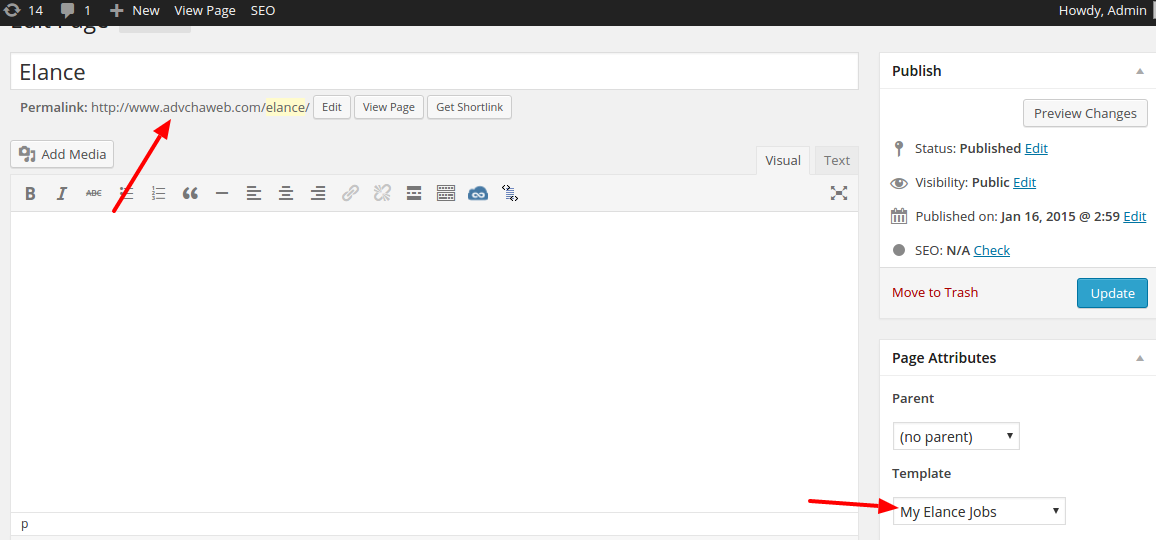
- On the wordpress admin, create a new page (not post) with title ‘Elance’ then use template ‘My Elance Jobs’ then Save! It would create a new url: http://www.advchaweb.com/elance/. The url is must be same with our redirect url above!
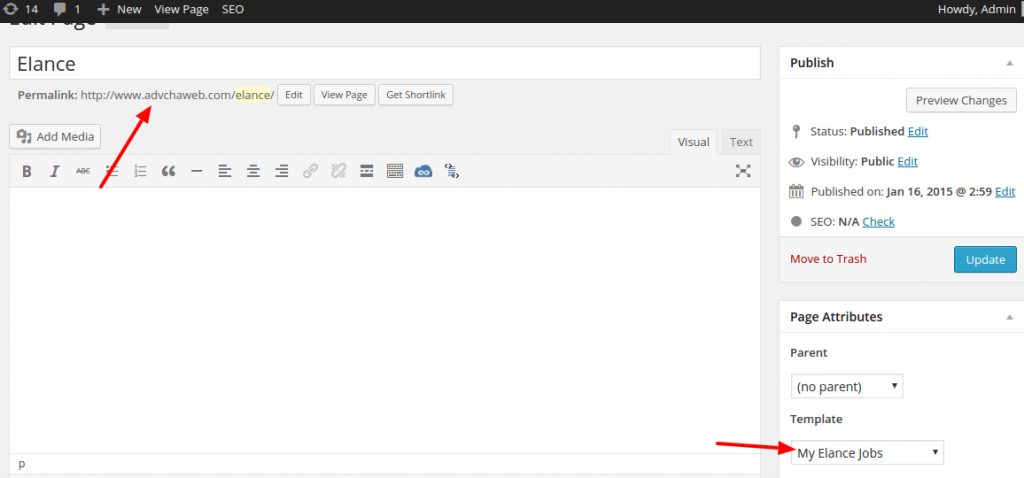
- OK. Now we can use the API from our wordpress page.
 Just click the link ‘Elance’ or http://www.advchaweb.com/elance
 - First, It’d redirect us to elance page and please log in!
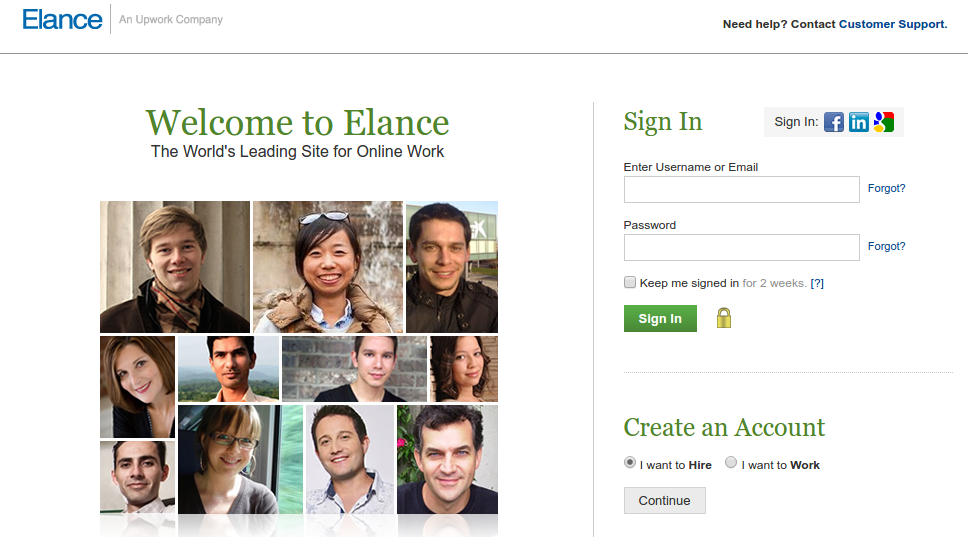
- After successful login, I supposed to get the authorization page but because it is already closed, I got this page instead 🙁
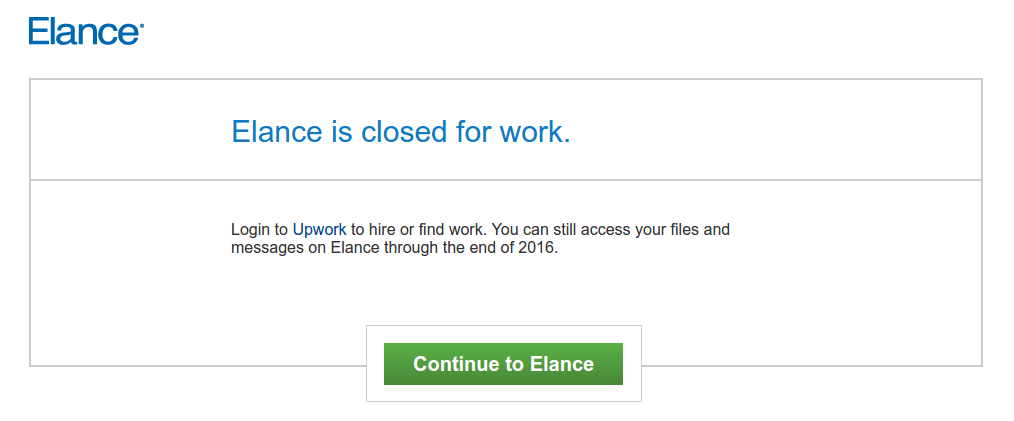 SOMEHOW when I click the ‘Continue to Elance’ button, I still get the authorization page!!!
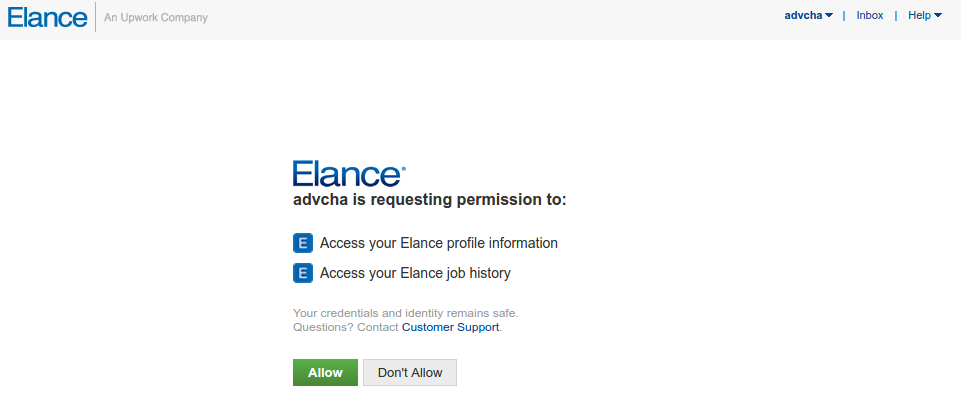 OK. Click ‘Allow’ button
 - It would be redirected back to my wordpress page. Because there is no job anymore on elance, I got no data!