Ref: Authenticating with OAuth 2.0
- Create a linkedin app by opening https://www.linkedin.com/secure/developer?newapp= OR if you already have an app, open https://www.linkedin.com/secure/developer. Here I want to create a new app. Here is the screen
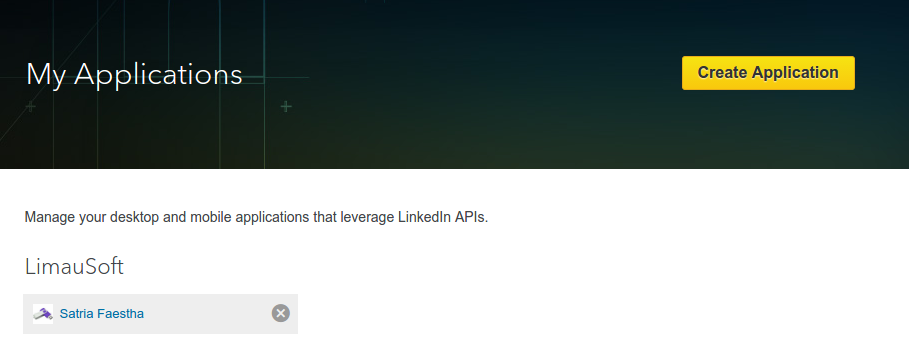 Then click ‘Create Application’
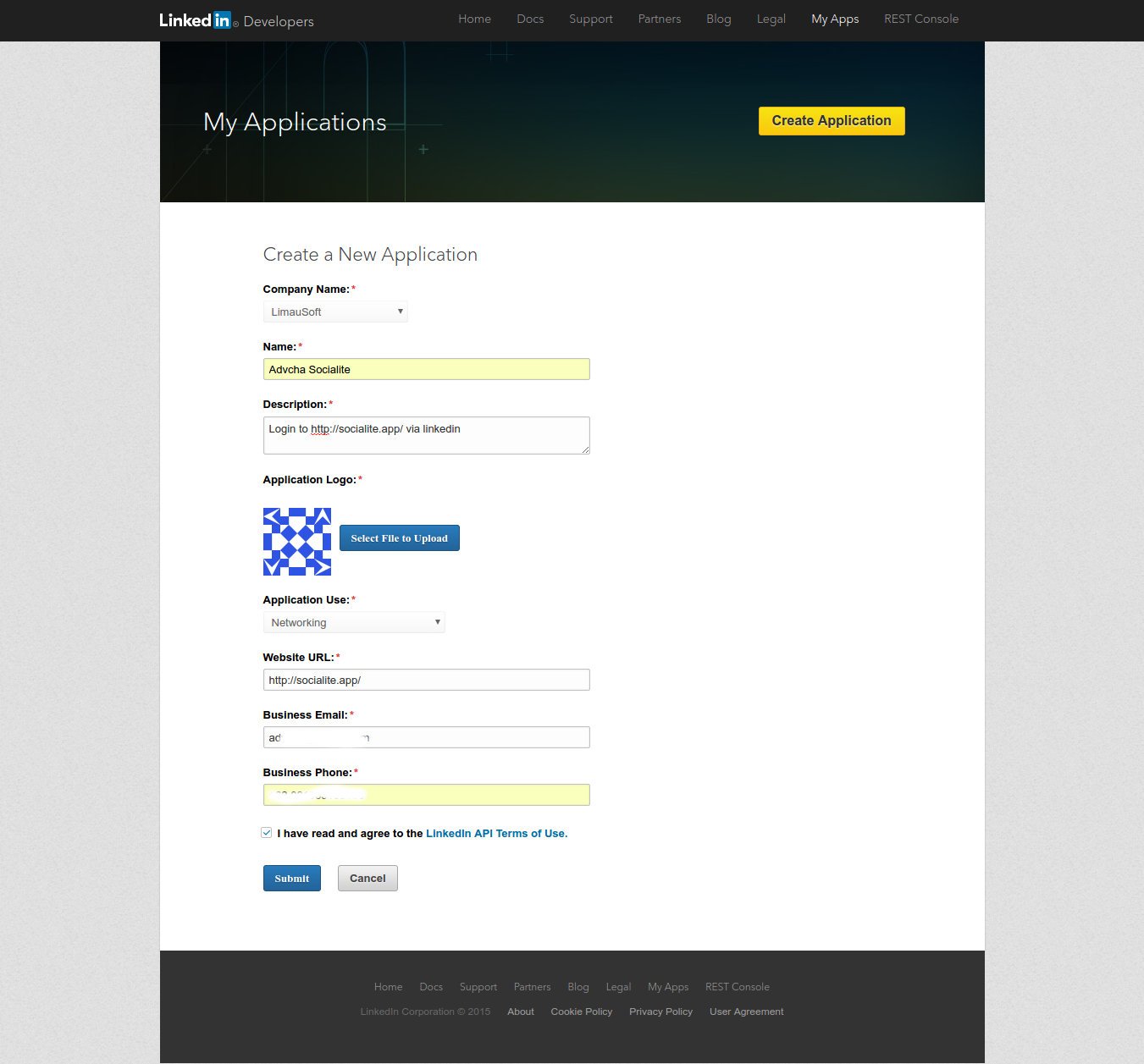
 - Fill out the form
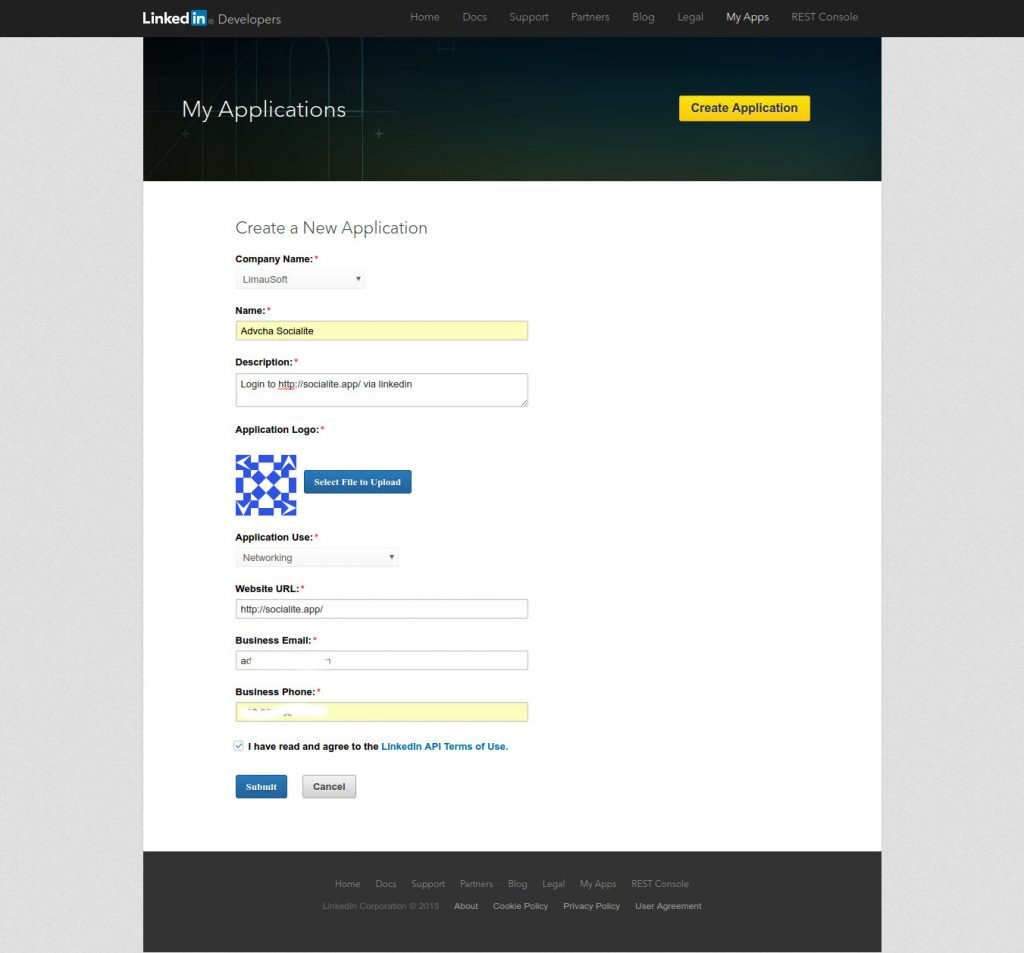 Then click ‘Submit’
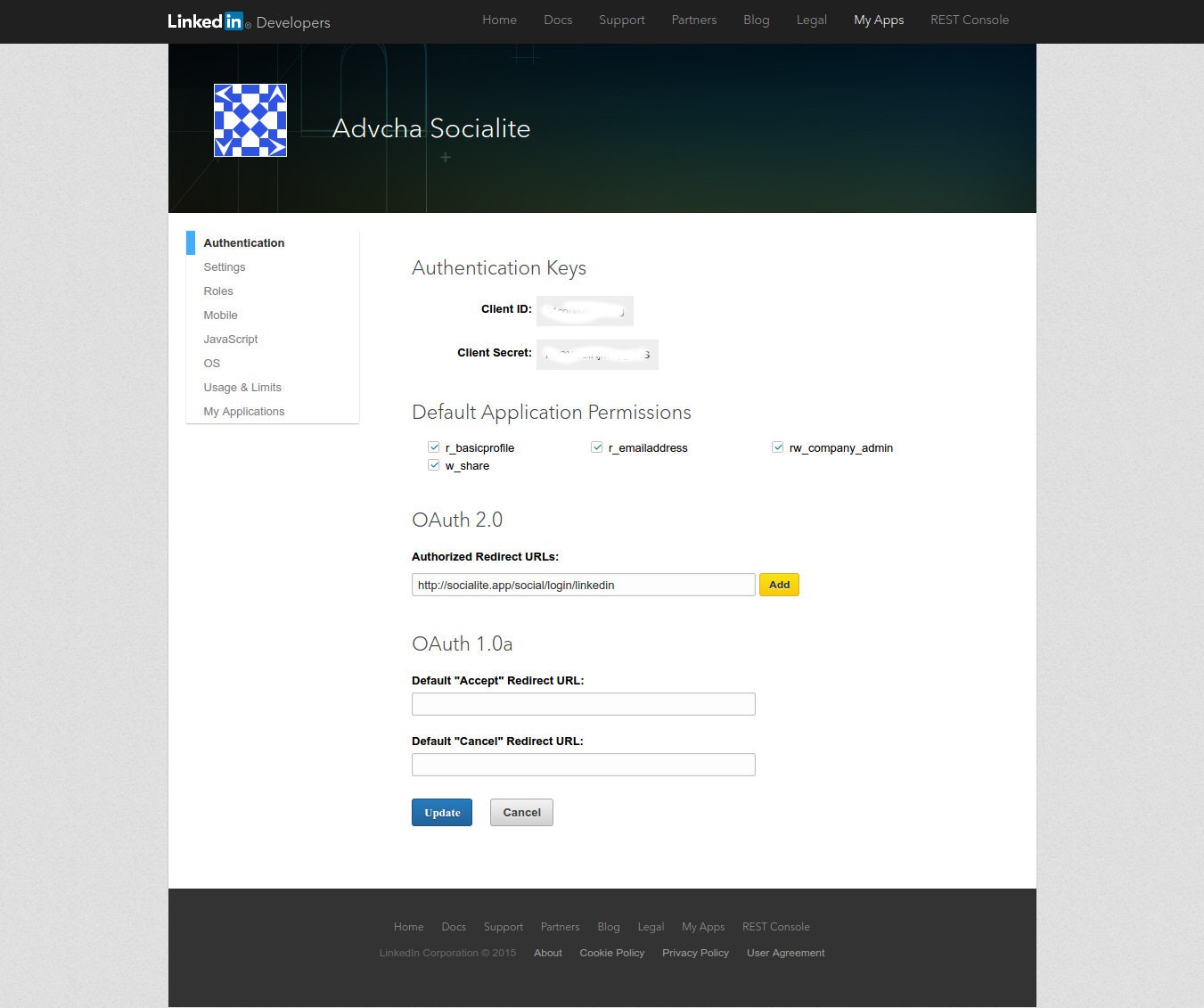
 - Here is the app setting
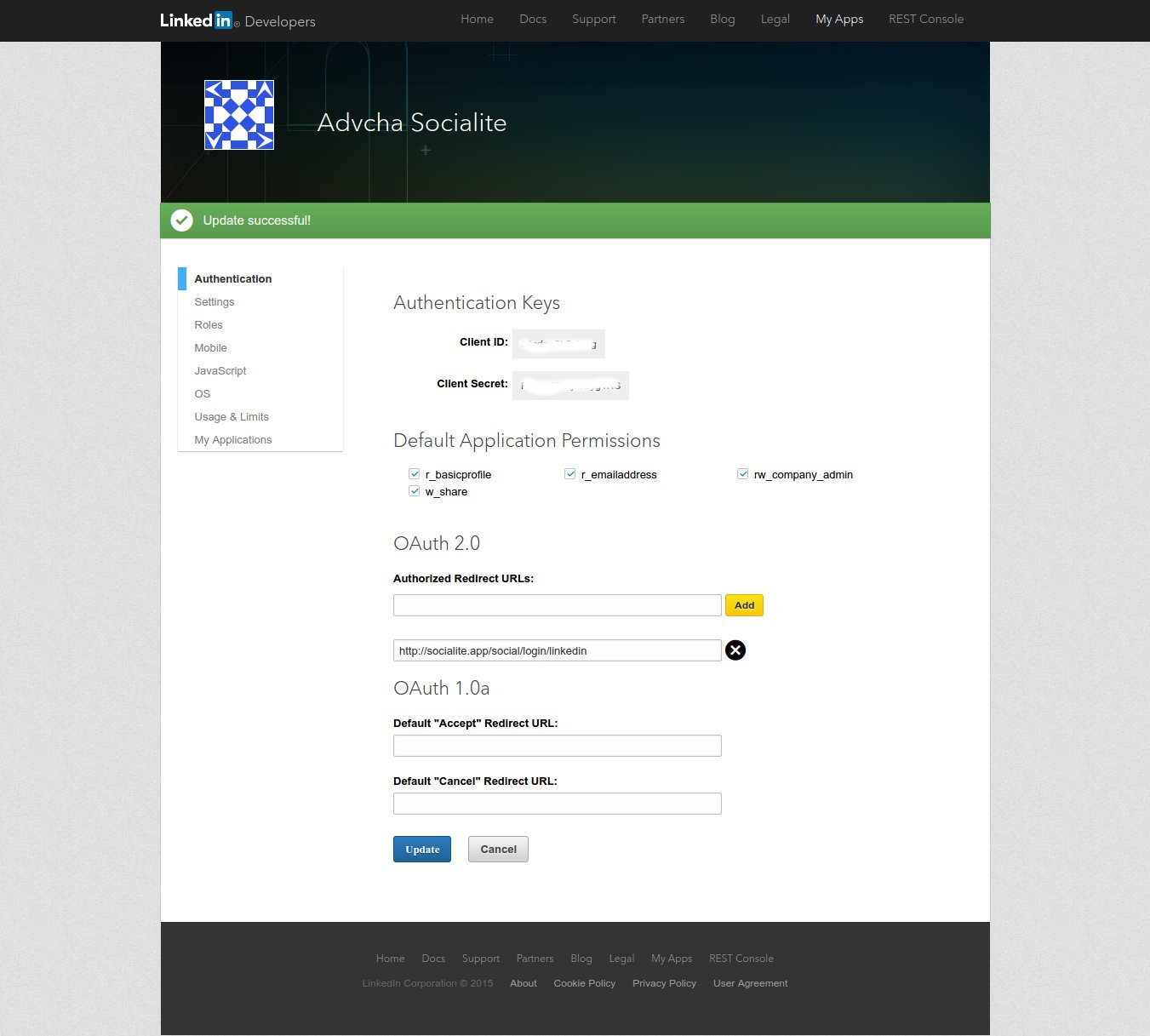
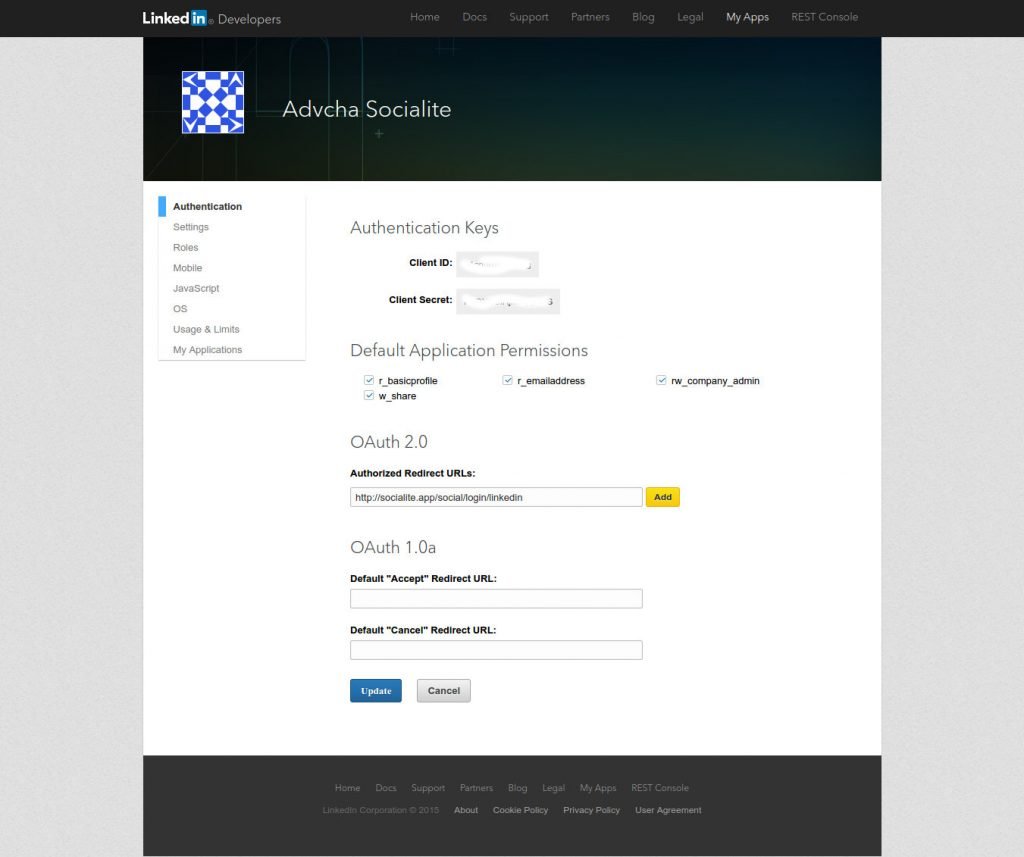 Check the permission needed and fill the redirect URL (DONT FORGET TO CLICK ‘ADD’). Then click ‘Update’. Here is the final setting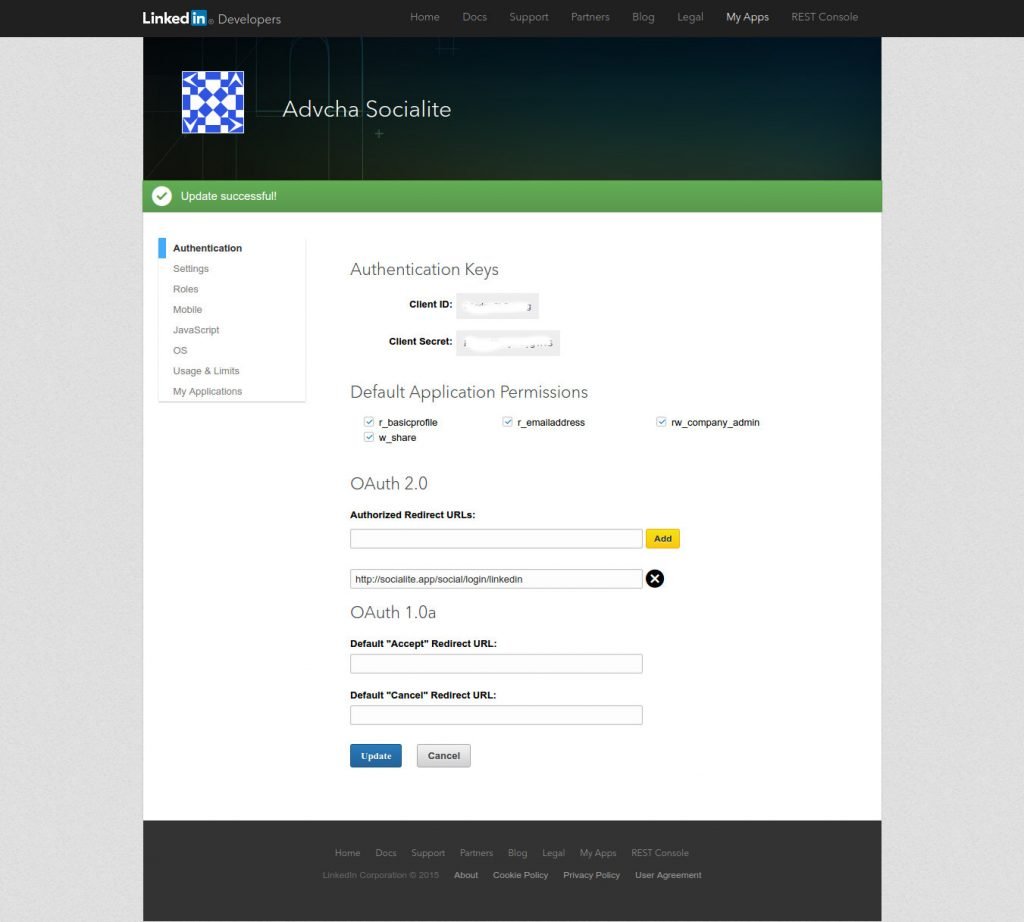
NOTE: SOMETIMES I HAVE TO INSERT THE REDIRECT URL REPEATEDLY BECAUSE SOMETIMES THE REDIRECT URL IS MISSING ALTHOUGH I JUST FILL IT!!! SO I HAVE TO CHECK IT AGAIN. On ‘socialite’ app (http://myprojects.advchaweb.com/index.php/2016/11/25/laravel-socialite/), I got this error when I tried it the first time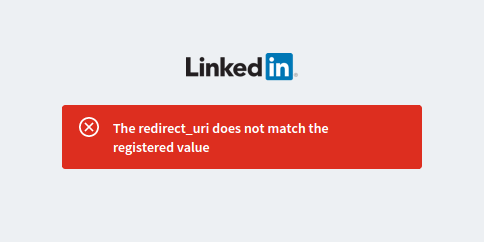 And keep asking about ‘The redirect_uri does not match the registered value’. When I checked the linkedin app, the redirect url is missing! So i have to input it again!