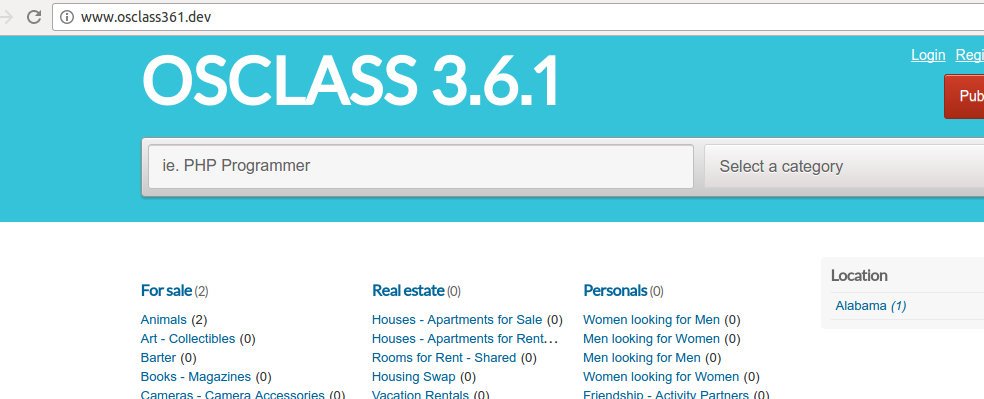
OSCLASS PLUGIN TUTORIAL
1. Create a new directory in any directory. name it ‘my_firstplugin’.
2. Create a new file in the directory. name it ‘index.php’.
3. open the file and add these lines in it :
/*
Plugin Name: My First Plugin
Short Name: my_firstplugin
Plugin URI: –
Description: A first osclass plugin for tutorial purpopse.
Version: 1.00
Author: Satria
Author URI: –
*/
above is ‘plugin info’
4. to make the plugin installable, add this function : osc_register_plugin. so
/**
* (hook: install) Make installation operations
* It creates the database schema and sets some preferences.
* @returns void.
*/
function my_firstplugin_install() {
}
osc_register_plugin(osc_plugin_path(__FILE__), ‘my_firstplugin_install’);
then add two hooks to initialize (load/init) the plugin and to uninstall the plugin, respectively :
/**
* (hook: init) Registers scripts and styles.
* @returns void.
*/
function my_firstplugin_load() {
}
osc_add_hook(‘init’, ‘my_firstplugin_load’);
/**
* (hook: uninstall) Make un-installation operations
* It destroys the database schema and unsets some preferences.
* @returns void.
*/
function my_firstplugin_uninstall() {
}
osc_add_hook(osc_plugin_path(__FILE__) . ‘_uninstall’, ‘my_firstplugin_uninstall’);
5. those are the minimum requirement (install, uninstall and load) to create an osclass plugin. Zip the directory (so it’ll be my_firstplugin.zip) then open the oc-admin page and add the plugin from the zip file.
if there is an error “There was a problem adding the plugin” when installing the plugin then just copy and paste the plugin directory in oc-content/plugins/ directory
6. From admin page, we can install/uninstall and enable/disable our plugin but this plugin dont have any functionality yet. we will add some scripts so we can display the links/menu in admin page to configure the plugin. In the index.php file, add this hook ‘admin_menu’ so it’ll be :
/**
* (hook: admin_menu) Display the admin menu
* @returns html.
*/
function my_firstplugin_admin_menu() {
echo ‘<h3><a href=”#”>My First Plugin</a></h3>
<ul>
<li><a href=”‘ . osc_admin_render_plugin_url(osc_plugin_folder(__FILE__) . ‘/admin/link1.php’) . ‘”>» ‘ . __(‘Link 1’, ‘my_firstplugin’) . ‘</a><li>
<li><a href=”‘ . osc_admin_render_plugin_url(osc_plugin_folder(__FILE__) . ‘/admin/link2.php’) . ‘”>» ‘ . __(‘Link 2’, ‘my_firstplugin’) . ‘</a></li>
</ul>’;
}
osc_add_hook(‘admin_menu’, ‘my_firstplugin_admin_menu’);
EDIT : if we have osclass version higher than 320 then we better to edit the above function like this :
/**
* (hook: admin_menu) Display the admin menu
* @returns html.
*/
function my_firstplugin_admin_menu() {
if(osc_version()<320) {
echo ‘<h3><a href=”#”>My First Plugin</a></h3>
<ul>
<li><a href=”‘ . osc_admin_render_plugin_url(osc_plugin_folder(__FILE__) . ‘/admin/link1.php’) . ‘”>» ‘ . __(‘Link 1’, ‘my_firstplugin’) . ‘</a><li>
<li><a href=”‘ . osc_admin_render_plugin_url(osc_plugin_folder(__FILE__) . ‘/admin/link2.php’) . ‘”>» ‘ . __(‘Link 2’, ‘my_firstplugin’) . ‘</a></li>
</ul>’;
}else{
osc_add_admin_submenu_divider(‘plugins’, __(‘My First Plugin’, ‘my_firstplugin’), ‘my_firstplugin_divider’, ‘administrator’);
osc_add_admin_submenu_page(‘plugins’, ‘» ‘.__(‘Link 1’, ‘my_firstplugin’), osc_admin_render_plugin_url(osc_plugin_folder(__FILE__) . ‘/admin/link1.php’), ‘my_firstplugin_link1’, ‘administrator’);
osc_add_admin_submenu_page(‘plugins’, ‘» ‘.__(‘Link 2’, ‘my_firstplugin’), osc_admin_render_plugin_url(osc_plugin_folder(__FILE__) . ‘/admin/link2.php’), ‘my_firstplugin_link2’, ‘administrator’);
}
}
//osc_add_hook(‘admin_menu’, ‘my_firstplugin_admin_menu’);
if(osc_version()<320) {
osc_add_hook(‘admin_menu’, ‘my_firstplugin_admin_menu’);
} else {
osc_add_hook(‘admin_menu_init’, ‘my_firstplugin_admin_menu’);
}
dont forget to add a new directory ‘admin’ in the plugin. then add two new files in it : link1.php and link2.php. the files will display the html content. you can add any html file in its.
7. Ok. great. then how to add any content on the front page by our plugin? Without any plugin we can add any content in oc-content/themes/your-theme/main.php. ‘your-theme’ is curent activated theme, it could be ‘bender’ (default theme). we can insert any html/php code in main.php file like <p>TEST</p> or <?php echo “Great”; ?>. If we want to make it better, we can include any php/html file and add this code <?php osc_current_web_theme_path(‘your_file.php’) ; ?> dont forget to add the new file your_file.php and fill it with any html/php code.
8. Ok. now we want to connect to database and pull some data to be displayed in the admin page.
in index.php file below the plugin info, add a line :
require_once ‘model/myfirstplugin_model.php’;
then add a new directory ‘model’ and a file ‘myfirstplugin_model.php’ in it.
we want to display all city in a table t_city on link1.php file. so add these lines in myfirstplugin_model.php file :
<?php
/**
* Data Access Object (DAO) for messages.
* Performs operations on database.
* @author Satria
* @package my_firstplugin
* @subpackage Model
* @since 1.00
*/
class MyFirstPluginModel extends DAO {
function __construct() {
parent::__construct();
}
/**
* Singleton.
*/
private static $instance;
/**
* Singleton constructor.
* @return an MadhouseMessengerDAO object.
*/
public static function newInstance() {
if(!self::$instance instanceof self) {
self::$instance = new self;
}
return self::$instance;
}
/**
* Return table name city
* @return string
*/
public function getTable_City()
{
return DB_TABLE_PREFIX.’t_city’;
}
/**
* Get all city
*
* @return array
*/
public function getAllCity()
{
$this->dao->select();
$this->dao->from( $this->getTable_City() ) ;
$this->dao->orderBy(‘s_name’, ‘ASC’) ;
$results = $this->dao->get();
if( !$results ) {
return array() ;
}
return $results->result();
}
}
then edit link1.php file so it’ll be :
<div id=”settings_form” style=”border: 1px solid #ccc; background: #eee; “>
<div style=”padding: 20px;”>
<div>
<fieldset>
<legend><?php _e(‘My First Plugin Link 1 : All City Name’); ?></legend>
<!–p>
<?php _e(‘Congratulation. This is a link 1 content’, ‘my_firstplugin’); ?>
</p–>
<?php
$city = MyFirstPluginModel::newInstance()->getAllCity();
foreach($city as $c){
echo $c[‘s_name’].'<br>’;
}
?>
<p>
<?php _e(‘Created by Satria Faestha. Osclass version : ‘.osc_version(), ‘my_firstplugin ‘); ?>
</p>
</fieldset>
</div>
</div>
</div>
then open link1.php on admin page. All city name will be displayed on the page.
You can play with the query like just show 5 top city, etc.
9. Now we want to add our own table so when we install the plugin, our table will be created and ready to be used. otherwise if we want to uninstall the plugin, the tables will be deleted.
Add these two sql file in sql directory (create a new directory ‘sql’). they are myfirstplugin.sql and add_data.sql
in myfirstplugin.sql :
CREATE TABLE /*TABLE_PREFIX*/t_my_firstplugin (
pk_i_id INT(2) UNSIGNED NOT NULL AUTO_INCREMENT,
s_name VARCHAR(255),
PRIMARY KEY (pk_i_id)
) ENGINE=InnoDB DEFAULT CHARACTER SET ‘UTF8’ COLLATE ‘UTF8_GENERAL_CI’;
in add_data.sql :
INSERT INTO /*TABLE_PREFIX*/t_my_firstplugin (pk_i_id, s_name) VALUES (1,’Satria Faestha’);
INSERT INTO /*TABLE_PREFIX*/t_my_firstplugin (pk_i_id, s_name) VALUES (2,’Ermillya Roza’);
INSERT INTO /*TABLE_PREFIX*/t_my_firstplugin (pk_i_id, s_name) VALUES (3,’Sarah Almahyrah’);
INSERT INTO /*TABLE_PREFIX*/t_my_firstplugin (pk_i_id, s_name) VALUES (4,’Alim Alhikmah’);
in myfirstplugin_model.php add these lines :
/**
* Import sql file
* @param type $file
*/
public function import($file)
{
$path = osc_plugin_resource($file) ;
$sql = file_get_contents($path);
if(! $this->dao->importSQL($sql) ){
throw new Exception( “Error importSQL::MyFirstPluginModel<br>”.$file ) ;
}
}
/**
* Remove data and tables related to the plugin.
*/
public function uninstall()
{
$this->dao->query(sprintf(‘DROP TABLE ‘.DB_TABLE_PREFIX.’t_my_firstplugin’) ) ;
}
then in index.php file edit these functions :
function my_firstplugin_install() {
MyFirstPluginModel::newInstance()->import(‘my_firstplugin/sql/myfirstplugin.sql’);
MyFirstPluginModel::newInstance()->import(‘my_firstplugin/sql/add_data.sql’);
}
osc_register_plugin(osc_plugin_path(__FILE__), ‘my_firstplugin_install’);
and
function my_firstplugin_uninstall() {
MyFirstPluginModel::newInstance()->uninstall();
}
osc_add_hook(osc_plugin_path(__FILE__) . ‘_uninstall’, ‘my_firstplugin_uninstall’);
then do uninstall (if our plugin still installed) and install the plugin. you can see the new table t_my_firstplugin in our database. you can add new function in the model file to pull the content :
public function getMyFirstPluginData()
{
$this->dao->select();
$this->dao->from( $this->getTable_MyFirstPlugin() ) ;
//$this->dao->orderBy(‘s_name’, ‘ASC’) ;
$this->dao->orderBy(‘pk_i_id’, ‘ASC’) ;
$results = $this->dao->get();
if( !$results ) {
return array() ;
}
return $results->result();
}
then in link2.php file, edit the content so it’ll be :
<div id=”settings_form” style=”border: 1px solid #ccc; background: #eee; “>
<div style=”padding: 20px;”>
<div>
<fieldset>
<legend><?php _e(‘My First Plugin Link 2’); ?></legend>
<p>
<?php
$data = MyFirstPluginModel::newInstance()->getMyFirstPluginData();
foreach($data as $d){
echo $d[‘s_name’].'<br>’;
}
?>
</p>
</fieldset>
</div>
</div>
</div>
10. We also want the data in our table can be added, edited and/or deleted.