First try to install the newest osclass version. Here I use 3.6.1 version. Install it locally. It works! here is the url : http://localhost/works/osclass361. user and password for the admin page (/oc-admin/) is ‘admin’ and ‘admin’.
Setup the virtualhost
|
1 |
sudo gedit /etc/apache2/sites-available/osclass361.dev.conf |
Here is the content
|
1 2 3 4 5 6 7 8 9 10 11 12 13 14 |
<VirtualHost *:80> ServerName osclass361.dev ServerAlias www.osclass361.dev DocumentRoot /home/teddy/Documents/works/osclass361 <Directory /home/teddy/Documents/works/osclass361> AllowOverride All Allow from All Require all granted </Directory> ErrorLog /var/log/apache2/osclass361_error.log CustomLog /var/log/apache2/osclass361_access.log combined </VirtualHost> |
Then enable the website and reload Apache service using below command
|
1 2 |
sudo a2ensite osclass361.dev sudo service apache2 reload |
Then register the above local site. open
|
1 |
sudo gedit /etc/hosts |
Then type
|
1 |
127.0.0.1 osclass361.dev |
Then restart apache
Then set the permalink for SEF url in the admin page on Show more -> Settings -> permalinks (http://localhost/works/osclass361/oc-admin/index.php?page=settings&action=permalinks) then Check ‘Enable friendly urls’ then Save Changes! It’ll create .htaccess file
|
1 2 3 4 5 6 7 8 |
<IfModule mod_rewrite.c> RewriteEngine On RewriteBase /works/osclass361/ RewriteRule ^index\.php$ - [L] RewriteCond %{REQUEST_FILENAME} !-f RewriteCond %{REQUEST_FILENAME} !-d RewriteRule . /works/osclass361/index.php [L] </IfModule> |
Then modify config.php file. Edit these two lines
|
1 2 3 |
define('REL_WEB_URL', '/works/osclass361/'); define('WEB_PATH', 'http://localhost/works/osclass361/'); |
to
|
1 2 3 |
define('REL_WEB_URL', '/'); define('WEB_PATH', 'http://www.osclass361.dev/'); |
Test the site on your browser: http://www.osclass361.dev/ or just osclass361.dev/ Here is how it looks 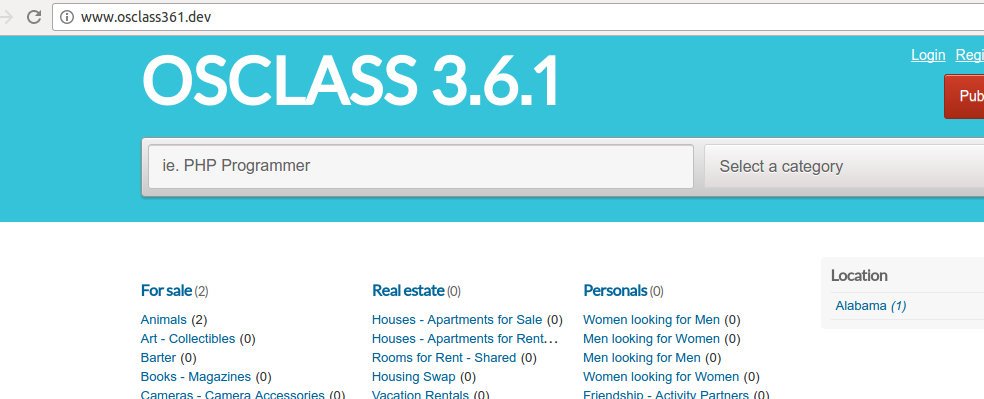 Because I still have a little listing available, I need to post some of them. NOW it is time to setup the subdomain. I want to use ‘City’ as the subdomain based and use wildcard * to make it simpler. From this article Use categories, countries, regions or cities as subdomains, I’ll follow the guidelines:
1. go to admin Show More -> Settings -> Advanced (http://www.osclass361.dev/oc-admin/index.php?page=settings&action=advanced) then set:
|
1 2 |
Subdomain type: City based Host: osclass361.dev |
2. Use DNS wildcard
|
1 |
sudo gedit /etc/hosts |
modify from
|
1 |
127.0.0.1 osclass361.dev |
to
|
1 |
127.0.0.1 *.osclass361.dev |
3. Modify virtualhost. use *.osclass361.dev instead of www.osclass361.dev on ServerAlias
|
1 |
sudo gedit /etc/apache2/sites-available/osclass361.dev.conf |
|
1 2 3 4 5 6 7 8 9 10 11 12 13 14 |
<VirtualHost *:80> ServerName osclass361.dev ServerAlias *.osclass361.dev DocumentRoot /home/teddy/Documents/works/osclass361 <Directory /home/teddy/Documents/works/osclass361> AllowOverride All Allow from All Require all granted </Directory> ErrorLog /var/log/apache2/osclass361_error.log CustomLog /var/log/apache2/osclass361_access.log combined </VirtualHost> |
4. Restart apache
|
1 |
sudo service apache2 restart |
5. changes on config.php. Modify from
|
1 |
define('WEB_PATH', 'http://www.osclass361.dev/'); |
to
|
1 2 |
//define('WEB_PATH', 'http://'.$_SERVER['HTTP_HOST'].'.osclass361.dev/');-->WRONG!!! define('WEB_PATH', 'http://'.$_SERVER['HTTP_HOST'].'/'); |
6. Add cookies configuration on config.php
|
1 |
define('COOKIE_DOMAIN', '.osclass361.dev'); |
7. Modify .htaccess to be like this
|
1 2 3 4 5 6 7 8 |
<IfModule mod_rewrite.c> RewriteEngine On RewriteBase / RewriteRule ^index\.php$ - [L] RewriteCond %{REQUEST_FILENAME} !-f RewriteCond %{REQUEST_FILENAME} !-d RewriteRule . /index.php [L] </IfModule> |
8. Test!
|
1 2 |
http://www.osclass361.dev/ --> OK http://www.osclass361.dev/oc-admin/ --> OK |
9. Open the site with the subdomain (city) like: http://abbeville.osclass361.dev/
AND IT WORKS!!! IT CAN OPEN THE OTHERS PAGES WITH THE SUBDOMAIN BUT I THINK IT NEED TO BE LIMITED WHICH PAGE CAN BE OPENED BY THE SUBDOMAIN FOR EXAMPLE ONLY FOR ITEMS PAGE AND SHOW THE ITEMS FROM THE CITY!
A FEW ERRORS ENCOUNTER:
|
1 2 3 4 5 6 7 |
Internal Server Error The server encountered an internal error or misconfiguration and was unable to complete your request. Please contact the server administrator at [no address given] to inform them of the time this error occurred, and the actions you performed just before this error. More information about this error may be available in the server error log. |
WHEN TRYING TO ACCESS ANOTHER LINK LIKE http://www.osclass361.dev/user/login. SO IT ONLY CAN OPEN THE HOMEPAGE!
SOLUTION: It happened because I didn’t modify .htaccess file, Modify it like #7 above!
IT’S WORKS NOW BUT SLOW TO OPEN ANYPAGE (WHEN COOKIES IS ALREADY DELETED)!!!