Download from https://pkp.sfu.ca/ojs/ojs_download/
Extract then run PHP Server to Install.
Make sure all the requirements is fulfilled (PHP, MySQL, Apache, etc)
|
1 |
teddy@teddy:~/Documents/works/ojs-3.1.1-4$ php -S localhost:8089 |
Fill Administrator Account
username: admin
password: Admin@123
Directory for uploads:/home/teddy/Documents/works/ojs_files
Create the dir : /home/teddy/Documents/works/ojs_files
MySQL Settings
db driver: MySQLi (NOT MySQL)
username: root
password: teddy
dbname: ojs3114
NOTE: Must use db driver MySQLi NOT MySQL. if not I’d get this error:
|
1 |
[Thu Oct 10 08:54:59 2019] 127.0.0.1:37826 [500]: /index.php/index/install/install - Uncaught Error: Call to undefined function mysql_connect() in /home/teddy/Documents/works/ojs-3.1.1-4/lib/pkp/lib/adodb/drivers/adodb-mysql.inc.php:456 |
Install success!
Open http://localhost:8089/index.php/index
or login in http://localhost:8089/index.php/index/login
System info: http://localhost:8089/index.php/index/admin/systemInfo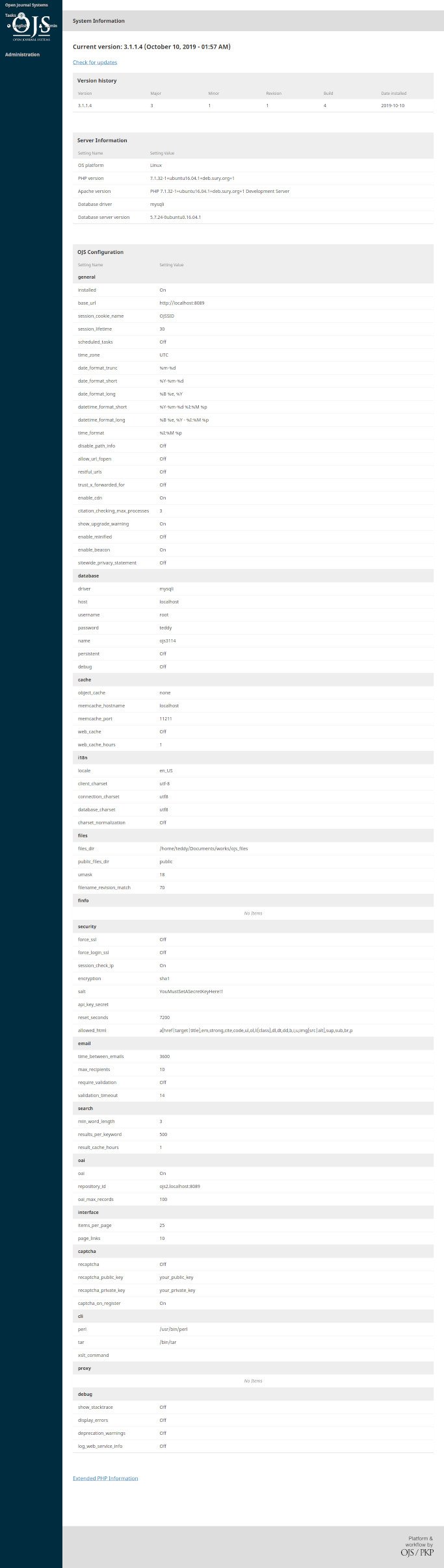 To upgrade OJS to version 3.1.2.1, pls read https://openjournaltheme.com/how-to-upgrade-ojs-version-3-1-1-to-3-1-2/ then implement its.
Here is the upgraded OJS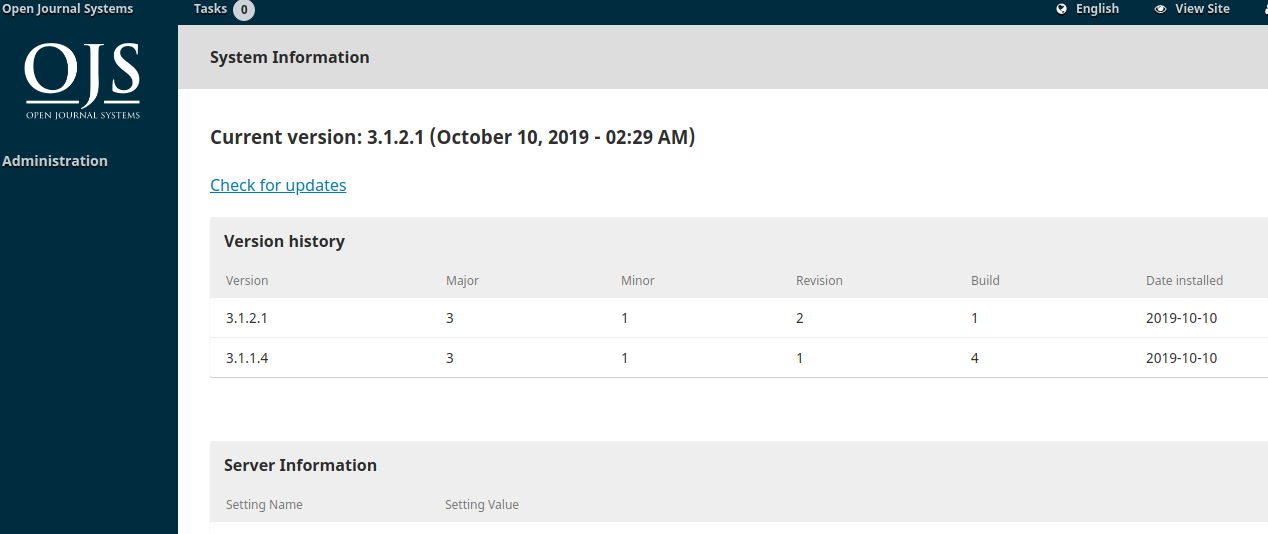 User
User
username: advcha
password: Teddy@123
<FAILED>
NGINX SETUP:
|
1 |
sudo gedit /etc/nginx/sites-available/ojs-3121.test |
CONTENT:
|
1 2 3 4 5 6 7 8 9 10 11 12 13 14 15 16 17 18 19 20 21 22 23 24 25 26 27 28 29 30 31 32 33 34 35 36 37 38 39 40 41 42 43 44 45 46 47 48 49 50 51 52 53 54 55 56 57 58 59 60 61 62 63 64 65 66 67 68 69 70 71 72 73 74 75 76 77 78 79 80 81 82 83 |
server { listen 80; listen [::]:80; root /home/teddy/Documents/works/ojs-3.1.2-1; #your document root server_name www.ojs-3121.test ojs-3121.test ; # Your server name index index.php index.html index.htm ; # Webfonts,fonts location ~* \.(?:ttf|ttc|otf|eot|woff|woff2)$ { add_header "Access-Control-Allow-Origin" "*"; expires 1y; access_log off; add_header Cache-Control "public"; } # Media: images, icons, video, audio, HTC location ~* \.(?:jpg|jpeg|gif|png|ico|cur|gz|svg|svgz|mp4|ogg|ogv|webm|htc)$ { expires 1y; access_log off; add_header Cache-Control "public"; } # Js, Css location ~* \.(?:css|js)$ { expires 1y; access_log off; add_header Cache-Control "public"; } # Serve static files without touching php location / { try_files $uri $uri/ /index.php?$args; } # pass requests for dynamic content to site location ~ [^/]\.php(/|$) { try_files $uri /index.php; fastcgi_pass unix:/run/php/php7.2-fpm.sock; fastcgi_buffers 1024 4k; fastcgi_read_timeout 600s; fastcgi_connect_timeout 600s; fastcgi_index index.php; fastcgi_param SCRIPT_FILENAME $document_root$fastcgi_script_name; #include fastcgi_params; #FOR DEVELOPMENT MODE ONLY - BEGIN fastcgi_param MAGE_IS_DEVELOPER_MODE true; fastcgi_param PHP_VALUE display_startup_errors=on; fastcgi_param PHP_VALUE display_errors=on; fastcgi_param PHP_VALUE html_errors=on; fastcgi_param PHP_VALUE log_errors=on; fastcgi_param PHP_VALUE error_log=/home/teddy/Documents/works/ojs-3.1.2-1/var/log/system.log; #FOR DEVELOPMENT MODE ONLY - END include fastcgi_params; } gzip on; gzip_disable "msie6"; gzip_comp_level 6; gzip_min_length 1100; gzip_buffers 16 8k; gzip_proxied any; gzip_types text/plain text/css text/js text/xml text/javascript application/javascript application/x-javascript application/json application/xml application/xml+rss image/svg+xml; gzip_vary on; # Banned locations (only reached if the earlier PHP entry point regexes don't match) location ~* (\.php$|\.htaccess$|\.git) { deny all; } } |
Enable file config
|
1 |
sudo ln -s /etc/nginx/sites-available/ojs-3121.test /etc/nginx/sites-enabled/ojs-3121.test |
Register the host on my system
|
1 |
sudo gedit /etc/hosts |
Like this:
|
1 2 3 |
... 127.0.0.1 ojs-3121.test ... |
CHECK THE NGINX SETTING AND RESTART IT:
|
1 2 3 |
sudo nginx -t sudo service nginx restart |
Open it on your browser : http://ojs-3121.test
Admin: http://ojs-3121.test/wp-admin
username: admin
password: LF3#F@OPz8
</FAILED>