ref: http://www.magespecialist.it/blog/2016/08/11/magento-devtools-available-helping-magento-developers-all-around-the-world/
https://github.com/magespecialist/mage-chrome-toolbar#installing-on-magento-2
- Install the chrome extension here: https://chrome.google.com/webstore/detail/magespecialist-devtools-f/odbnbnenehdodpnebgldhhmicbnlmapj?authuser=3
- From your CLI run: composer require msp/devtools –> IT TAKE A LONG TIME BUT I DON’T KNOW WHY
1234567891011121314151617181920212223teddy@teddy-K43SJ:~/Documents/works/magentoce215$ sudo su -s /bin/bash www-datawww-data@teddy-K43SJ:/home/teddy/Documents/works/magentoce215$ composer require msp/devtoolsCannot create cache directory /var/www/.cache/composer/repo/https---repo.magento.com/, or directory is not writable. Proceeding without cacheCannot create cache directory /var/www/.cache/composer/repo/https---packagist.org/, or directory is not writable. Proceeding without cacheCannot create cache directory /var/www/.cache/composer/files/, or directory is not writable. Proceeding without cacheAuthentication required (repo.magento.com):Username: 491a468ba9afd310d3eac792647361bePassword:Do you want to store credentials for repo.magento.com in /var/www/.config/composer/auth.json ? [Yn] nUsing version ^0.2.4 for msp/devtools./composer.json has been updatedCannot create cache directory /var/www/.cache/composer/repo/https---repo.magento.com/, or directory is not writable. Proceeding without cacheCannot create cache directory /var/www/.cache/composer/repo/https---packagist.org/, or directory is not writable. Proceeding without cacheCannot create cache directory /var/www/.cache/composer/files/, or directory is not writable. Proceeding without cacheLoading composer repositories with package informationUpdating dependencies (including require-dev)Package operations: 2 installs, 0 updates, 0 removals- Installing msp/common (0.1.3): Downloading (100%)- Installing msp/devtools (0.2.4): Downloading (100%)Package fabpot/php-cs-fixer is abandoned, you should avoid using it. Use friendsofphp/php-cs-fixer instead.Writing lock fileGenerating autoload files - Flush your cache.
12www-data@teddy-K43SJ:/home/teddy/Documents/works/magentoce215$ php bin/magento cache:cleanwww-data@teddy-K43SJ:/home/teddy/Documents/works/magentoce215$ php bin/magento cache:flush
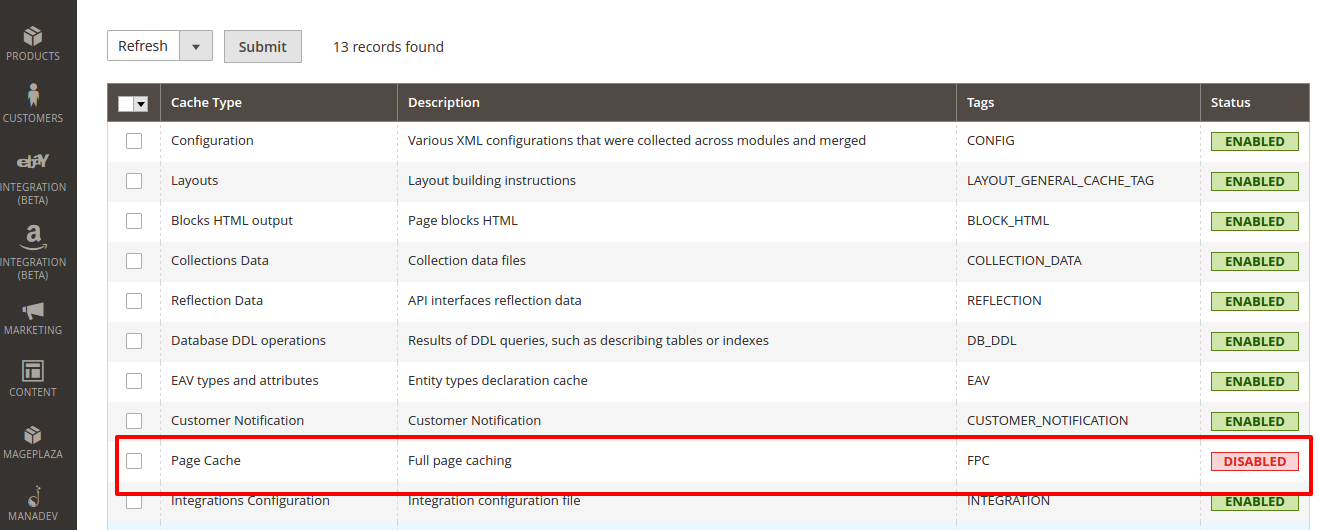
- Turn OFF Full Page Cache (FPC) while you are using DevTools.
System -> Cache Management -> Check ‘Page Cache’ -> Dropdown select ‘Disable’ -> Click ‘Submit’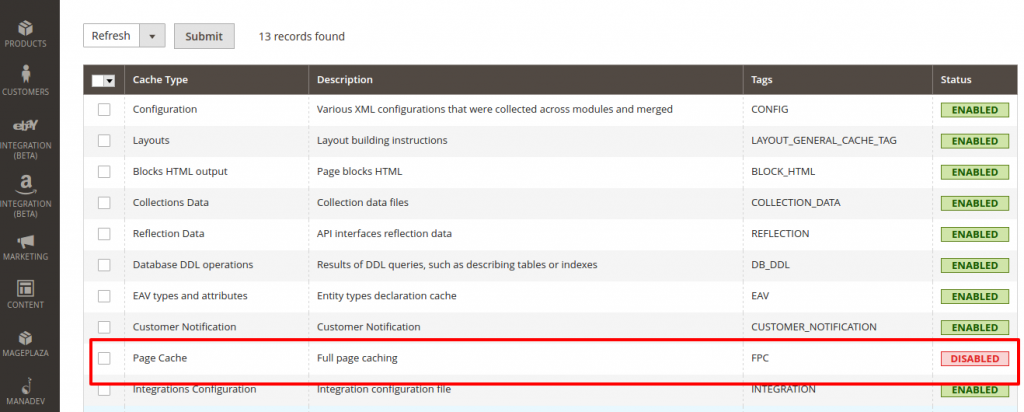
OR YOU CAN DO IT MANUALLY BY MODIFYING /app/etc/env.php IN ‘cache_types’ SECTION THEN SET ‘full_page’ TO 0:
12345678...'cache_types' =>array (...'full_page' => 0,...),...
- Enable MSP_Common and MSP_DevTools modules:
12345678910www-data@teddy-K43SJ:/home/teddy/Documents/works/magentoce215$ php bin/magento module:enable MSP_Common MSP_DevToolsThe following modules have been enabled:- MSP_Common- MSP_DevToolsTo make sure that the enabled modules are properly registered, run 'setup:upgrade'.Cache cleared successfully.Generated classes cleared successfully. Please run the 'setup:di:compile' command to generate classes.Info: Some modules might require static view files to be cleared. To do this, run 'module:enable' with the --clear-static-content option to clear them. - Upgrade database data & schema:
1234567891011121314151617181920212223242526www-data@teddy-K43SJ:/home/teddy/Documents/works/magentoce215$ php bin/magento setup:upgradeCache cleared successfullyFile system cleanup:...Updating modules:Schema creation/updates:...Module 'MSP_Common':Module 'MSP_DevTools':...Schema post-updates:...Module 'MSP_Common':Module 'MSP_DevTools':...Data install/update:...Module 'MSP_Common':Module 'MSP_DevTools':...Data post-updates:...Module 'MSP_Common':Module 'MSP_DevTools':...Please re-run Magento compile command
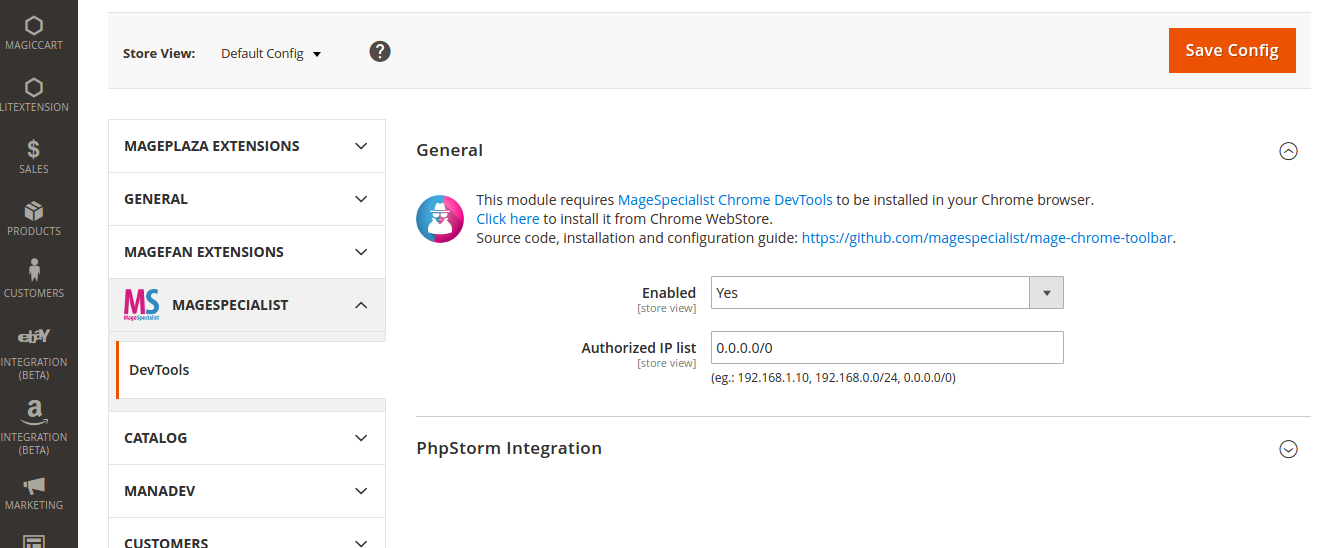
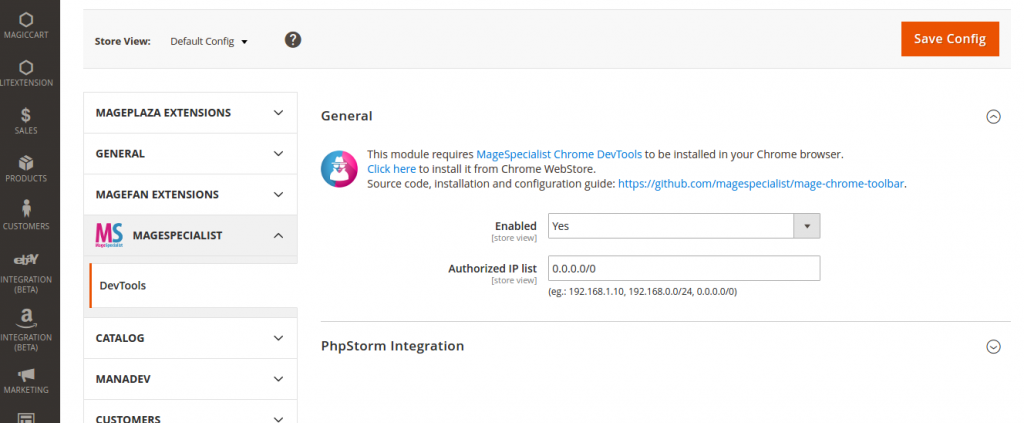
- Open Magento backend and go to Stores > Settings > Configuration > MageSpecialist > DevTools -> Enable ‘Yes’, IP list: 0.0.0.0/0
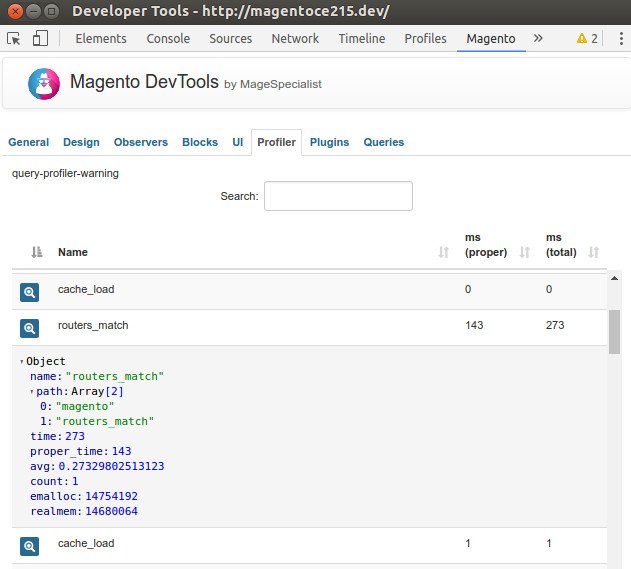
- Enabling profiler feature on Magento 2:If you wish to enable the profiler feature you need to set the MAGE_PROFILER server variable to MSP\DevTools\Profiler\Driver\Standard\Output\DevTools. You can do it in several ways:Editing index.php:Add the following line at the very beginning on index.php and pub/index.php file:
1$_SERVER['MAGE_PROFILER'] = [ 'drivers' => [['output' => 'MSP\DevTools\Profiler\Driver\Standard\Output\DevTools']] ];
Editing .htaccess file
Add the following line to your .htaccess file (at the bottom is okay):
1SetEnv MAGE_PROFILER MSP\DevTools\Profiler\Driver\Standard\Output\DevToolsTHEN YOU CAN SEE THE profilers in the chrome developer tools -> magento tab -> profiler tab
- Enabling SQL Queries profiler:
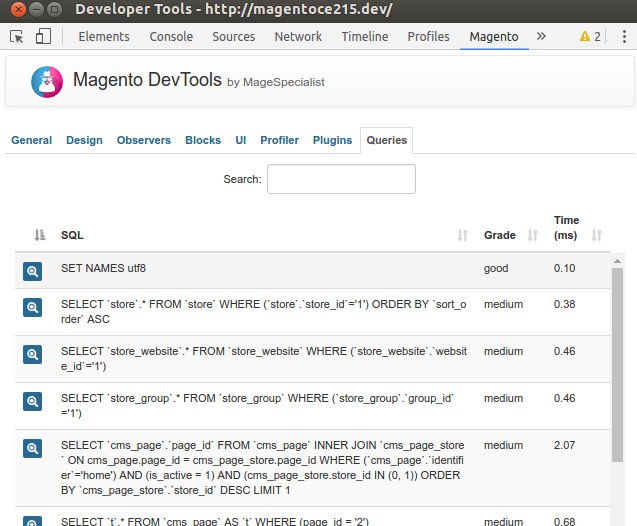
YOU CAN DO IT MANUALLY BY MODIFYING /app/etc/env.php IN ‘db’ -> ‘connection’ -> ‘default’ SECTION THEN ADD ‘profiler’ TO 1:123456789101112131415...'db' =>array ('table_prefix' => '','connection' =>array ('default' =>array (...'active' => '1','profiler' => '1',),),),...THEN YOU CAN SEE THE SQL queries in the chrome developer tools -> magento tab -> queries tab.
Here are some screens how this tool in action:
General tab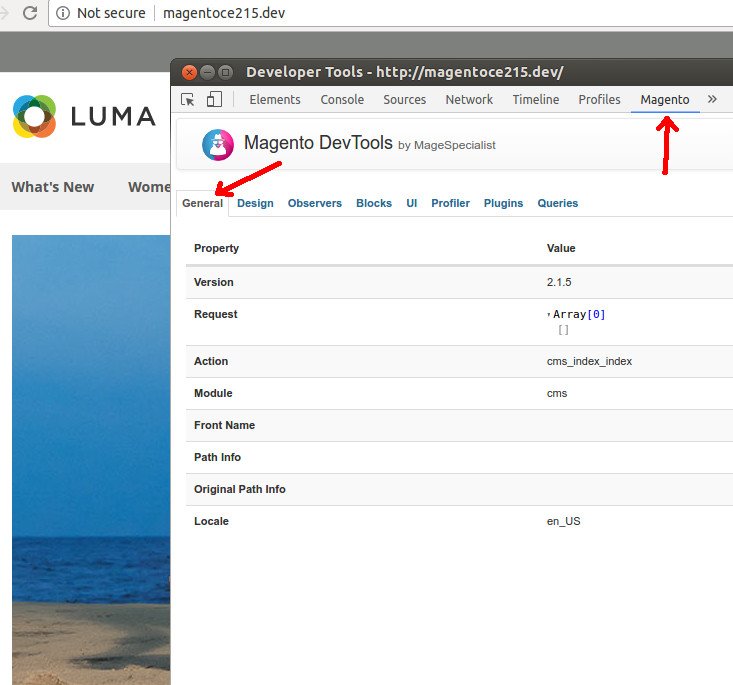 Design tab
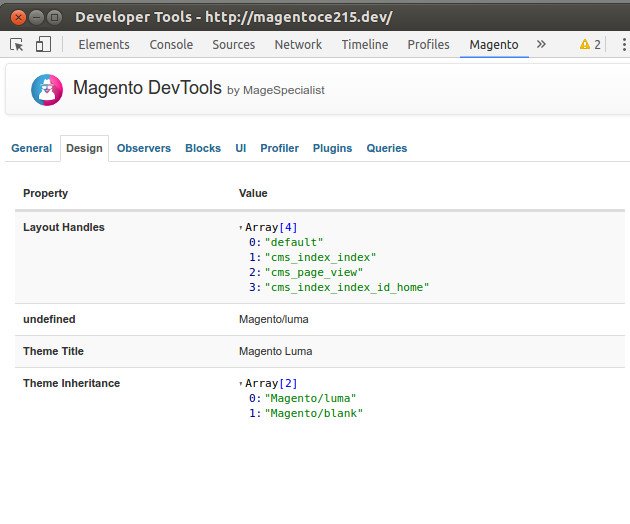 Observers tab
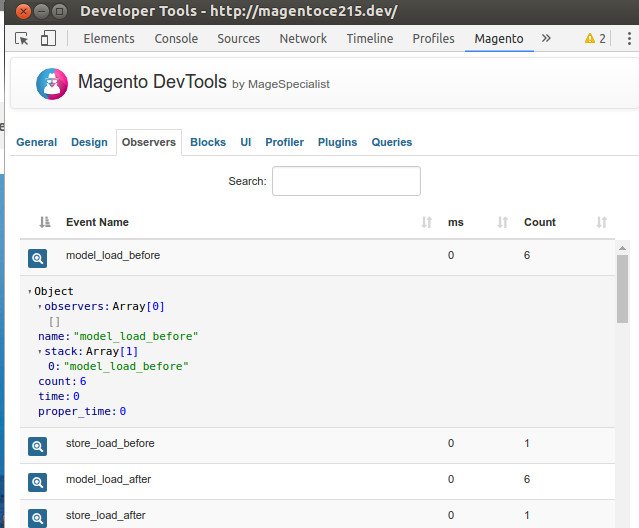 Blocks tab
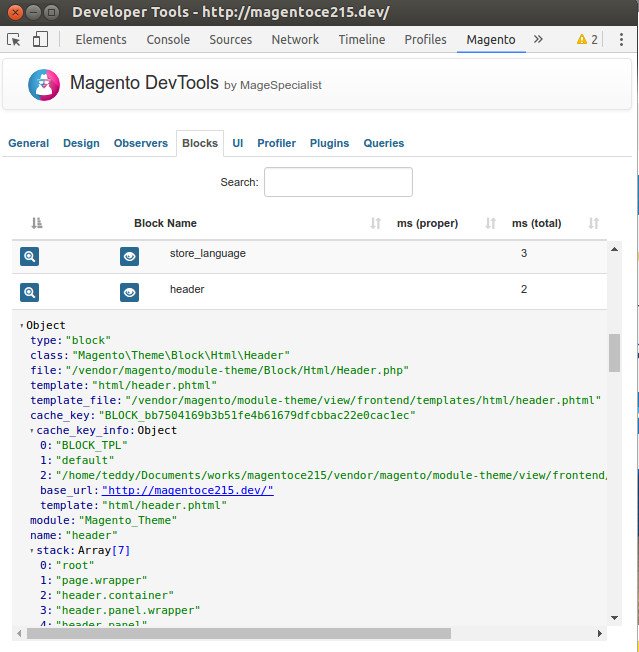 UI tab
 Profiler tab
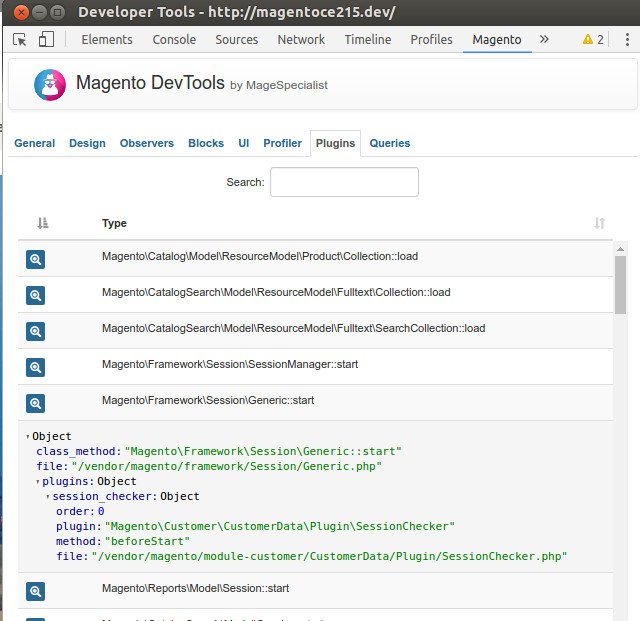
 Plugins tab
 Queries tab
 Inspect element and the magento element