Check the installed python
satria@teddy:~$ pip -V
pip 22.0.2 from /usr/lib/python3/dist-packages/pip (python 3.10)
it seems I already installed python 3. but when I want to find out the location with ‘whereis python’, it showed up nothing
satria@teddy:~$ whereis python
python:
so use ‘whereis python3’ instead
satria@teddy:~$ whereis python3
python3: /usr/bin/python3 /usr/lib/python3 /etc/python3 /usr/share/python3 /usr/share/man/man1/python3.1.gz
I need to symlink python 3 to use just ‘python’ like this
satria@teddy:~$ sudo ln -s /usr/bin/python3 /usr/bin/python
then I can use like this
satria@teddy:~$ whereis python
python: /usr/bin/python
Install streamlit with python3 virtual environment (venv)
ref: https://docs.streamlit.io/get-started/installation/command-line
create a new directory. for example ‘streamlit’
satria@teddy:~$ cd Documents/projects/python/streamlit/
then go into the dir. make sure you already have python3-venv package. if not install it
satria@teddy:~/Documents/projects/python/streamlit$ sudo apt install python3.10-venv
then use python3-venv like this:
satria@teddy:~/Documents/projects/python/streamlit$ python -m venv .venv
Activate the virtual environment
satria@teddy:~/Documents/projects/python/streamlit$ source .venv/bin/activate
(.venv) satria@teddy:~/Documents/projects/python/streamlit$
install streamlit with pip in the venv
(.venv) satria@teddy:~/Documents/projects/python/streamlit$ pip install streamlit
Collecting streamlit
Using cached streamlit-1.41.1-py2.py3-none-any.whl (9.1 MB)
Collecting click<9,>=7.0
Downloading click-8.1.8-py3-none-any.whl (98 kB)
━━━━━━━━━━━━━━━━━━━━━━━━━━━━━━━━━━━━━ 98.2/98.2 KB 915.4 kB/s eta 0:00:00
Collecting tornado<7,>=6.0.3
Using cached tornado-6.4.2-cp38-abi3-manylinux_2_5_x86_64.manylinux1_x86_64.manylinux_2_17_x86_64.manylinux2014_x86_64.whl (437 kB)
Collecting packaging<25,>=20
Using cached packaging-24.2-py3-none-any.whl (65 kB)
Collecting requests<3,>=2.27
Using cached requests-2.32.3-py3-none-any.whl (64 kB)
Collecting pydeck<1,>=0.8.0b4
Using cached pydeck-0.9.1-py2.py3-none-any.whl (6.9 MB)
Collecting numpy<3,>=1.23
Using cached numpy-2.2.2-cp310-cp310-manylinux_2_17_x86_64.manylinux2014_x86_64.whl (16.4 MB)
Collecting gitpython!=3.1.19,<4,>=3.0.7
Using cached GitPython-3.1.44-py3-none-any.whl (207 kB)
Collecting toml<2,>=0.10.1
Using cached toml-0.10.2-py2.py3-none-any.whl (16 kB)
Collecting cachetools<6,>=4.0
Using cached cachetools-5.5.0-py3-none-any.whl (9.5 kB)
Collecting pandas<3,>=1.4.0
Using cached pandas-2.2.3-cp310-cp310-manylinux_2_17_x86_64.manylinux2014_x86_64.whl (13.1 MB)
Collecting blinker<2,>=1.0.0
Downloading blinker-1.9.0-py3-none-any.whl (8.5 kB)
Collecting altair<6,>=4.0
Using cached altair-5.5.0-py3-none-any.whl (731 kB)
Collecting watchdog<7,>=2.1.5
Using cached watchdog-6.0.0-py3-none-manylinux2014_x86_64.whl (79 kB)
Collecting pyarrow>=7.0
Using cached pyarrow-19.0.0-cp310-cp310-manylinux_2_28_x86_64.whl (42.1 MB)
Collecting typing-extensions<5,>=4.3.0
Using cached typing_extensions-4.12.2-py3-none-any.whl (37 kB)
Collecting pillow<12,>=7.1.0
Downloading pillow-11.1.0-cp310-cp310-manylinux_2_28_x86_64.whl (4.5 MB)
━━━━━━━━━━━━━━━━━━━━━━━━━━━━━━━━━━━━━━━━ 4.5/4.5 MB 14.1 MB/s eta 0:00:00
Collecting protobuf<6,>=3.20
Using cached protobuf-5.29.3-cp38-abi3-manylinux2014_x86_64.whl (319 kB)
Collecting rich<14,>=10.14.0
Using cached rich-13.9.4-py3-none-any.whl (242 kB)
Collecting tenacity<10,>=8.1.0
Using cached tenacity-9.0.0-py3-none-any.whl (28 kB)
Collecting jsonschema>=3.0
Using cached jsonschema-4.23.0-py3-none-any.whl (88 kB)
Collecting narwhals>=1.14.2
Using cached narwhals-1.22.0-py3-none-any.whl (297 kB)
Collecting jinja2
Using cached jinja2-3.1.5-py3-none-any.whl (134 kB)
Collecting gitdb<5,>=4.0.1
Using cached gitdb-4.0.12-py3-none-any.whl (62 kB)
Collecting pytz>=2020.1
Downloading pytz-2024.2-py2.py3-none-any.whl (508 kB)
━━━━━━━━━━━━━━━━━━━━━━━━━━━━━━━━━━━━━ 508.0/508.0 KB 5.5 MB/s eta 0:00:00
Collecting tzdata>=2022.7
Using cached tzdata-2024.2-py2.py3-none-any.whl (346 kB)
Collecting python-dateutil>=2.8.2
Using cached python_dateutil-2.9.0.post0-py2.py3-none-any.whl (229 kB)
Collecting certifi>=2017.4.17
Downloading certifi-2024.12.14-py3-none-any.whl (164 kB)
━━━━━━━━━━━━━━━━━━━━━━━━━━━━━━━━━━━━ 164.9/164.9 KB 12.2 MB/s eta 0:00:00
Collecting urllib3<3,>=1.21.1
Downloading urllib3-2.3.0-py3-none-any.whl (128 kB)
━━━━━━━━━━━━━━━━━━━━━━━━━━━━━━━━━━━━ 128.4/128.4 KB 12.5 MB/s eta 0:00:00
Collecting idna<4,>=2.5
Downloading idna-3.10-py3-none-any.whl (70 kB)
━━━━━━━━━━━━━━━━━━━━━━━━━━━━━━━━━━━━━━ 70.4/70.4 KB 14.6 MB/s eta 0:00:00
Collecting charset-normalizer<4,>=2
Using cached charset_normalizer-3.4.1-cp310-cp310-manylinux_2_17_x86_64.manylinux2014_x86_64.whl (146 kB)
Collecting pygments<3.0.0,>=2.13.0
Using cached pygments-2.19.1-py3-none-any.whl (1.2 MB)
Collecting markdown-it-py>=2.2.0
Using cached markdown_it_py-3.0.0-py3-none-any.whl (87 kB)
Collecting smmap<6,>=3.0.1
Using cached smmap-5.0.2-py3-none-any.whl (24 kB)
Collecting MarkupSafe>=2.0
Downloading MarkupSafe-3.0.2-cp310-cp310-manylinux_2_17_x86_64.manylinux2014_x86_64.whl (20 kB)
Collecting referencing>=0.28.4
Using cached referencing-0.36.1-py3-none-any.whl (26 kB)
Collecting jsonschema-specifications>=2023.03.6
Using cached jsonschema_specifications-2024.10.1-py3-none-any.whl (18 kB)
Collecting rpds-py>=0.7.1
Using cached rpds_py-0.22.3-cp310-cp310-manylinux_2_17_x86_64.manylinux2014_x86_64.whl (381 kB)
Collecting attrs>=22.2.0
Using cached attrs-24.3.0-py3-none-any.whl (63 kB)
Collecting mdurl~=0.1
Using cached mdurl-0.1.2-py3-none-any.whl (10.0 kB)
Collecting six>=1.5
Downloading six-1.17.0-py2.py3-none-any.whl (11 kB)
Installing collected packages: pytz, watchdog, urllib3, tzdata, typing-extensions, tornado, toml, tenacity, smmap, six, rpds-py, pygments, pyarrow, protobuf, pillow, packaging, numpy, narwhals, mdurl, MarkupSafe, idna, click, charset-normalizer, certifi, cachetools, blinker, attrs, requests, referencing, python-dateutil, markdown-it-py, jinja2, gitdb, rich, pydeck, pandas, jsonschema-specifications, gitpython, jsonschema, altair, streamlit
Successfully installed MarkupSafe-3.0.2 altair-5.5.0 attrs-24.3.0 blinker-1.9.0 cachetools-5.5.0 certifi-2024.12.14 charset-normalizer-3.4.1 click-8.1.8 gitdb-4.0.12 gitpython-3.1.44 idna-3.10 jinja2-3.1.5 jsonschema-4.23.0 jsonschema-specifications-2024.10.1 markdown-it-py-3.0.0 mdurl-0.1.2 narwhals-1.22.0 numpy-2.2.2 packaging-24.2 pandas-2.2.3 pillow-11.1.0 protobuf-5.29.3 pyarrow-19.0.0 pydeck-0.9.1 pygments-2.19.1 python-dateutil-2.9.0.post0 pytz-2024.2 referencing-0.36.1 requests-2.32.3 rich-13.9.4 rpds-py-0.22.3 six-1.17.0 smmap-5.0.2 streamlit-1.41.1 tenacity-9.0.0 toml-0.10.2 tornado-6.4.2 typing-extensions-4.12.2 tzdata-2024.2 urllib3-2.3.0 watchdog-6.0.0
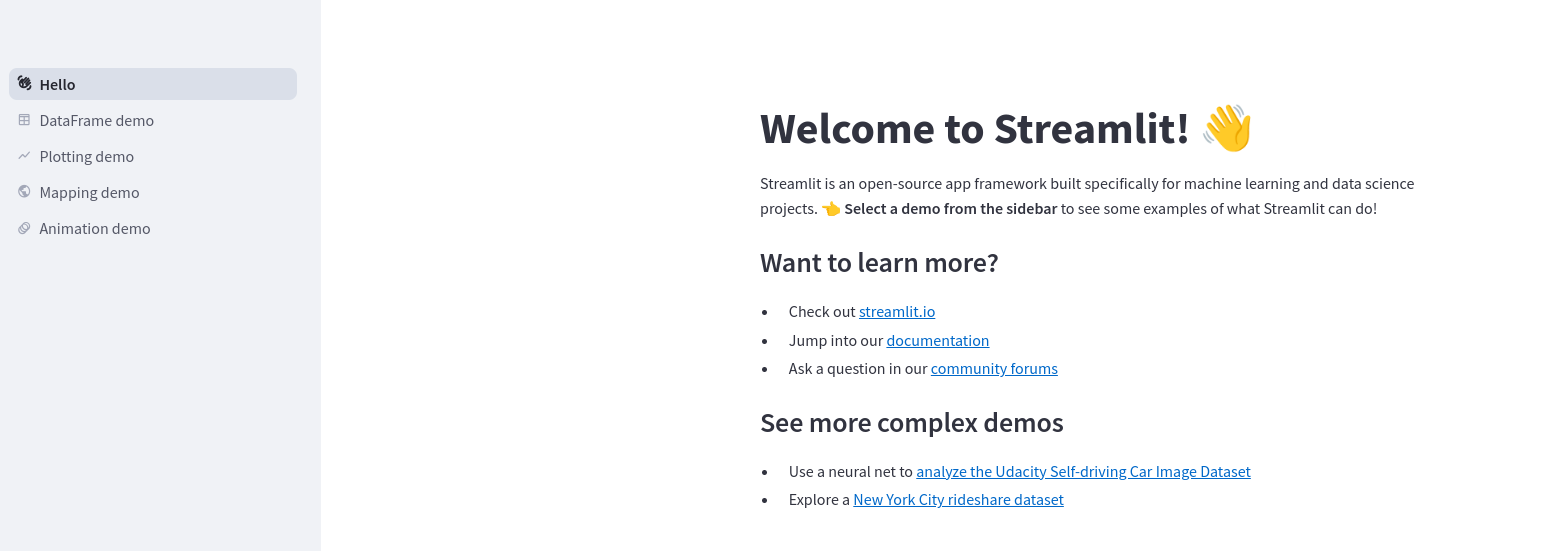
test it by typing ‘streamlit hello’
(.venv) satria@teddy:~/Documents/projects/python/streamlit$ streamlit hello
👋 Welcome to Streamlit!
If you’d like to receive helpful onboarding emails, news, offers, promotions,
and the occasional swag, please enter your email address below. Otherwise,
leave this field blank.
Email: your_email@yahoo.com
You can find our privacy policy at https://streamlit.io/privacy-policy
Summary:
– This open source library collects usage statistics.
– We cannot see and do not store information contained inside Streamlit apps,
such as text, charts, images, etc.
– Telemetry data is stored in servers in the United States.
– If you’d like to opt out, add the following to ~/.streamlit/config.toml,
creating that file if necessary:
[browser]
gatherUsageStats = false
Welcome to Streamlit. Check out our demo in your browser.
Local URL: http://localhost:8501
Network URL: http://192.168.1.23:8501
Ready to create your own Python apps super quickly?
Head over to https://docs.streamlit.io
May you create awesome apps!
it’d open http://localhost:8501 on the browser.
Create new app and run it
In your project directory (/home/satria/Documents/projects/python/streamlit) that exist .venv file, create a new file ‘app.py’
|
1 2 3 |
import streamlit as st st.write("Hello World") |
[/codesyntax]
note: pls make sure you’re already in the virtual environment (venv). if not type ‘source .venv/bin/activate’ to activate it. then run it by typing ‘streamlit run app.py’:
satria@teddy:~/Documents/projects/python/streamlit$ source .venv/bin/activate
(.venv) satria@teddy:~/Documents/projects/python/streamlit$ streamlit run app.py
You can now view your Streamlit app in your browser.
Local URL: http://localhost:8501
Network URL: http://192.168.1.23:8501
it’ll open it on your browser and printed ‘Hello World’
….
if you already finished, you can stop the streamlit app with ctrl+c and deactivated the venv
^C Stopping…
(.venv) satria@teddy:~/Documents/projects/python/streamlit$ deactivate
satria@teddy:~/Documents/projects/python/streamlit$