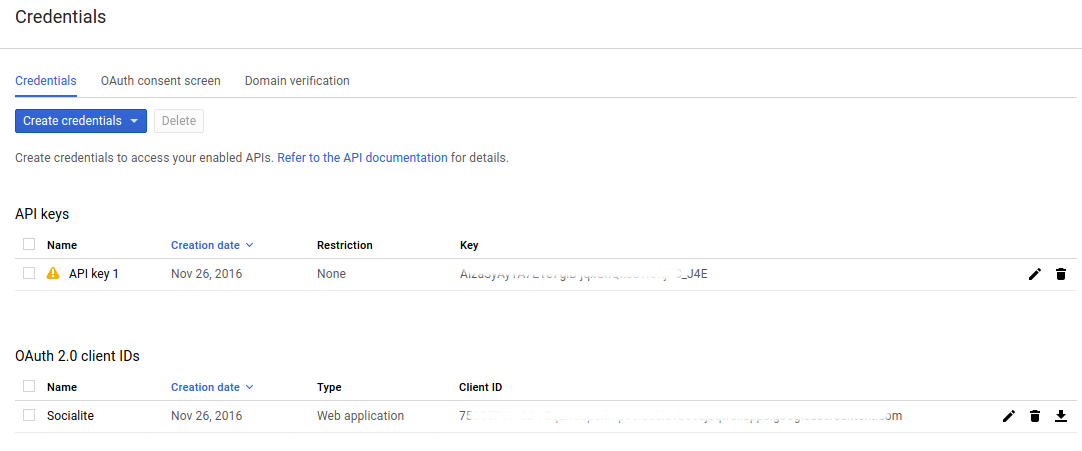
Ref: Create Project in Google Developer Console
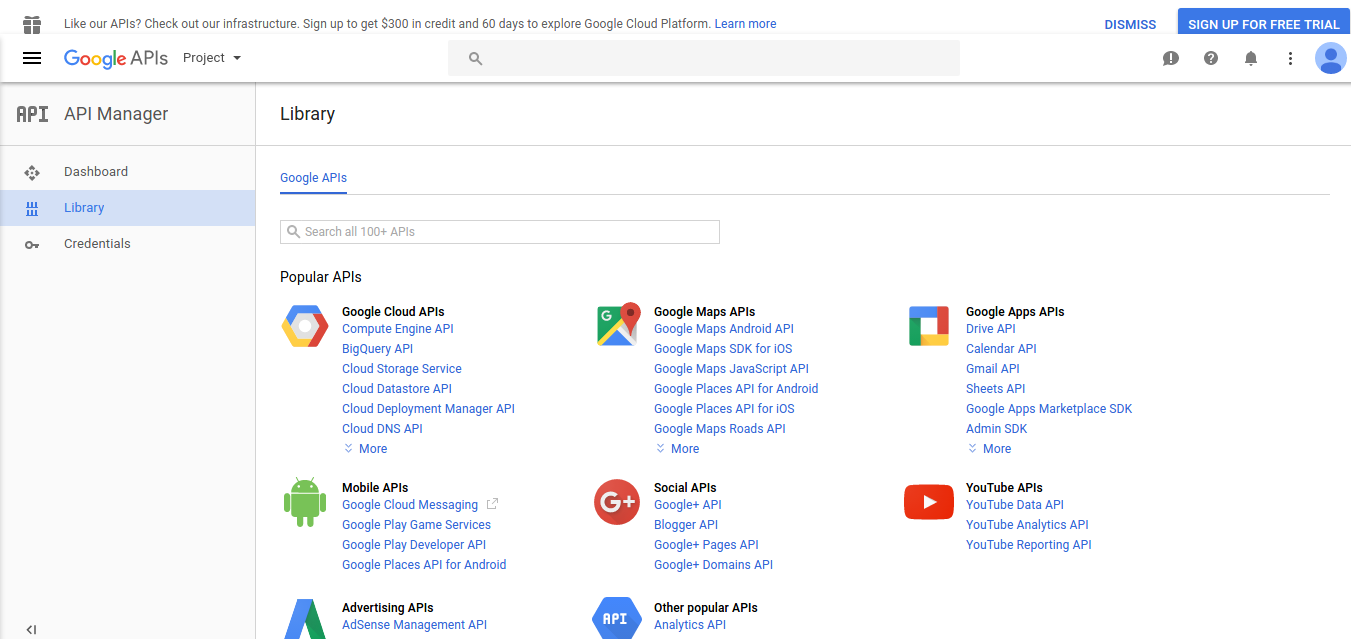
- Open Google Developer Console. Here is the screen
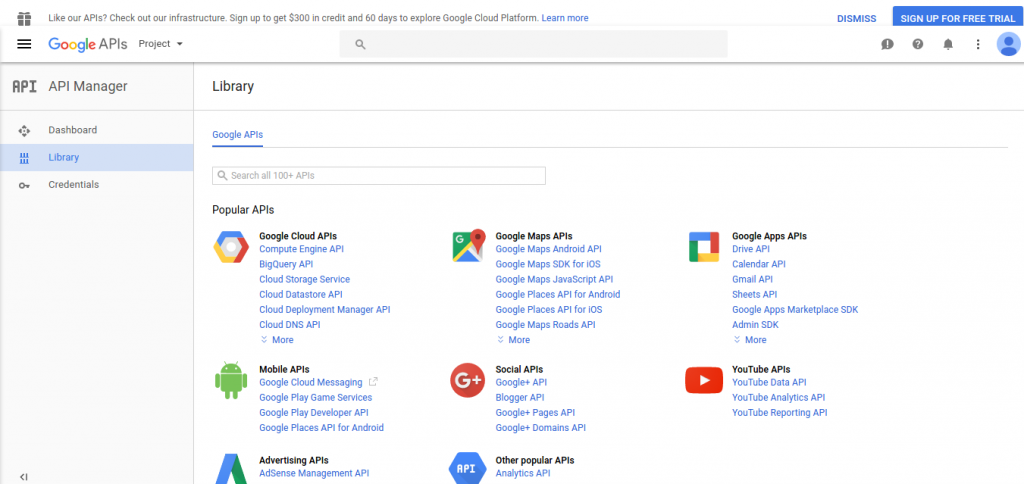
- To create a new project, Click Project -> Create Project
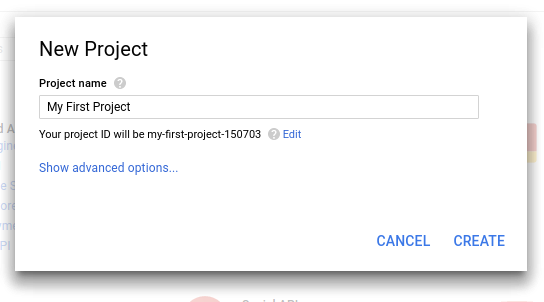
Here is the new project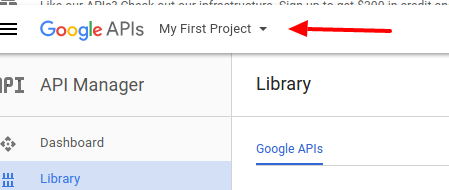
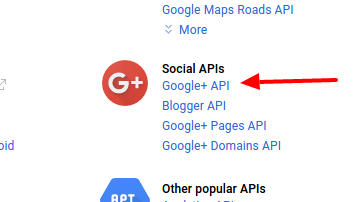
- I want to use Social APIs google+ API, so click ‘Google+ API’
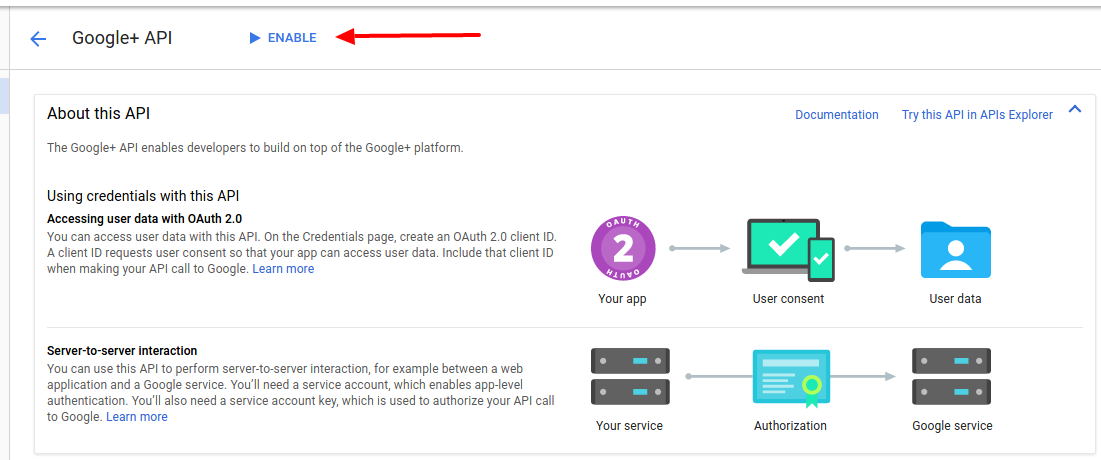
- The url would be like this: https://console.developers.google.com/apis/api/plus/overview?project=my-first-project-150703. Then click ‘Enable’
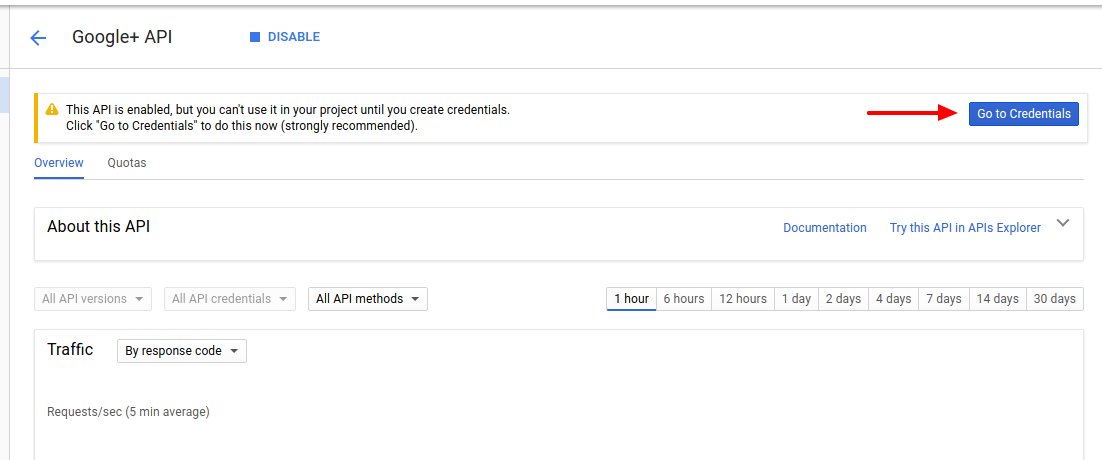
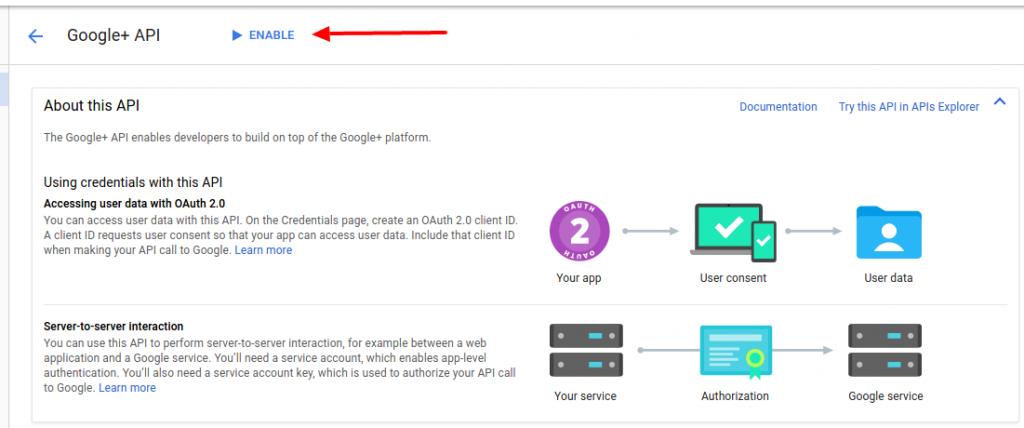 This will enable the Google+ API
 - Then click ‘Go to credential’
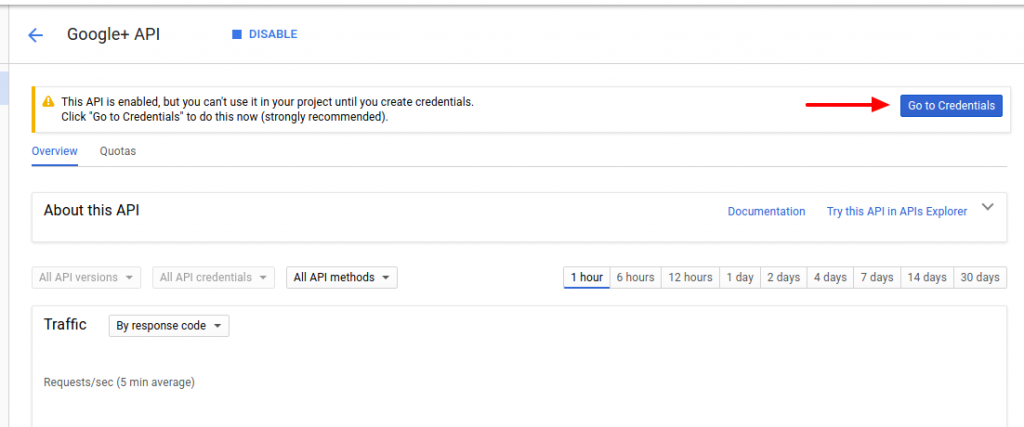 I have to create the credential first!
 - Here is the credential setting
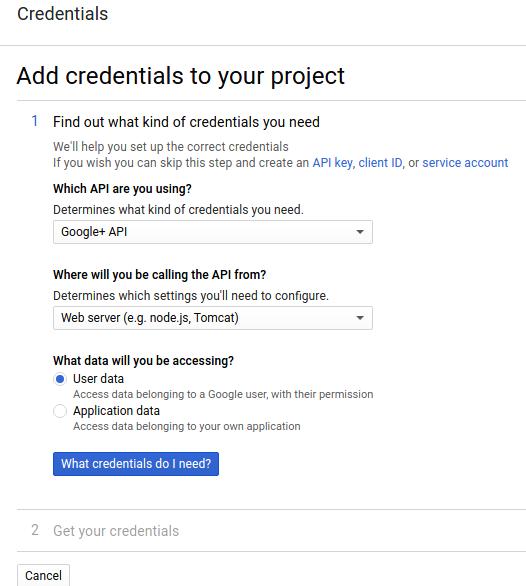 Then click ‘What credentials do I need?’
 - Create the oauth 2.0 setting
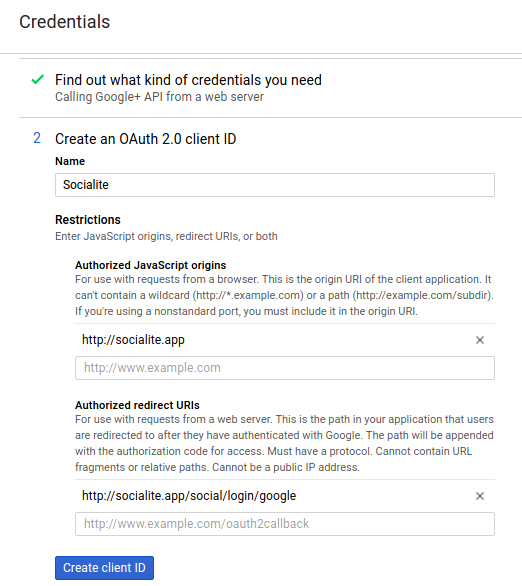 Click ‘Create client ID’
 - Then set the product name ‘Socialite’
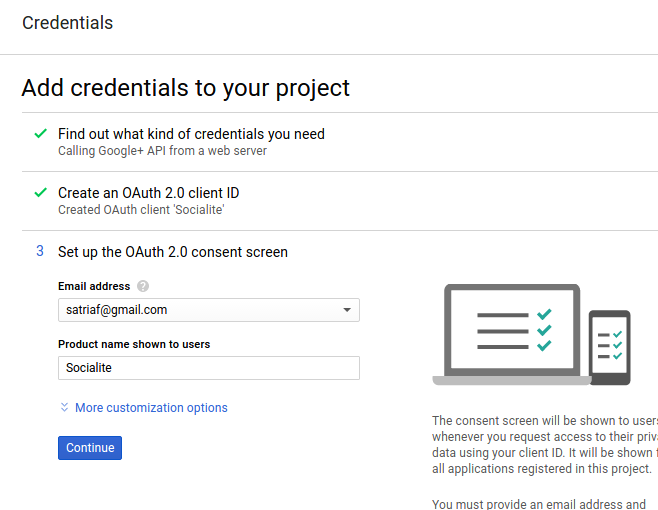
- Then I got my credential for google+
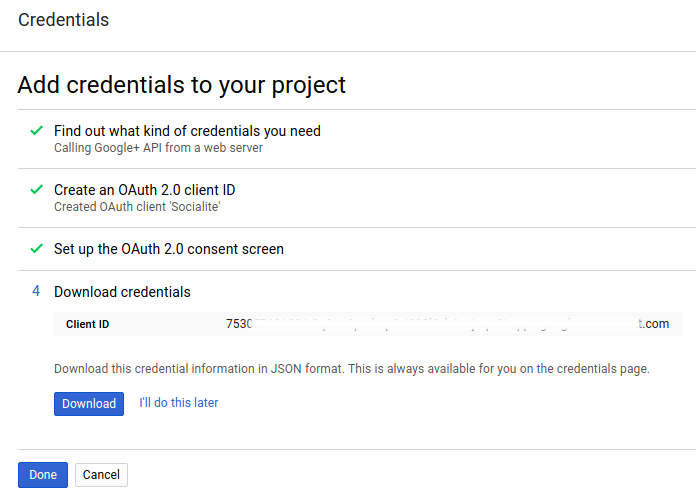 Then click ‘Done’. We’re finished!
 - Here is the dashboard for my app
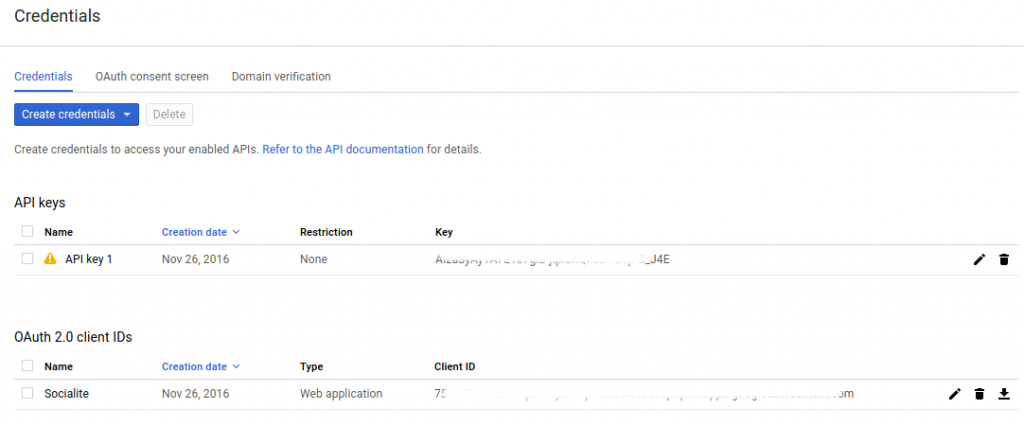
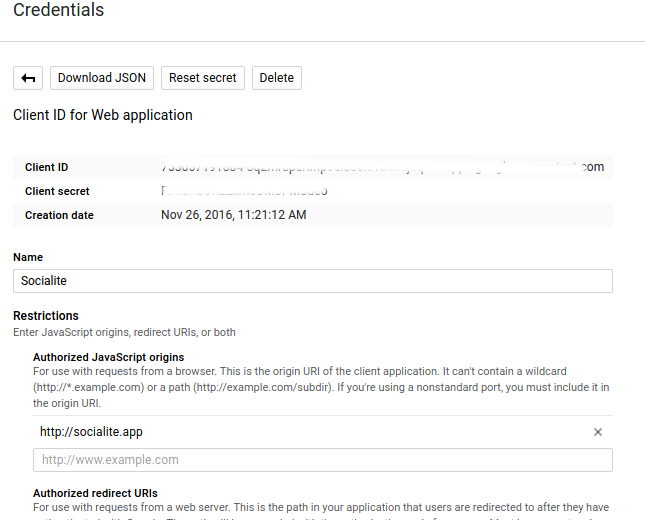
- To see the credential details like Client ID and Client Secret for ‘Socialite’ app, click ‘Socialite’ app